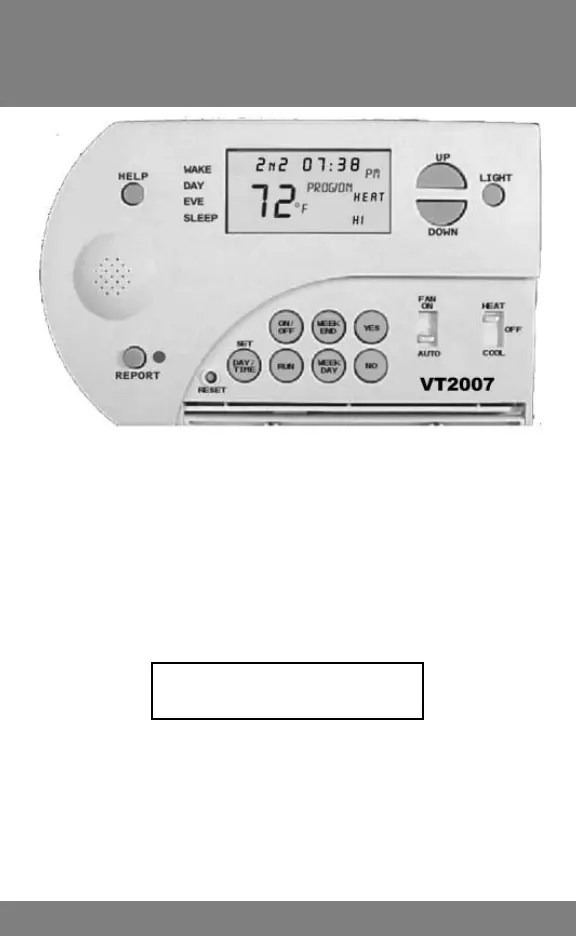
VT2007 ONLY
2nd Stage Heat Operation
Setting 2nd Stage Differential & HP Emergency Heat
14
HEAT 2-Stage Operation
In 1st stage, the HEAT icon shines steady.
In 2nd stage, the HI and HEAT icons shine steady.
Note: When 1st stage fi rst cycles on, it WAITS 8 MINUTES before advancing to 2nd
stage. If during this delay demand requires 2nd stage the HI and DELAY icons will fl ash.
Changing 2nd Stage Differential
Press the UP and DOWN keys together and HOLD until INDOOR TEMPERATURE starts
to FLASH. RELEASE. Then press again until Cr1 appears in setpoint locations. Press again
and HOLD until 2n2 appears in setpoint location. Press UP or DOWN key to move to
desired setting. Then press RUN.
2nd Stage Differential Settings
Please see table on (next) page 15
Activating Emergency Heat (Heat Pumps Only)
To activate EMERGENCY HEAT ONLY on heat pump systems, press and HOLD RUN
and YES until Eon alternately FLASHES with the setpoint temperature. To deactivate
EMERGENCY HEAT ONLY, press and HOLD RUN again until Eof briefl y appears and
then disappears. Running EMERGENCY HEAT also reduces the time delay between
stages to 1 MINUTE.
Note: On heat pump systems the GAS/ELECTRIC SWITCH located on CIRCUIT
BOARD below the battery holder must be in the “E” (Electric) position.



 To Next Page