EasyManua.ls Logo

SOMFY Freevia 280 - User Manual

SOMFY Freevia 280
37 pages
Print Icon
To Next Page IconTo Next Page
Loading...
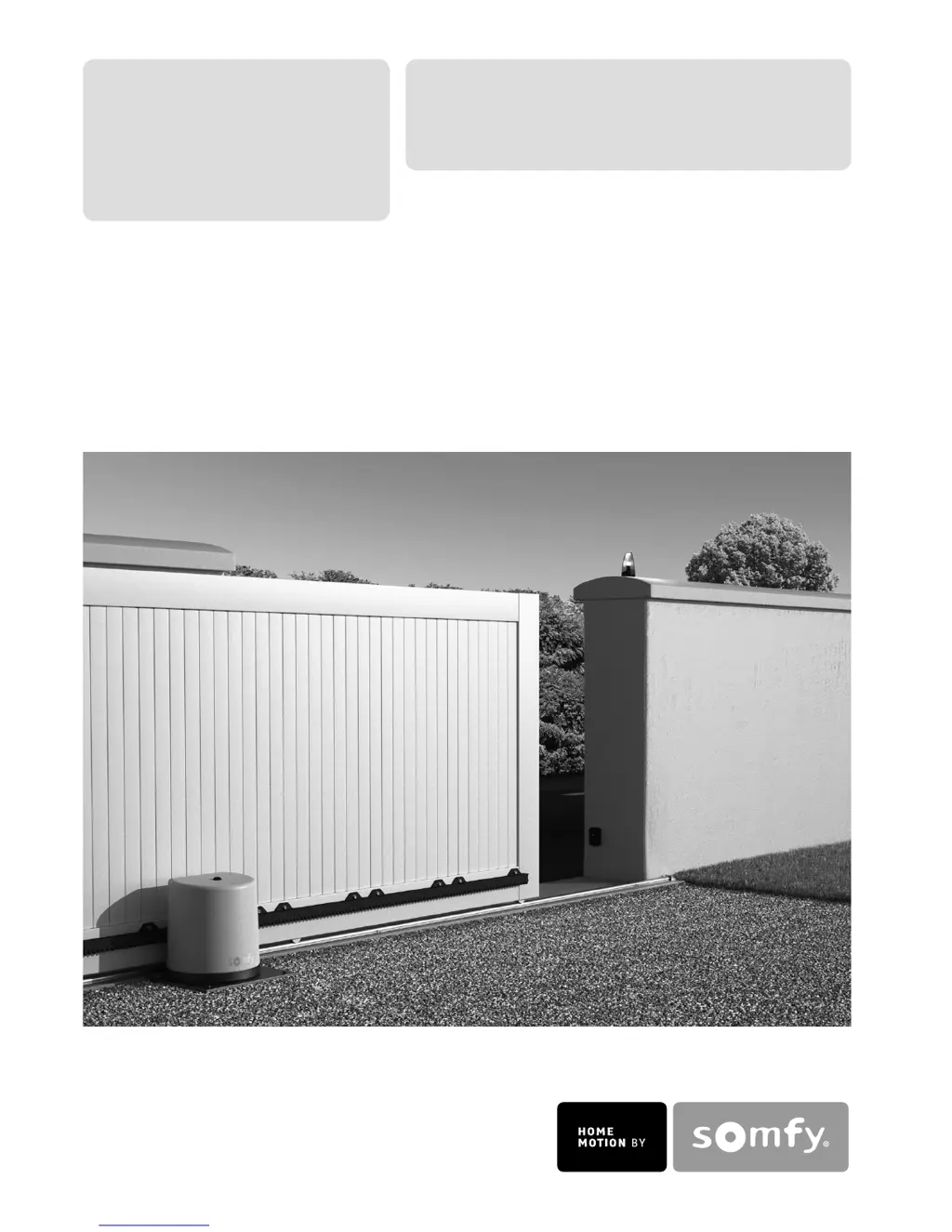
Freevia 280
Freevia 300
Operating and installation guide
Instrukcja montażu i obsługi
5057966C

Other manuals for SOMFY Freevia 280

Questions and Answers

  • L
    levyjoshuaAug 14, 2025
    Why SOMFY Freevia 280 motor does not respond to remote control?
    • A
      Ashley PatrickAug 14, 2025
      If your SOMFY Garage Door Opener motor isn't responding to the remote, here are a few things to check: - Reduced remote control range could be caused by a low battery. Check the remote control battery. - Inspect the aerial of the electronic unit for wiring and positioning. - External factors might interfere with the radio signal. Look for electric pylons or metal-reinforced walls. If interference persists, consider fitting an external aerial.
  • A
    Angela WadeAug 17, 2025
    Why are my SOMFY Gate Opener motors not responding to the remote control commands?
    • S
      Stephanie HuertaAug 17, 2025
      Several factors can cause your SOMFY Gate Opener motors to not respond to remote control commands: * The remote control range might be reduced due to a low battery. In this case, check the remote control battery. * The remote control range could also be reduced due to issues with the electronic unit's aerial. Check the wiring and position of the aerial. * Outside elements might be interfering with the radio signal. If this is the case, fit an external aerial. * The remote control may not be memorized. Memorize the remote control. * One or two motors might be unlocked. Lock the motors.
  • J
    Joshua EstradaAug 21, 2025
    What to do if the STATUS indicator of my SOMFY Gate Opener electronic unit is flashing with 3 pulses?
    • S
      Stephen WrightAug 21, 2025
      If the STATUS indicator on your SOMFY Gate Opener's electronic unit is flashing 3 times, it indicates a cell fault. This could be due to several reasons: * An obstacle blocking the cells. Remove any obstacles. * Misaligned cells. Correct their alignment. * Incorrectly wired cells. Wire the cells correctly. * Missing or disconnected cells. Check that your cells are correctly connected. If you have deliberately disconnected the cells and your gate is operating in auto close mode, you must deactivate auto close mode.
  • B
    brownbrianAug 25, 2025
    What to do if the STATUS indicator of my SOMFY Gate Opener electronic unit is off?
    • V
      Vicki PerezAug 25, 2025
      If the STATUS indicator on your SOMFY Gate Opener's electronic unit is off, it means the motor is not powered. Check the power supply and the supply cable.
  • B
    Brian RobinsonAug 27, 2025
    What does it mean when my SOMFY Gate Opener shows 5 pulses?
    • T
      Teresa KellyAug 28, 2025
      If your SOMFY Gate Opener shows 5 pulses, it means the motor thermal protection device has been activated. Allow the motor to cool down until the STATUS indicator lights up continuously.
  • T
    Tiffany WolfeAug 31, 2025
    What does it mean if my SOMFY Gate Opener shows 4 pulses?
    • J
      Jamie MillerAug 31, 2025
      If your SOMFY Gate Opener displays 4 pulses, it indicates a short circuit on the electronic unit BUS output (terminals 3-4). Check the accessories connected to the electronic unit BUS output.
  • J
    Joseph HowellSep 3, 2025
    What does it mean if my SOMFY Gate Opener shows 6 pulses?
    • A
      Ashley BurnettSep 3, 2025
      If your SOMFY Gate Opener displays 6 pulses, it indicates a short circuit on the electronic unit 24 V output (terminals 5-6). Check the accessory connected to the electronic unit 24 V output.
  • E
    Erin RossSep 6, 2025
    Why does the automatic closing mode not activate on my SOMFY Gate Opener?
    • P
      Patricia WestSep 6, 2025
      The automatic closing mode on your SOMFY Gate Opener might not activate because photoelectric cells are not installed. Install some cells.
  • D
    Daniel BrownSep 10, 2025
    What to do if outdoor lighting is very low and the SOMFY Gate Opener motor is on standby?
    • R
      Rebecca YoungSep 10, 2025
      If the outdoor lighting is very low and your SOMFY Gate Opener motor is on standby, increase the light around the electronic unit (using a torch, for example) if you want to make adjustments.

Summary

WELCOME

Who are Somfy?

Information about the Somfy company and its products.

Assistance

How to get help and support for Somfy products.

SAFETY INSTRUCTIONS

PRODUCT DESCRIPTION

Composition of the kit

Lists all components included in the Freevia kit, with quantities.

Ambient light detector

Maximum weight and dimensions of the gate

Size of motor (in mm)

General view of the installation

Technical data

PRELIMINARY OPERATIONS

Pre-installation checks

Essential checks to perform before installing the gate motor.

Tools required

List of tools needed for the installation process.

Electrical preequipment

Safety instructions

1. PREPARING THE BASE

Positioning the motor

Instructions on how to correctly position the motor horizontally and vertically.

Fitting the end stops

Guidance on securely fixing end stops to delimit gate travel.

Base

Requirements for anchoring the motor base to the ground.

2. MOUNTING

Fitting the lag screws

Steps for installing the lag screws and plugs for motor mounting.

Mounting the motor

Procedures for attaching the motor to the mounting base.

Fitting the rack

Mechanical adjustment

3. ELECTRICAL CONNECTIONS

Motor connection

Details on connecting the motor to the electronic unit.

Connection to the electrical power supply

Connection to a solar power supply

Safety device connection

4. QUICK COMMISSIONING

Presenting the remote control

How to register remote controls with the motor unit.

Affixing the label to the electronic unit

Guidance on attaching the electronic unit label.

Switching the installation on

Steps to power on the gate motor installation.

Programming the gate travel

Setting the motor's opening and closing travel limits.

5. FITTING THE COVER

OPERATION

Operation in sequential mode

How the gate operates with repeated button presses: Open, Stop, Close.

Pedestrian opening

Performing a partial gate opening using a remote control button.

Operation in automatic mode

Obstacle detection operation

Area lighting operation

Operation of the 3 button remote controls or control points

Unlocking;locking the motor

ADVANCED PARAMETER SETTING

Selection of the buttons of your 2 or 4 button remote controls

Choosing which remote buttons control gate functions.

Memorising a 2 or 4 button remote control

Programming remote controls to operate the gate.

Memorising a 3 button remote control

Adding 3-button remote controls to the system.

Activating pedestrian opening

Activating the AUTO CLOSING mode

ACCESSORIES

Cable cross section by type of accessory

Recommended cable sizes for various accessories.

Cells

Cell location

Guidelines for optimal placement of gate safety cells.

Cell installation and wiring

Step-by-step guide for installing and wiring the safety cells.

Cell recognition by the motor electronics in sequential mode

Deleting cells

Blocking cells

Safety instructions

Orange light

Installing the orange light

Steps for mounting the orange warning light.

Wiring the orange light

Area lighting

Backup battery

Battery wiring and fitting

Key lock

Interphone

Digicode

Offset aerial

2 button remote control

4 button remote control

SOLAR POWER

Connection to the solar power supply

How to connect the solar panel to the motor unit.

Advice for use

Recommendations for optimizing energy consumption with solar power.

TROUBLESHOOTING GUIDE

The motor does not respond to commands from the remote control

Solutions for when the remote control fails to operate the motor.

The electronic units STATUS indicator is off

Troubleshooting steps when the status indicator light is not on.

The STATUS indicator of the electronic unit is flashing

Diagnosing issues based on different flashing patterns of the status indicator.

5 pulses

6 pulses

The automatic closing mode does not activate

Assistance

Replacing the remote control battery

Aerial wiring and position

Clear the settings

Clear the memorised settings and remote controls

SOMFY Freevia 280 Specifications

General IconGeneral
Maximum door surface10 m²
Maximum door height2.5 m
Operating voltage230 V
Motor voltage24 V DC
Motor TypeDC motor
Power SupplyMains power
InstallationDIY installation possible
Warranty2 years
Safety FeaturesObstacle detection
Remote ControlYes

Related product manuals