EasyManua.ls Logo

SOMFY FREEVIA 600 - User Manual

SOMFY FREEVIA 600
48 pages
Go to English
Print Icon
To Next Page IconTo Next Page
Loading...
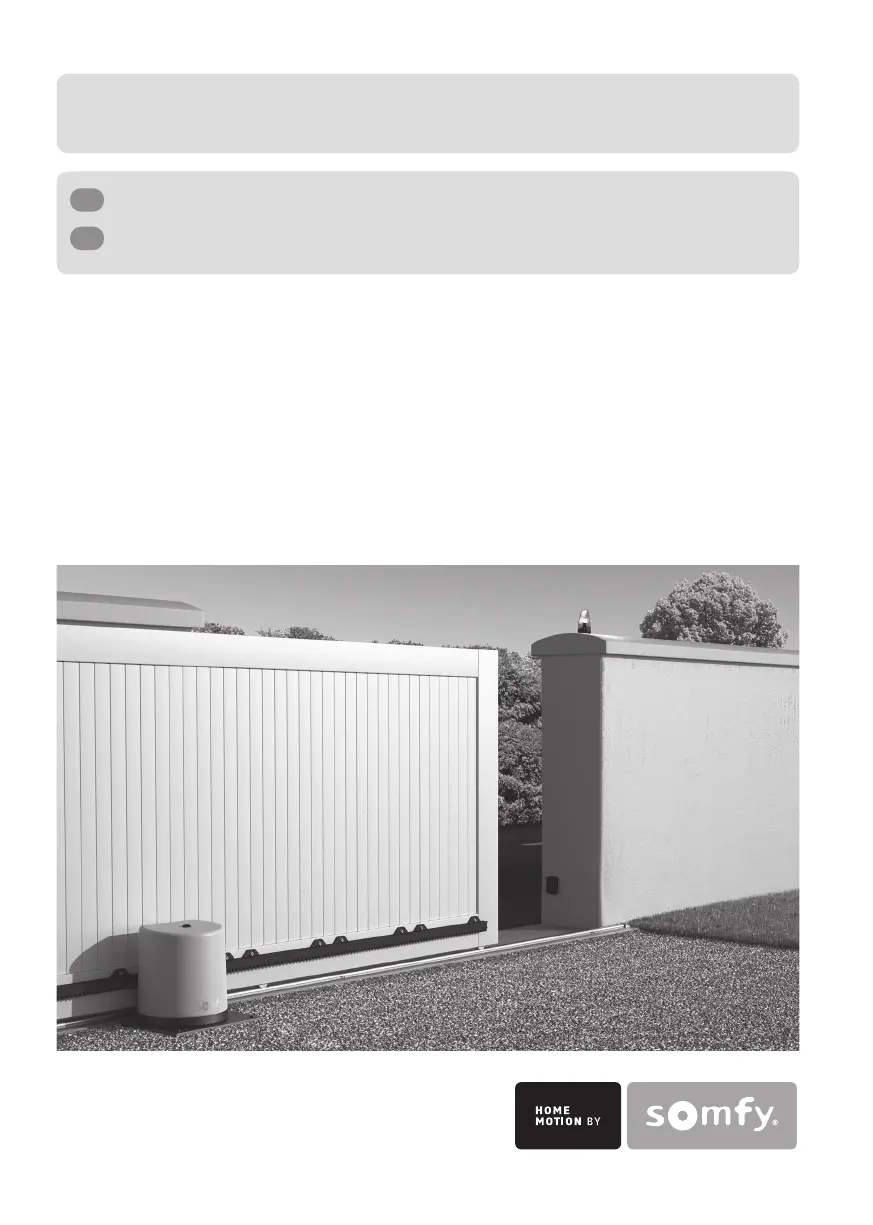
Freevia 280, 290, 300, 600
FR
Remplacement du boîtier électronique
EN
Replacing the electronic unit
5072306A

Other manuals for SOMFY FREEVIA 600

Questions and Answers

  • L
    Lauren SmithAug 12, 2025
    Why are my SOMFY Gate Opener motors not responding to the remote control commands?
    • D
      Douglas PriceAug 12, 2025
      Several factors can cause your SOMFY Gate Opener motors to not respond to remote control commands: * The remote control range might be reduced due to a low battery. In this case, check the remote control battery. * The remote control range could also be reduced due to issues with the electronic unit's aerial. Check the wiring and position of the aerial. * Outside elements might be interfering with the radio signal. If this is the case, fit an external aerial. * The remote control may not be memorized. Memorize the remote control. * One or two motors might be unlocked. Lock the motors.
  • P
    pbraunAug 16, 2025
    What to do if the STATUS indicator of my SOMFY Gate Opener electronic unit is flashing with 3 pulses?
    • A
      Anna PenaAug 16, 2025
      If the STATUS indicator on your SOMFY Gate Opener's electronic unit is flashing 3 times, it indicates a cell fault. This could be due to several reasons: * An obstacle blocking the cells. Remove any obstacles. * Misaligned cells. Correct their alignment. * Incorrectly wired cells. Wire the cells correctly. * Missing or disconnected cells. Check that your cells are correctly connected. If you have deliberately disconnected the cells and your gate is operating in auto close mode, you must deactivate auto close mode.
  • C
    cruztimothyAug 20, 2025
    What to do if the STATUS indicator of my SOMFY Gate Opener electronic unit is off?
    • J
      Julie BryanAug 20, 2025
      If the STATUS indicator on your SOMFY Gate Opener's electronic unit is off, it means the motor is not powered. Check the power supply and the supply cable.
  • D
    Deborah VargasAug 23, 2025
    What does it mean when my SOMFY Gate Opener shows 5 pulses?
    • J
      John KelleyAug 23, 2025
      If your SOMFY Gate Opener shows 5 pulses, it means the motor thermal protection device has been activated. Allow the motor to cool down until the STATUS indicator lights up continuously.
  • C
    Carmen MullinsAug 27, 2025
    What does it mean if my SOMFY Gate Opener shows 4 pulses?
    • G
      Gabriela SilvaAug 27, 2025
      If your SOMFY Gate Opener displays 4 pulses, it indicates a short circuit on the electronic unit BUS output (terminals 3-4). Check the accessories connected to the electronic unit BUS output.
  • S
    Stephanie LewisAug 30, 2025
    What does it mean if my SOMFY Gate Opener shows 6 pulses?
    • M
      Marcia FloresAug 30, 2025
      If your SOMFY Gate Opener displays 6 pulses, it indicates a short circuit on the electronic unit 24 V output (terminals 5-6). Check the accessory connected to the electronic unit 24 V output.
  • J
    Jonathan LeeSep 3, 2025
    Why does the automatic closing mode not activate on my SOMFY Gate Opener?
    • T
      Taylor LaneSep 3, 2025
      The automatic closing mode on your SOMFY Gate Opener might not activate because photoelectric cells are not installed. Install some cells.
  • T
    Travis SalinasSep 7, 2025
    What to do if outdoor lighting is very low and the SOMFY Gate Opener motor is on standby?
    • H
      Heather RivasSep 8, 2025
      If the outdoor lighting is very low and your SOMFY Gate Opener motor is on standby, increase the light around the electronic unit (using a torch, for example) if you want to make adjustments.

Summary

Installation and Initial Setup

Electrical Power Connection

Procedure for connecting the unit to the main power supply, including wire preparation and color coding.

Commissioning and Basic Operation

Quick Commissioning Process

Initial setup: label affixing, powering on, memorizing remotes, and programming gate travel.

Sequential Operation Mode

Using remote controls for basic gate movements: Open, Stop, Close in sequential mode.

Advanced Features and Modes

Automatic Closing and Safety

Automatic closing after 30s, obstacle detection, and response mechanisms for safe operation.

Enabling Auto Closing Mode

Procedure to activate the automatic closing feature, recommended for solar power installations.

Troubleshooting Guide

SOMFY FREEVIA 600 Specifications

General IconGeneral
BrandSOMFY
ModelFREEVIA 600
CategoryGarage Door Opener
LanguageEnglish

Related product manuals