User Manual SPA Snow Pack Analyser
- 12 -
4.2. Main Menu
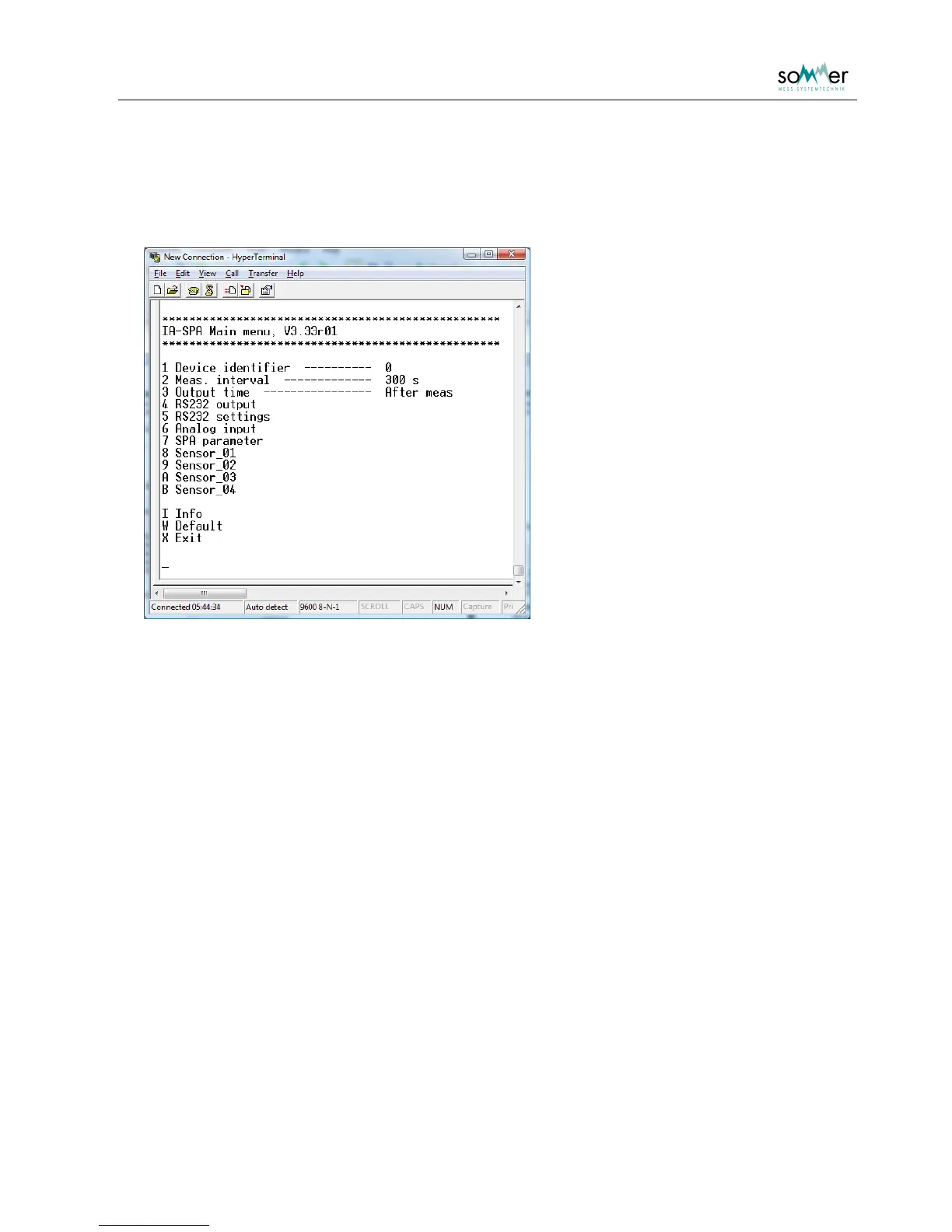
The main menu is opened by quickly entering three question marks ??? in the terminal
program.
Fig. 1: Main menu
The menu items are accessed by entering the menu key display left of the menu item. Either sub menus
are opened or the specific parameter is displayed with the corresponding unit. Changes are verified with
Enter
, editing is aborted with
Esc
. Sub menus are closed with
X
. The menu is not case sensitive. If the
main menu is closed, the sensor starts the measurement mode and returns the message Run! .



 To Next Page