Command15
Owner’s Manual
3
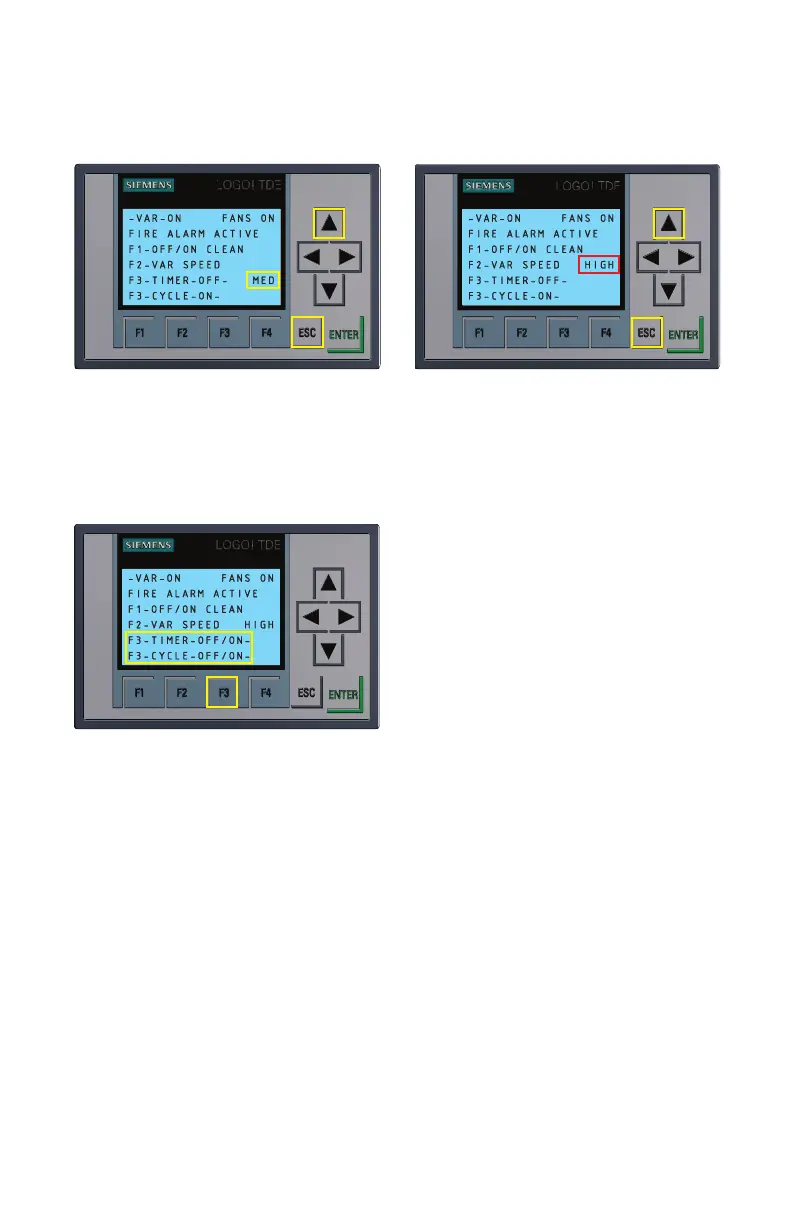
Figure 2.2
Cycling through Variable Speed Modes
FUNCTION 3: Activating the automatic timer
Figure 3.1
Automatic Timer turned OFF and
ON
Use the F3 button to cycle through the on/
off settings for the Daily Timer and Cycle
Timer. These settings include: both ON;
Daily Timer OFF and Cycle Timer ON;
Daily Timer ON and Cycle Timer OFF; and
both OFF.
FUNCTION 4:
Programming the
automatic timer
Use the F4 button to open/program the
Timer Menu. Once in the Timer Menu, use the F4 button to cycle between pages. There
are six programmable High Speed Daily Timers on pages 1 through 3 of the Timer Menu.
Two Low Speed Daily Timers can be found on Page 4. The programmable settings for the
Cycle Timer can be found on Page 5.
Programming the daily timers
• Once in the Timer Menu, hold the ESC button until the days of the week selection is
highlighted as shown in Figure 4.1.
• Press the ENTER button to highlight (so that you can turn ON/turn OFF) the individual
day indicator letters (i.e. M for Monday, T for Tuesday, etc.) as shown in Figure 4.2.
Now use the left/right arrows on the keypad as shown in Figure 4.3 to move between



 To Next Page