24
SonicWallNSA2600/3600/4600/5600/6600GettingStartedGuide
Thefollowingsectionsprovideinitialconfigurationinformation
andinstructionsforconnectingyourSonicWal l NSAappliance
forinitialsetup:
• ConnectingtotheMGMTPortonpage24
• ApplyingPowertotheNSAonpage24
• SonicWallNSALEDActivityonpage24
• UsingtheSetupWizardonpage25
ConnectingtotheMGMTPort
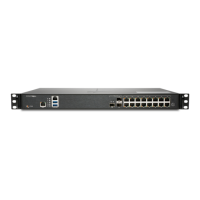
TheMGMTportisadedicated1gigabitEthernetinterfacefor
appliancemanagementandSafeModeaccess.
1UsingtheprovidedEthernetcable,connectoneendof
thecabletothecomputeryouareusin gtomanagethe
SonicWallNSAappliance.
2ConnecttheotherendoftheEthernetcabletothe
MGMTport
onyourSonicWallNSAappliance.
ApplyingPowertotheNSA
ConnecttheACpowercordfromtheSonicWallNSAappliance
intoanappropriatepoweroutlet.
Forfurtherinformationregardingpowerrequirements,refer
toProductSafetyandRegulatoryInformationonpage51of
thisdocument.
SonicWallNSALEDActivity
ThePowerLEDsonthefrontpanelilluminatebluewhenthe
applianceispoweredon.
TheTestLEDorAlarmLEDmayilluminateandblinkwhilethe
applianceperformsaseriesofdiagnostictests.Whenthese
LEDsarenolongerilluminatedandthePowerLEDsremain
steadilylit,theSonicWallNSA
applianceisreadyfor
configuration.Thistypicallyoccurswithinafewminutesof
turningonthepower.
IftheTestorAlarmLEDsremainlitaftertheSonicWallNSAhas
completedpoweringon,restarttheapplianceby
disconnectingthepower,waiting1minute,andthen
connectingthepoweragain.
For
aconnectedMGMTorcoppergigabitEthernetport,the
LinkLEDfortheportilluminatesgreenoramberdependingon
thelinkthroughputspeed,indicatinganactiveconnection:
• Amberindicates1Gbps
• Greenindicates100Mbps
• AnunlitleftLEDwiththerightLEDlitindicates10Mbps













 To Next Page