26
SonicWallNSA2600/3600/4600/5600/6600GettingStartedGuide
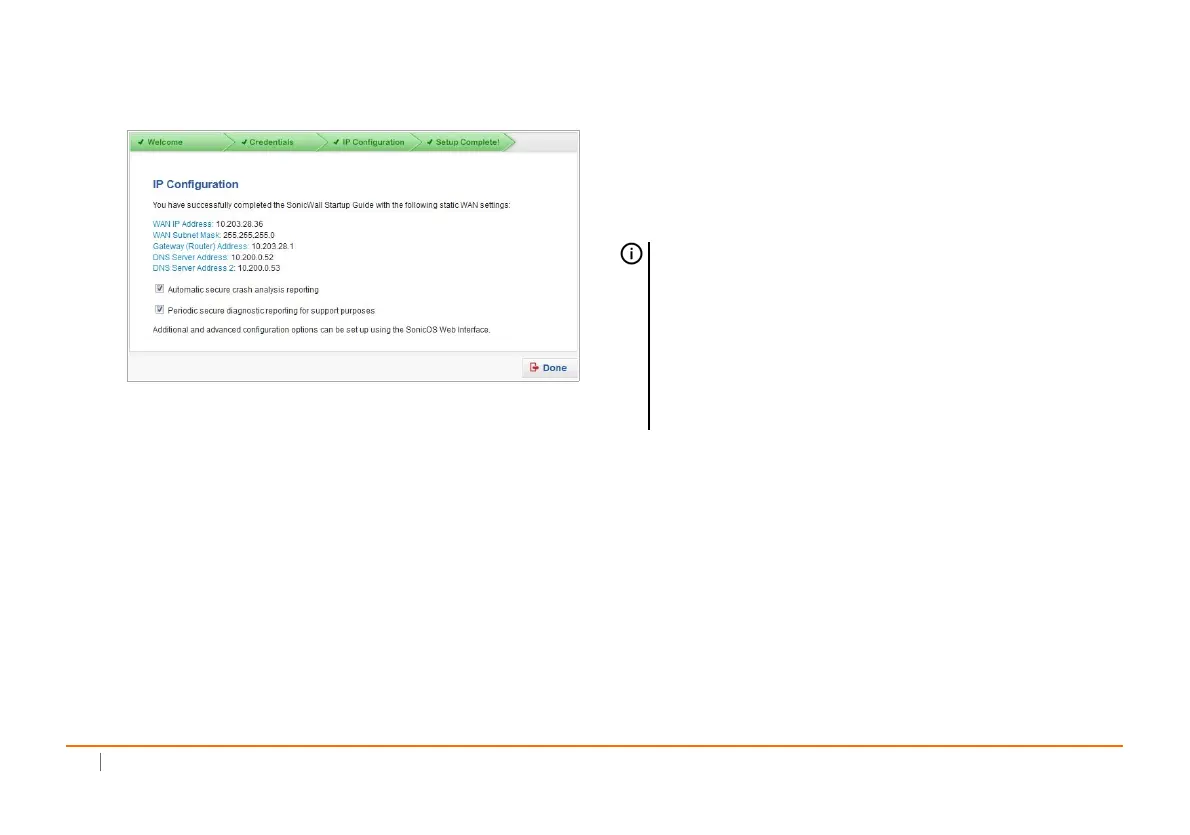
4Oncecompleted,clickDoneintheSetupComplete
screen.
5ContinuetoConnectingtotheInternetonpage26to
connecttheapplianceforInternetaccess.
Then,refertoRegistering,Licensing,andUpgradingon
page31tobegintheregistrationprocess.
Connectingtothe Internet
Afterinitialsetupiscomplete,physicallyconnecttheSonicWall
NSALANandWANinterfacestotheappropriatenetwork
devicesinyourenvironmenttoprovideaccesstoexternal
networksortheInternet.
TheInternetAccessdiagramillustrateshowtoconnectyour
computertotheSonicWallNSAapplianceforInternetaccess.
Topics:
• ConnectingtheLANPortonpage28
• ConnectingtheWANPortonpage28
• TestingYourInternetConnectiononpage29
NOTE:Internetconnectivityisneededforthe
recommendedproductregistrationprocess.Forinitial
Internetaccess,connectyourcomputertotheNSAX0
interfaceortotheLANsubnet.
YoucannotreachtheInternetorotherexternal
destinationswhileconnectedtotheMGM Tinterface
withoutfirstconfiguringadefaultgatewayinits
interfacesettings.













 To Next Page