18
SonicWallSonicPointACeGettingStartedGuide
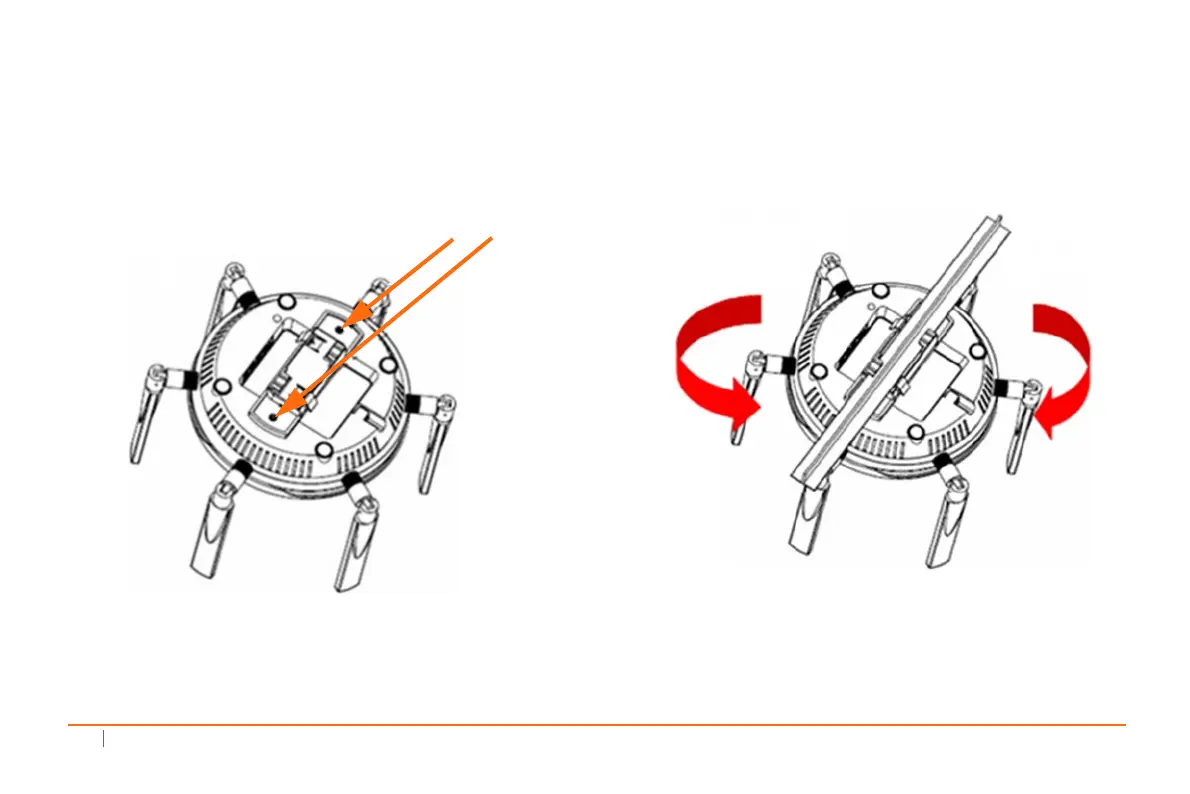
TomounttheSonicPointACetoacrossbarbetween
ceilingpanelsusingthelargebracket
1Usetheincludedscrewstoattachthelargebracketto
theundersideoftheSonicPoint.
2 SupportingtheSonicPointinonehand,positionthe
edgeclipsofthebracketovertheedgeoftheceiling
crossbarandrotatetheSonicPointcounterclockwise(to
theleftwhenlookingupatit)untilthebracket
is
securelyattachedtothecrossbar.
ToremovetheSonicPointACefromtheceilingcrossbar,
rotateitclockwise(t otherightwhenlookingupatit)
untilthebracketdetachesfromthecrossbar.
Fastenthelargeceiling
bracketwithscrews.



 To Next Page