Connecting to a Network
Connecting the TV to a network gives you access to online services, such as
YouTube, as well as software updates.
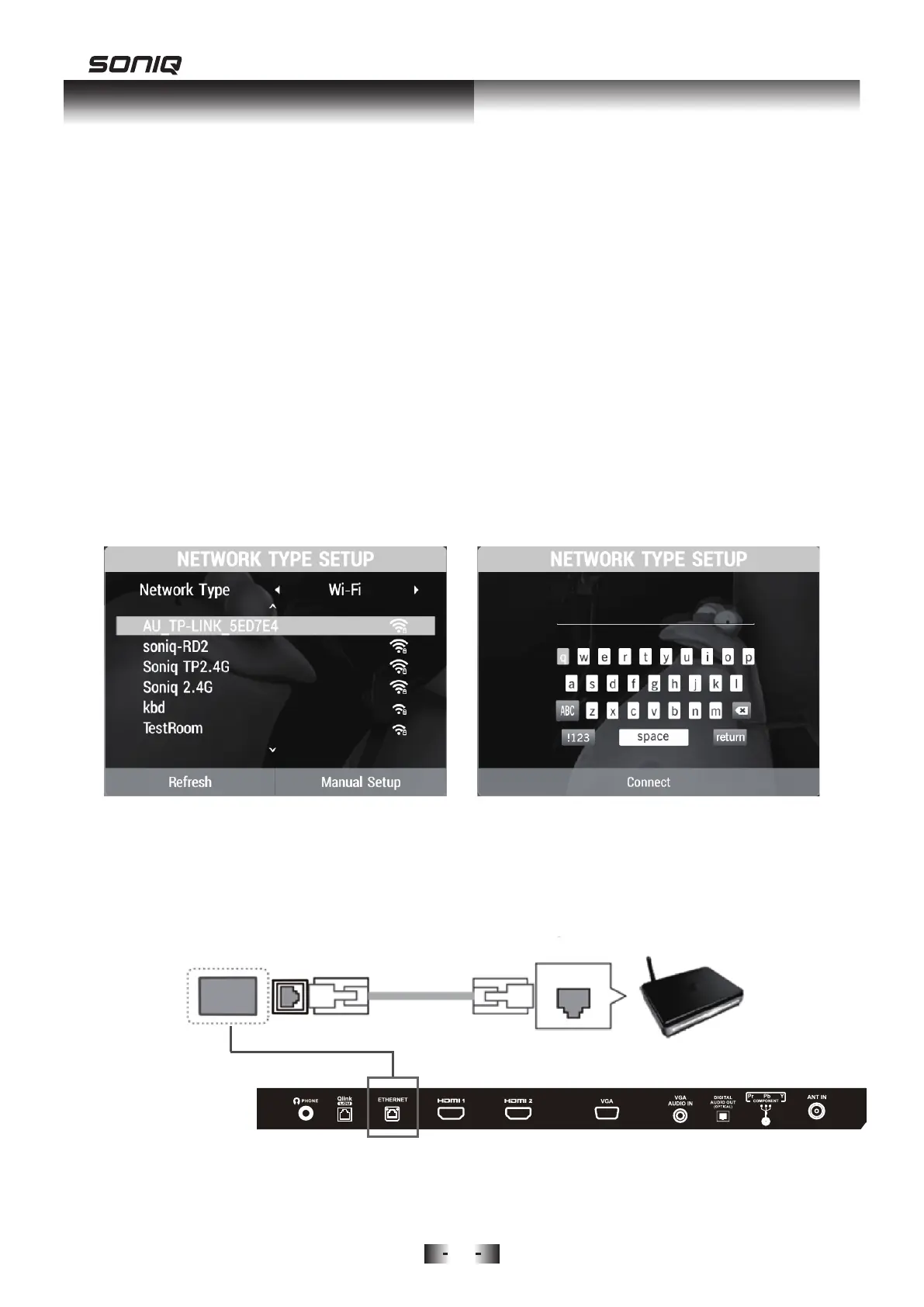
Network Connection – Wireless
Connect TV to the Internet using a standard router or modem.
1. Press Menu Button to select NETWORK, then to press Down button to
Network Type.
2. Press Left / Right navigation key to select Wi-Fi.
3. The TV will automatically begin searching for nearby Wi-Fi Access Points
(WAP).
4. Press the UP/Down buttons to select your home WAP, and press OK.
5. If the WAP has a security password, enter the password using the remote
control, and then press Up/Down Buttons to move the cursor to "Connect"
and press OK.
Network Connection – Wired
Using a LAN cable to connect your TV with an available network via the LAN
port.
10
Ethernet LAN Router


 To Next Page