OSD Menu Operation
14
(Before operating OSD menu, please switch to full screen playback).
OSD menu can only be operated by using remote control.
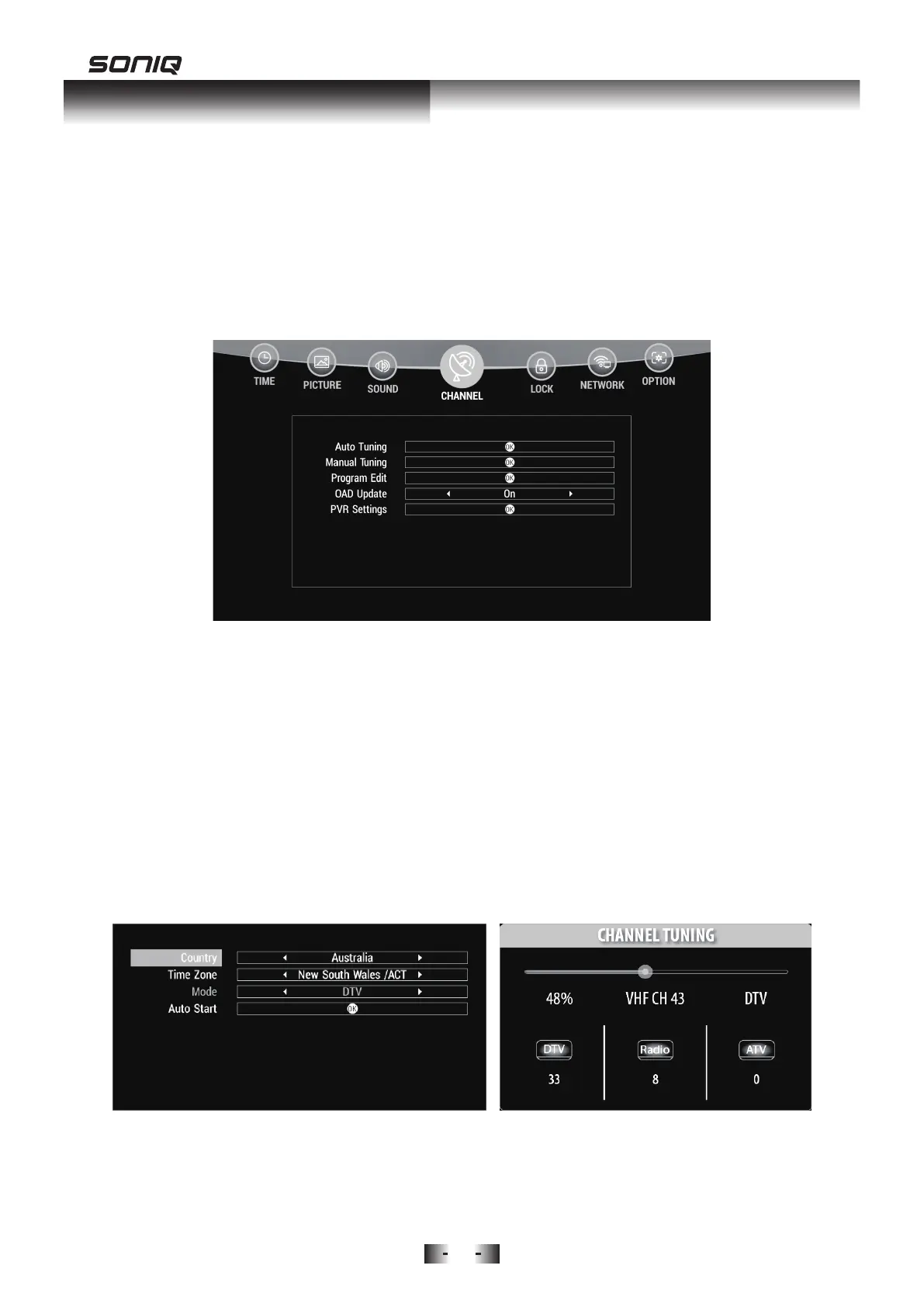
CHANNEL MENU
Press MENU Button to access the main menu, use Left and Right Button to
select CHANNEL.
Auto Tuning
Press Down button and Auto Tuning will be highlighted, press OK Button to
enter.
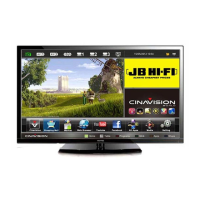
1. Press Left/Right to select country, press Down Button to enter the next
step.
2. Press Left/Right to select Time Zone, press Down Button to enter the
next step.
3. Press Left/Right to select Mode, press Down Button to enter the next
step.
4. Press OK button to Auto Start.
Manual Tuning
Press Up /Down Button to highlight Manual Tuning, then press OK to enter



 To Next Page