17
1. Sound Mode:
Press Down button to set Sound Mode, and press Left/Right Button to
pick Sound Mode among Standard, Music, Movie, Sport, User Mode.
You can adjust the value of Treble, Bass and Balance under User Mode.
2. Auto Volume:
Press Up/Down to choose Auto Volume, Press Left/Right to select On/Off.
3. SPDIF Output:
Press Up/Down to select SPDIF Mode, then to press Left and Right
Button to select Bitstream, Off or PCM.
4. Speaker Delay:
Adjust the setting to fix any lip sync issues.
Use Up/Down to select Speaker Delay, and click Left and Right Button to
adjust the delay time.
5. SPDIF Delay:
Adjust the setting to fix any lip sync issues when the TV is connected to
an external amplifier.
Use Up/Down to select SPDIF Delay, and click Left and Right Button to
adjust the delay time.
6. Default Speaker: Select the default speaker of your TV. When the TV is
connected with a Soundbar, the default speaker is Soundbar, otherwise,
this setting is Built in Speaker.
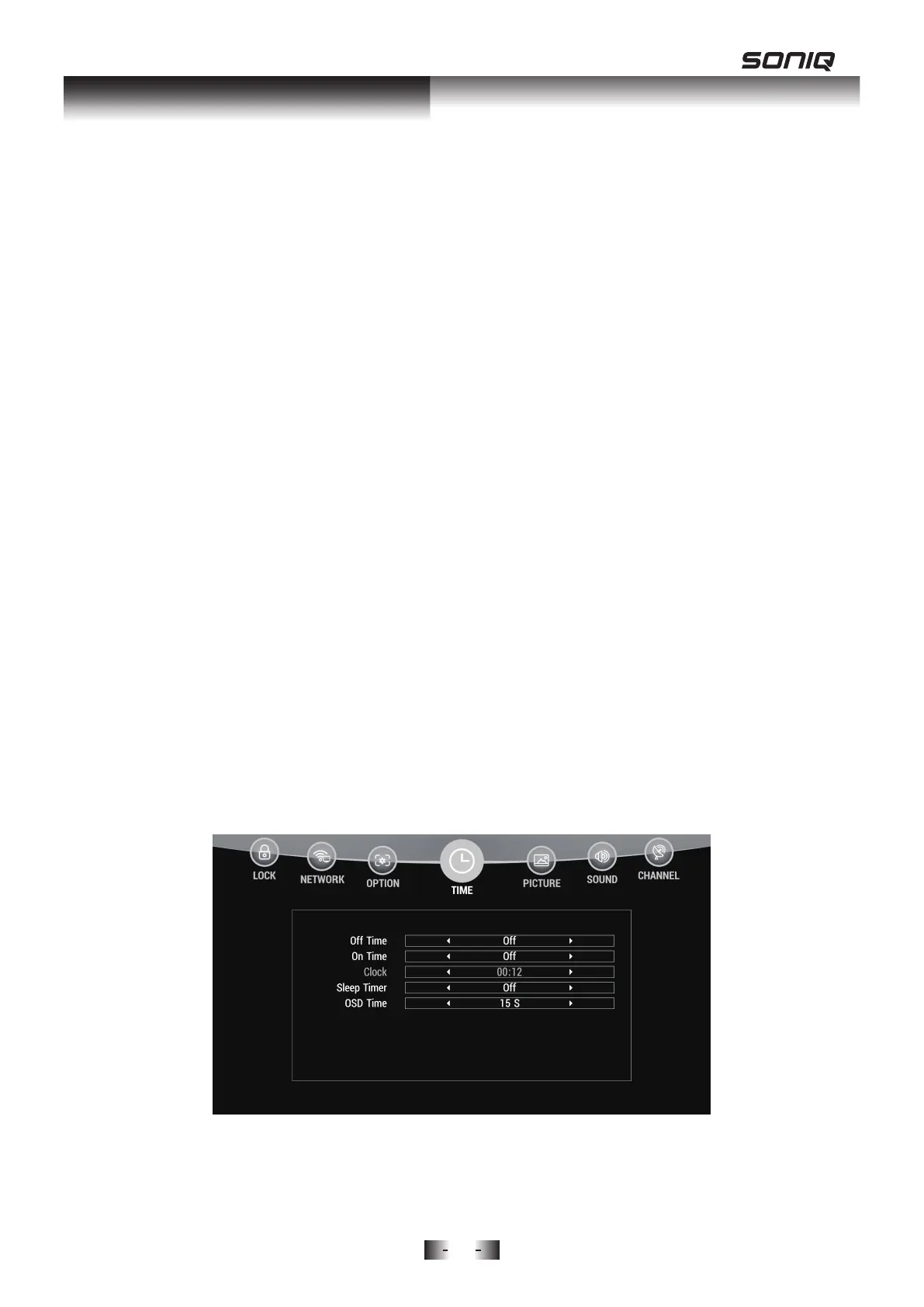
TIME MENU
Press MENU Button to display the main menu. Use Left/Right to access
TIME menu.
1. Off Time: Automatically turn off the TV on specified days and time.
Press Up / Down Button to select Off Time, and press Left or Right Button
to sub-menu.
OSD Menu Operation



 To Next Page