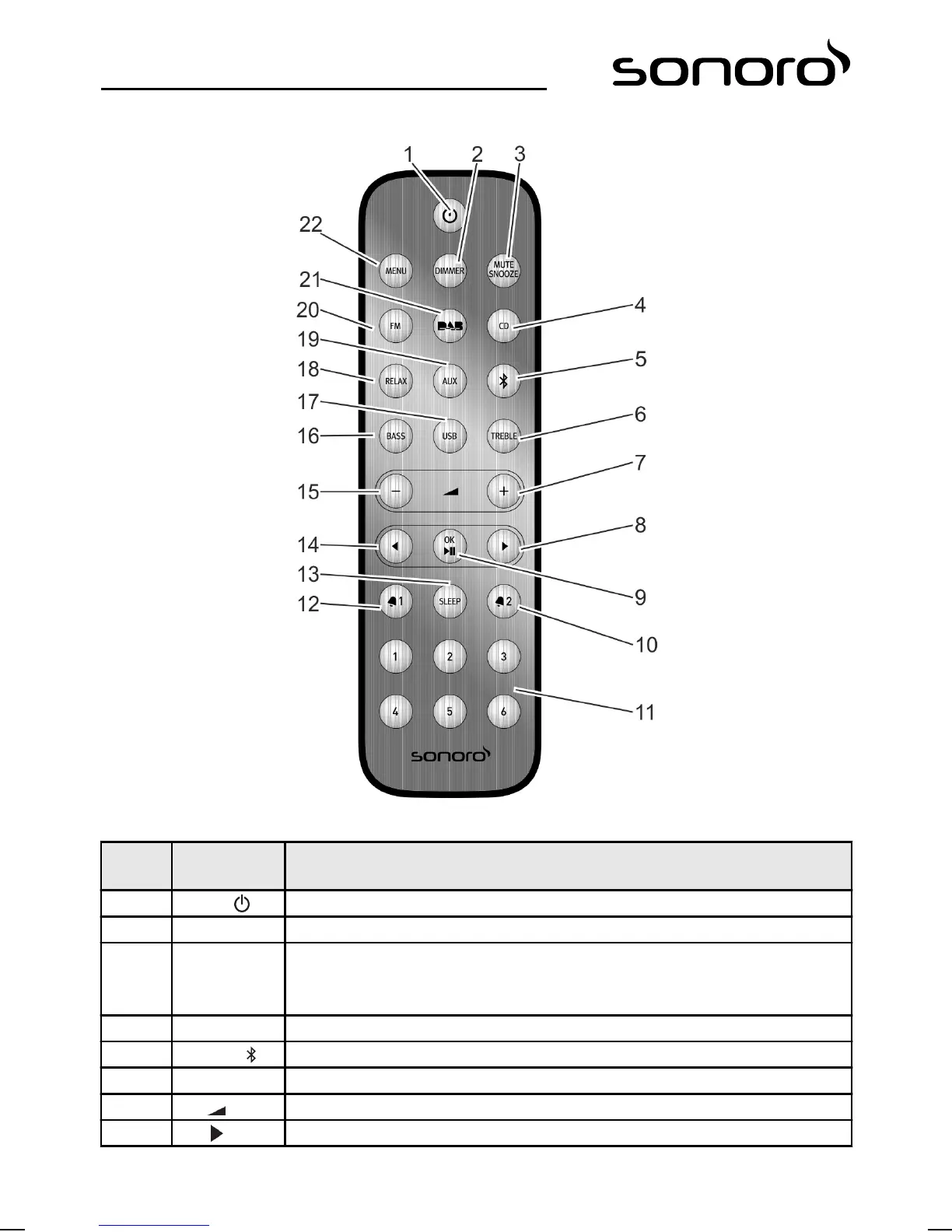
Remote control
Fig. 5: Remote control
Item
(Fig. 5)
Button Function
1 Standby Switch device on/off.
2 DIMMER Switch dimmer on/off. Adjust dimmer settings.
3 MUTE
SNOOZE
n Press briefly (in playback mode): switch audio playback on/off (Mute).
n Press briefly (in alarm mode): start snooze function (Snooze).
n Press and hold for a while: call up menu [Snooze Setting] to set the snooze time.
4 CD Select CD playback; press briefly (in CD mode): display ID3 tags.
5 Bluetooth Select Bluetooth function.
6 TREBLE Adjust treble.
7 VOL + All playback modes: increase the volume.
8 Next Station scan and navigation through menus.
82



 To Next Page