2 3
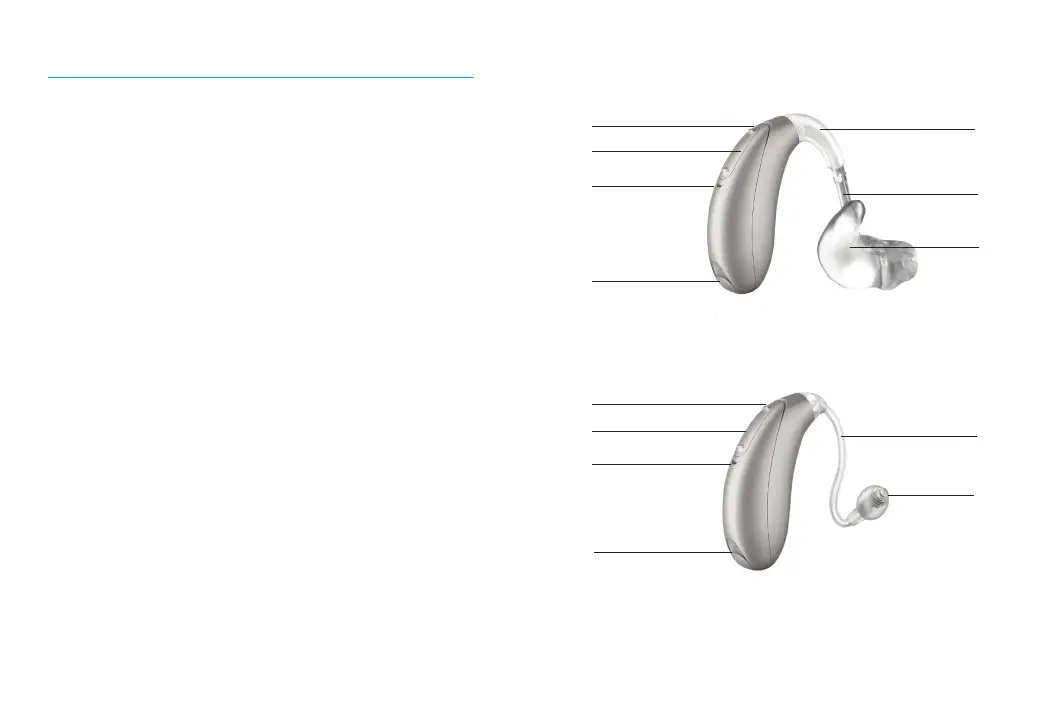
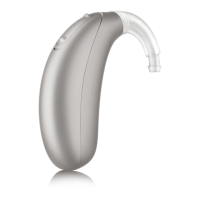
Your hearing aids at a glance
1 Earhook - your custom made earmold attaches to
your hearing aids using the earhook
2 Microphone - sound enters your hearing aids
through the microphones.
3 Multi-function button - switches between
listening programs, changes the volume level,
and accepts or rejects mobile phone calls
depending on your customized tting
4 Battery door (on & o) - close the door to turn on
your hearing aids, open the door all the way to
turn o your hearing aid or to change the battery
5 Tubing - part of the earmold that attaches it to
the earhook
6 Earmold - allows the sound to pass from the
hearing aids to the ear and holds the hearing aids
in place
7 Slim tube - sound travels down the slim tube to
the ear canal
8 Dome - holds the slim tube in place in your ear canal
DX Stride M BTE hearing aid
2
3
2
4
1
5
6
2
3
2
4
7
8




 To Next Page