Navigating the touch screen
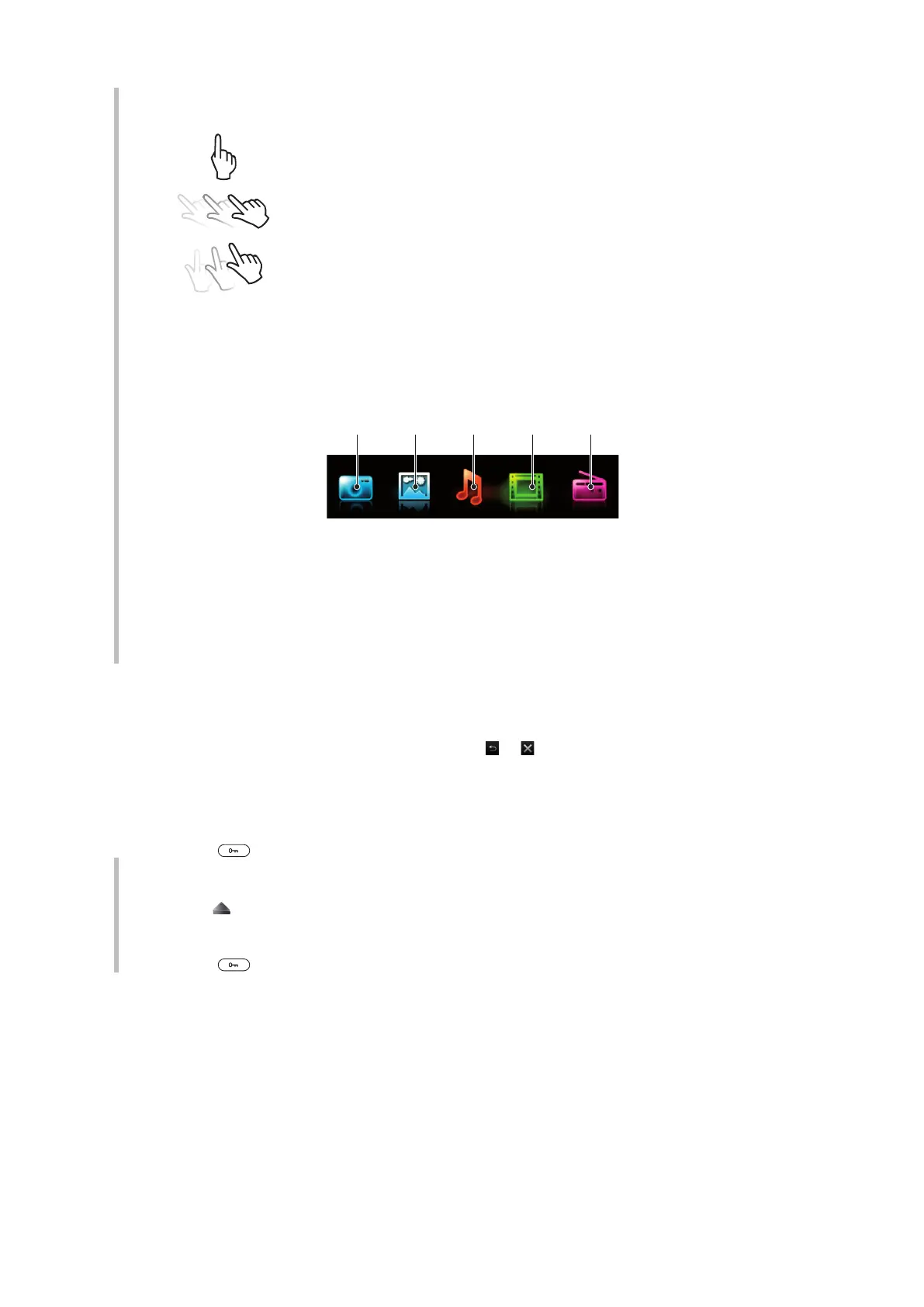
Tap
Touch to select or activate an item on the screen.
Drag
Touch, hold and move an item from one place on the screen to another.
Flick
Touch and move your finger quickly left, right, up or down, respectively.
Touch and hold
Touch and let your finger remain on the item to activate it or to have an
options menu appear.
Media browser overview
1 Camera
2 Photo
3 Music
4 Video
5 Radio
To navigate your media browser
1
Unlock the screen.
2
Tap one of the items.
3
To go back, tap on the top part of the screen,
or .
Using touch functionality
To activate the screen
•
Press on top of the phone.
To unlock the screen
•
Drag
to the top of the screen.
To lock the touch functionality
•
Press
on the top of the phone.
10
This is an Internet version of this publication. © Print only for private use.











 To Next Page