Calling
You need to turn on your phone and be within range of a network.
Answering calls
You can answer calls without opening the phone.
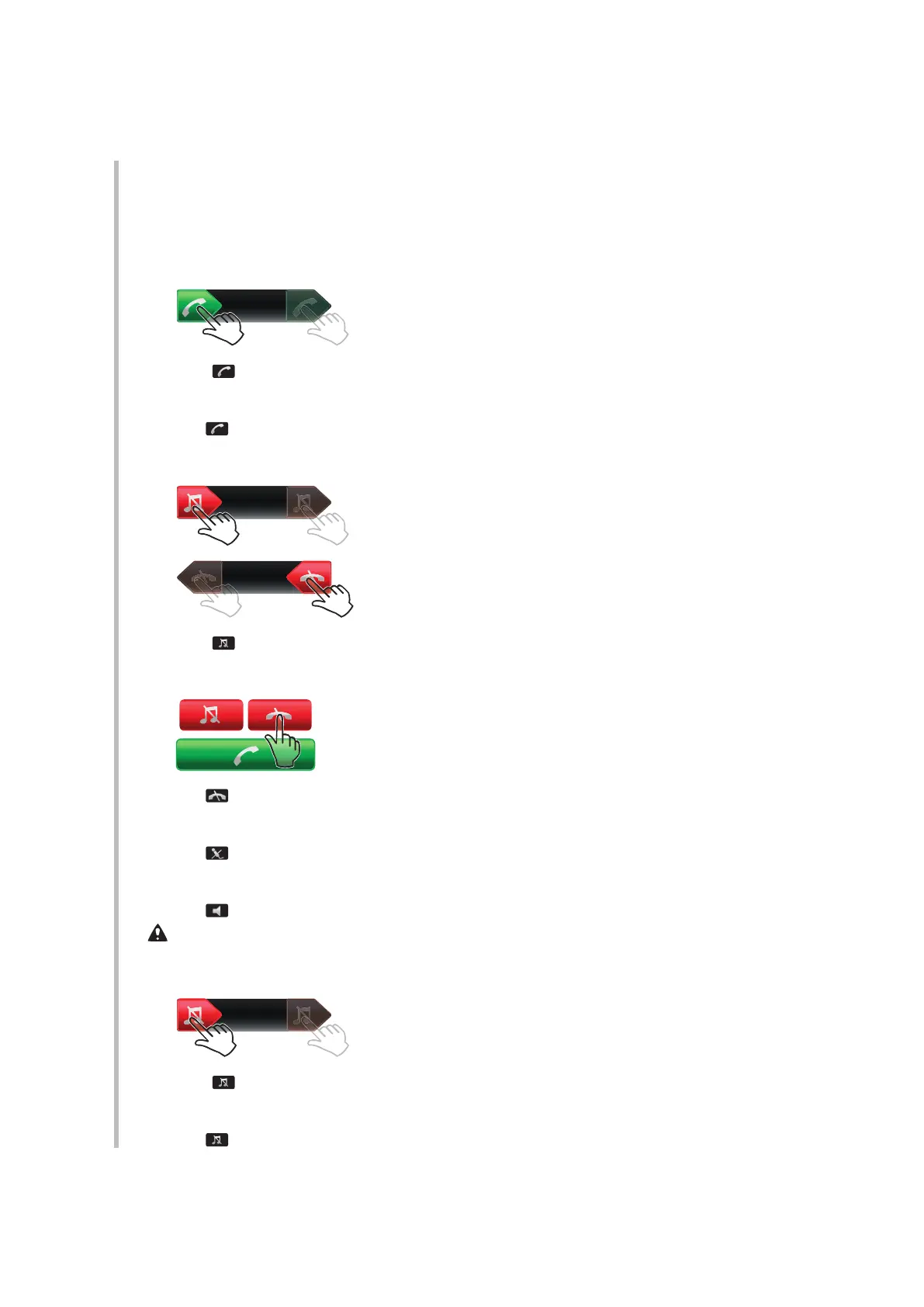
To answer a call when screen lock is on
•
Drag from left to right.
To answer a call when screen lock is off
•
Tap
.
To reject a call when screen lock is on
•
Drag to the right and then to the left.
To reject a call when screen lock is off
•
Tap
.
To mute the microphone during a call
•
Tap .
To turn on a loudspeaker during a call
•
Tap
.
Do not hold your phone to your ear when using the loudspeaker. This could damage your hearing.
To turn off the ringtone before answering a call when screen lock is on
•
Drag to the right.
To turn off the ringtone before answering a call when screen lock is off
•
Tap
.
16
This is an Internet version of this publication. © Print only for private use.











 To Next Page