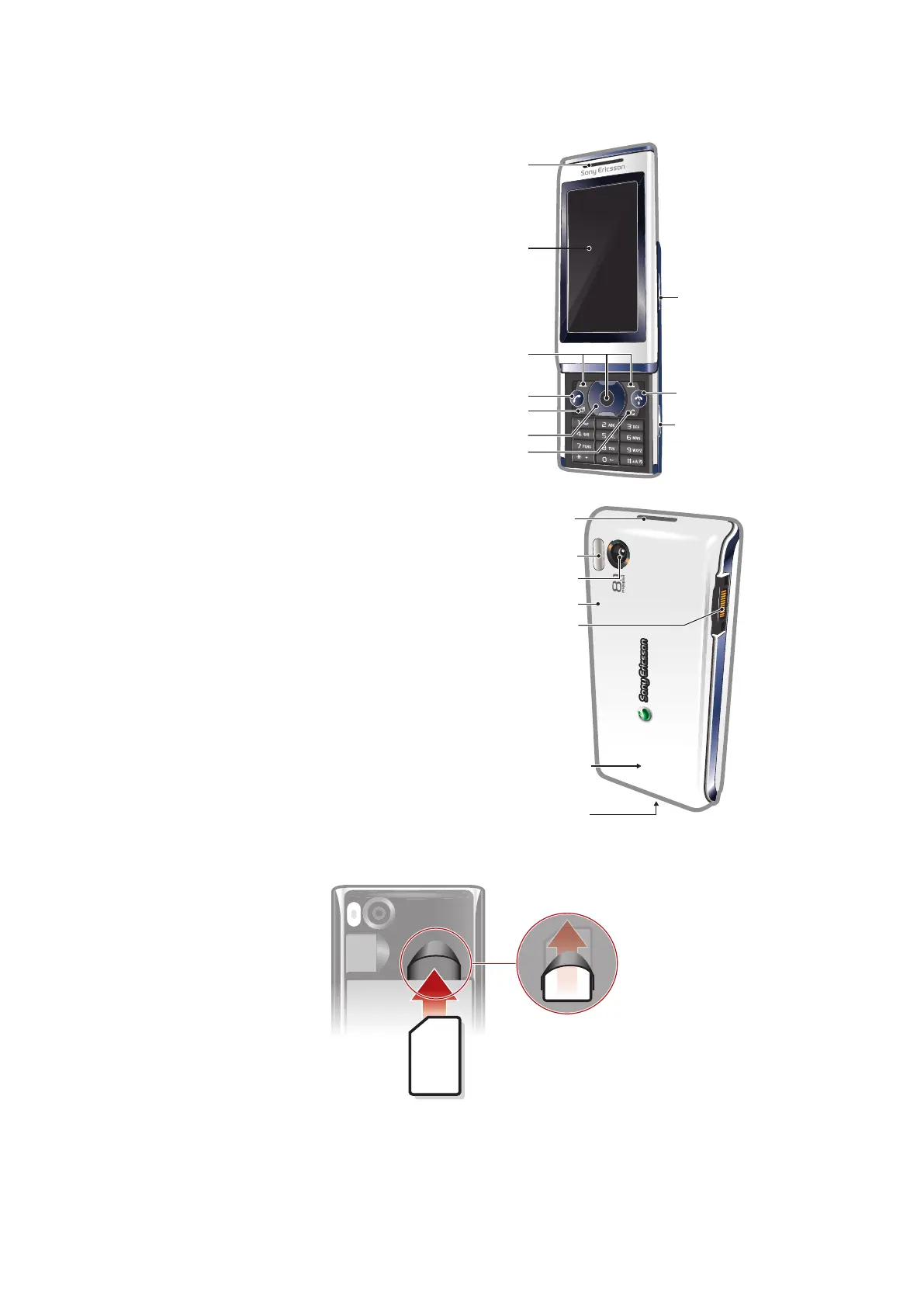
Phone overview
1 Ear speaker
2 Screen
3 Selection keys
4 Call key
5 Activity menu key
6 Navigation key
7 C key (Clear)
8 Volume key
9 End key, On/off key
10 Camera key/shutter key
11 Screen lock key
12 Flash light
13 Camera lens
14 Memory card slot (under the cover)
15 Connector for charger, handsfree and USB cable
16 Phone antenna
17 Loudspeaker
To insert the SIM card
1
Remove the battery cover.
2
Slide the SIM card into its holder with the gold-colored contacts facing down.
5
This is an Internet version of this publication. © Print only for private use.











 To Next Page