Getting started: Using the T68 as a modem
17
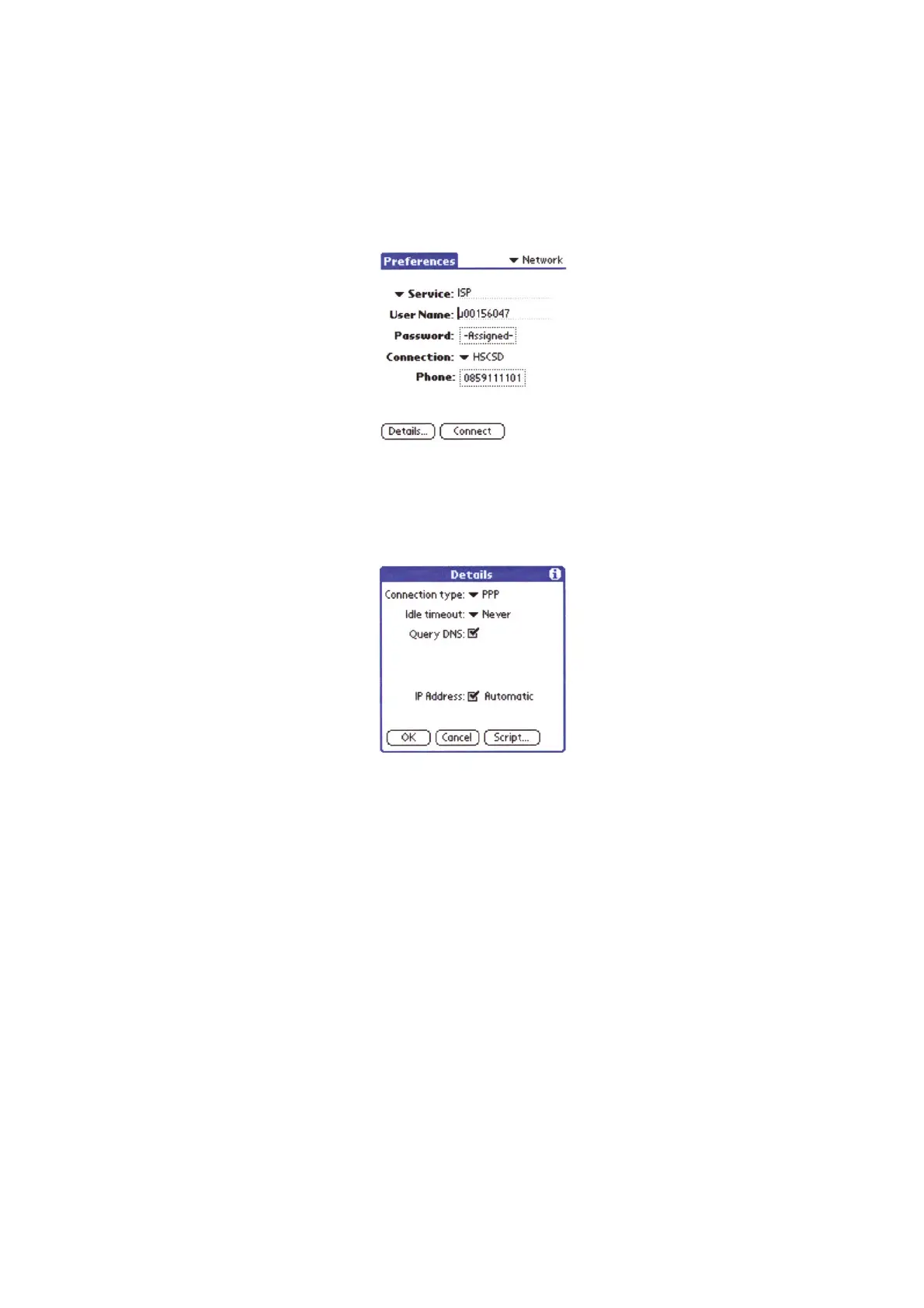
8.Ta p Service/New and enter the following settings:
• Service: optional (for example, your ISP)
• User name: provided by your ISP if required.
• Password: provided by your ISP if required.
• Connection: the connection you just created (HSCSD).
• Phone: provided by your ISP.
9.Ta p Details and enter the following settings:
• Connection type: PPP.
• Idle timeout: optional.
• Query DNS: Select, if your ISP does not ask you to enter the DNS settings manually.
• IP Address: Select.
10.Ta p OK to save the settings.
11.Ta p Connect to connect to your ISP.
Note: Your ISP may use firewalls/proxy servers that may require further settings to your
browser such as host number and port. Please contact your ISP for more information.












 To Next Page