Getting started: Using the T68 as a modem
16
Configuring Palm m505/V for use with the T68 as a modem using High Speed Data
(GSM Data)
1.Tap the Applications icon and then tap the Prefs icon.
2.Tap the pick list in the upper-right corner of the screen, and then select Connection.
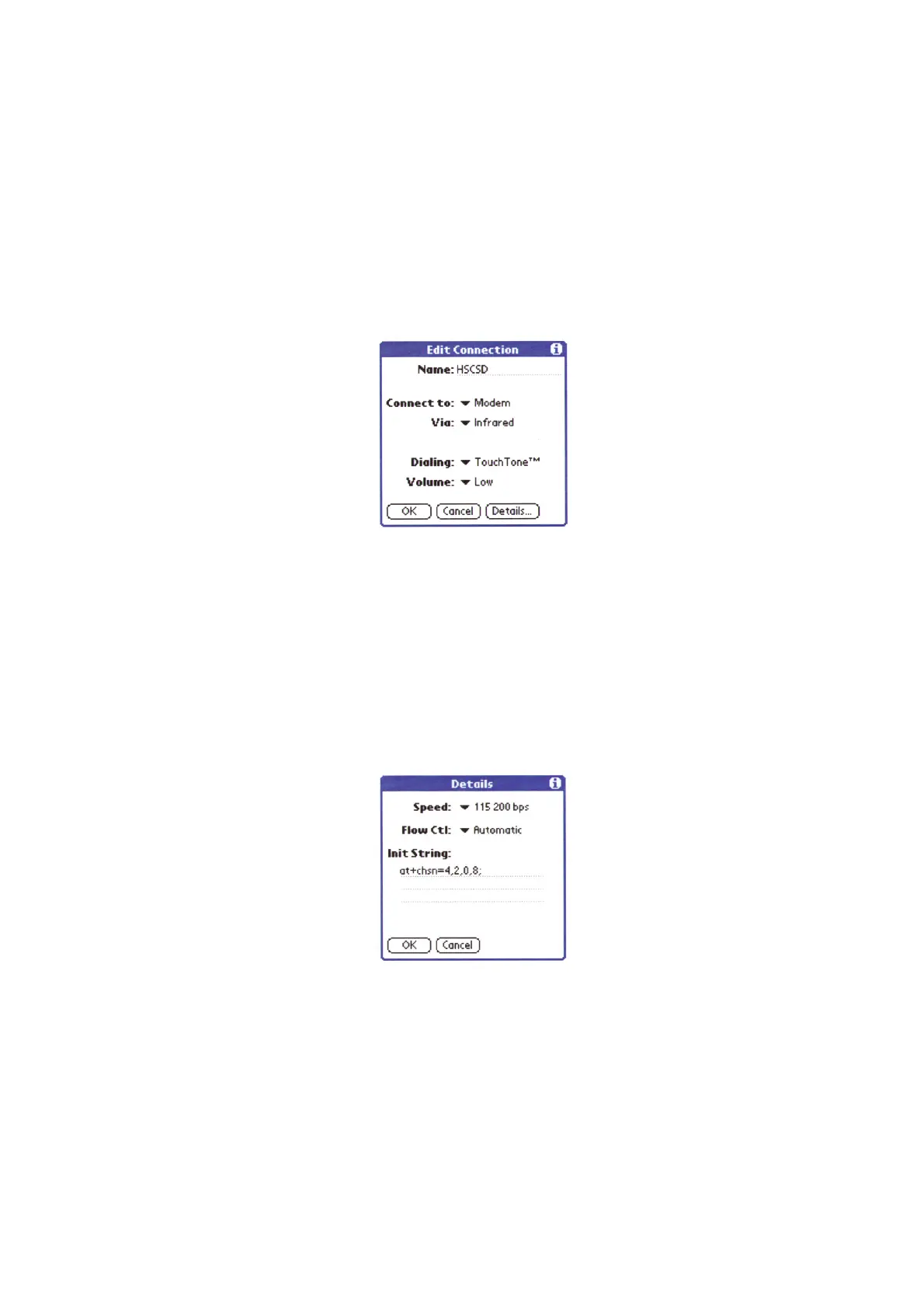
3.Create a new connection by tapping New and enter the following settings:
• Name: optional (for example, HSCSD)
• Palm™ m505: Connect to: Modem, Via: Infrared (if you intend to use infrared).
•Palm™ V: Connection method:IrCOMM to Modem (if you intend to use infrared).
• Dialing: TouchTone™.
• Volume: optional.
4.Ta p Details and enter the following settings:
• Speed: 115200 bps
• Flow Ctl: Automatic
• Init string: Depending on the connection you want to use (number of timeslots, speed and
compression type) you have to initialize your modem according to your operator's
requirements/capabilities. The following syntaxes give you some examples (note the
semicolon at the end of the string). You should enter only one of the strings:
• Running: [1+1 9,6]
at+chsn=1,1,0,4;
• Running: [1+1 14,4]at+chsn=2,1,0,8;
• Running: [2+1 9,6] at+chsn=3,2,0,4;
• Running: [2+1 14,4]at+chsn=4,2,0,8;
5.Ta p OK twice to save the configuration.
6.Tap the Network pick list.
7.Tap the Menu icon.












 To Next Page