Getting started: Using the T68 as a modem
22
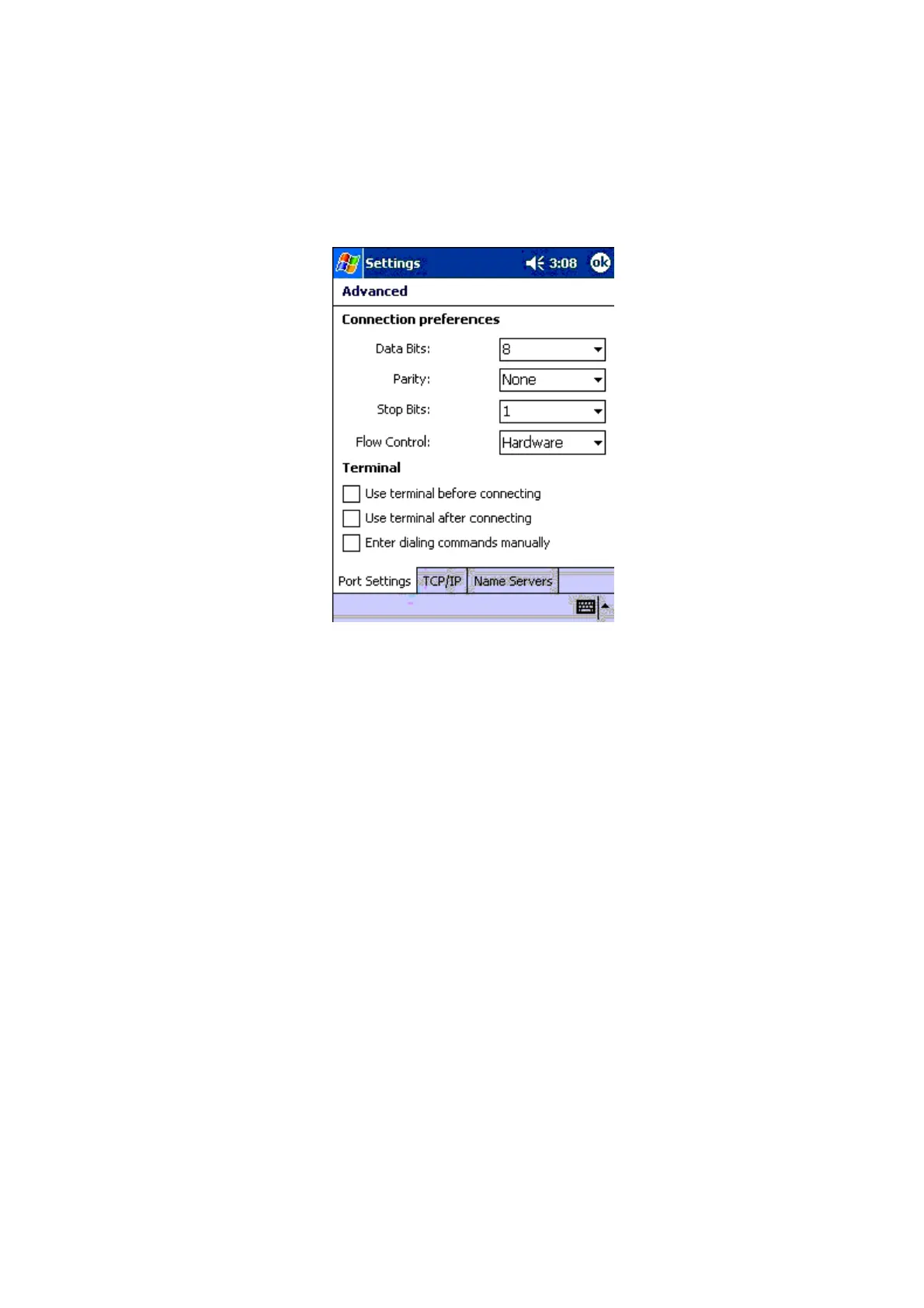
7.On the Port settings tab, enter the following settings:
• Data Bits: 8
• Parity: None
• Stop Bits: 1
• Flow Control: Hardware
• Term inal: leave check boxes cleared.
8.On the TCP/IP tab, enter the following settings:
• Use server-assigned IP address: Select
• Use Slip: Leave cleared
• Use software compression: Select
• Use IP header compression: Select
9.On the Name Servers tab, enter the following settings:
• Use server-assigned addresses: Select, if your ISP does not ask you to enter the server
address manually.
10.Save the configuration by tapping OK and then tap Next.
11.In the Phone number box, enter the phone number of your ISP and then tap Next.
12.Enter the following settings:
• Cancel call if not connected within: Select and enter, for example, 120 seconds.
• Wait for dial tone before dialing: Optional.












 To Next Page