[224] How to Use Changing settings Setup menu
Copyright Info
You can write copyright information onto the still images.
1. MENU→ (Setup)→[Copyright Info]→ desired setting.
2. When you select [Set Photographer] or [Set Copyright], a keyboard appears on the
screen. Enter your desired name.
Menu item details
Write Copyright Info:
Sets whether to write copyright information. ([On]/[Off])
If you select [On], an icon will appear on the shooting screen.
Set Photographer:
Sets the photographer name.
Set Copyright:
Sets the copyright holder name.
Disp. Copyright Info:
Displays the current copyright information.
Hint
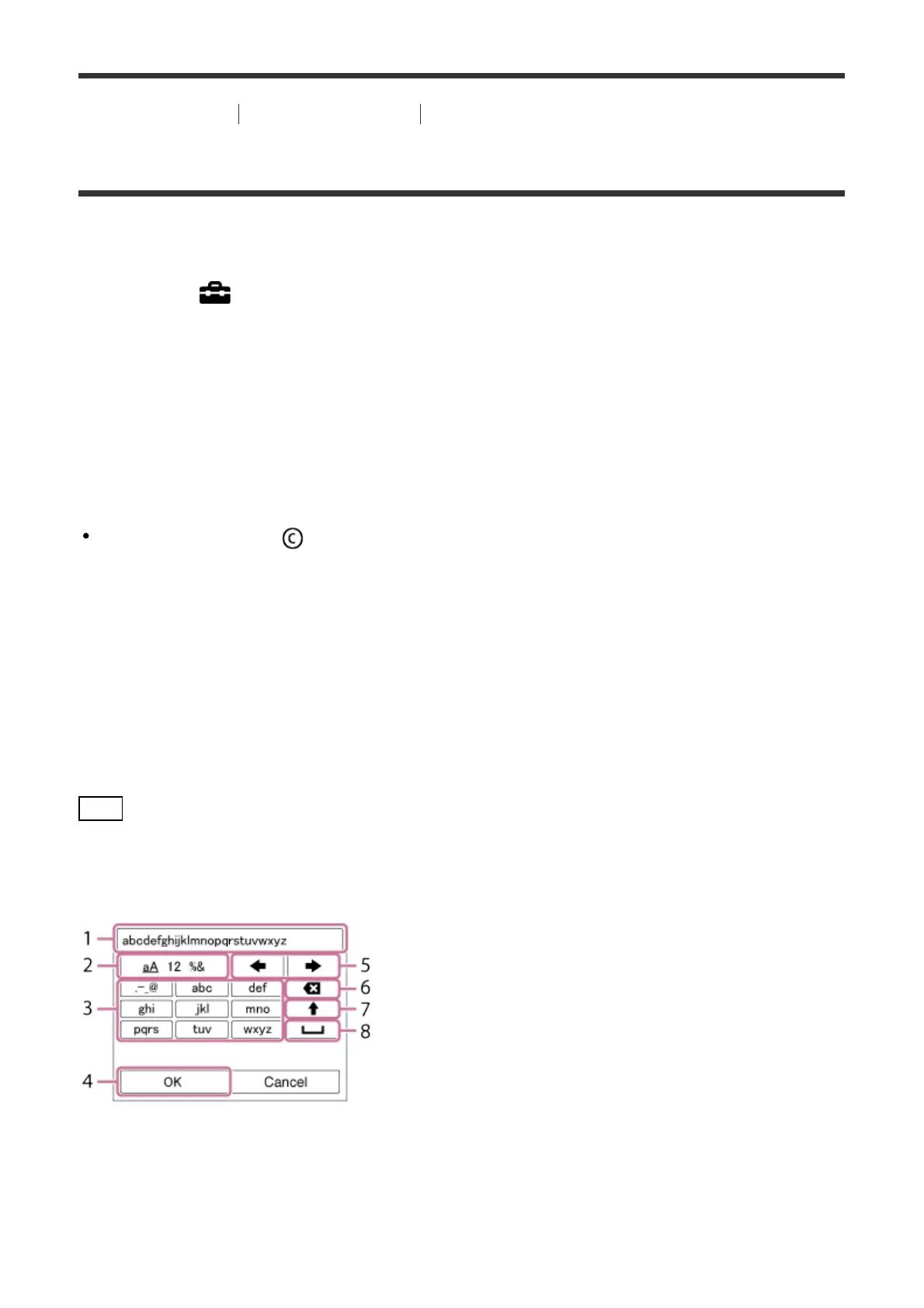
How to use the keyboard
When manual character entry is required, a keyboard is displayed on the screen.
1. Input box
The characters you entered are displayed.
2. Switch character types



 To Next Page