Identifying parts
GB
16
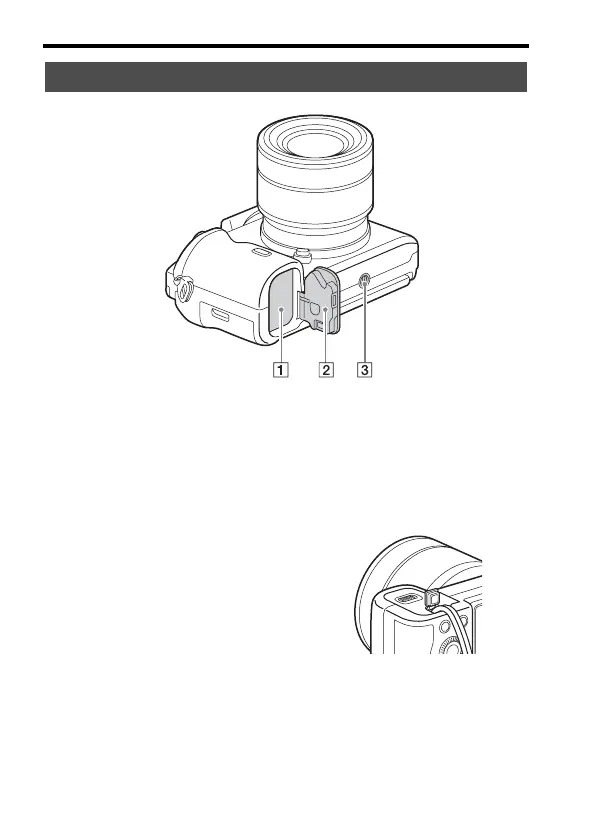
A Battery insertion slot (27)
B Battery cover (27)
C Tripod socket hole
• Use a tripod with a screw less
than 5.5 mm (7/32 inches) long.
Otherwise, you cannot firmly
secure the camera, and damage
to the camera may occur.
Connection plate cover
Use this when using an AC-PW20
AC Adaptor (sold separately).
Insert the connection plate into the
battery compartment, and then pass
the cord through the connection
plate cover as shown below.
• Make sure that the cord is not
pinched when you close the
cover.
Bottom view



 To Next Page