GB
39
GB
Shooting and viewing images
Shooting still images
In auto mode, the camera analyzes the subject and allows you to shoot with
the appropriate settings.
1 Set the power switch to ON to turn on the camera.
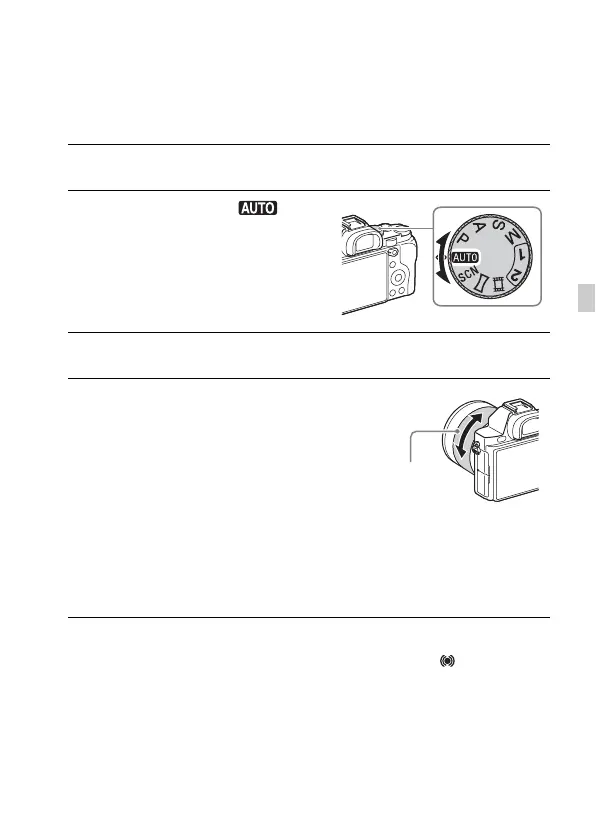
2 Set the mode dial to (Auto
Mode).
3 Look into the viewfinder and hold the camera.
4 Determine the size of a subject.
When using a lens with a zoom lever:
Move the zoom lever.
When using a lens with a zoom ring:
Turn the zoom ring.
• The optical zoom is not available when
a fixed focal length lens is mounted.
• If the zoom range of the optical zoom is
exceeded when a Power zoom lens is
mounted, the camera automatically
switches over to the camera side zoom.
5 Press the shutter button halfway down to focus.
• When the image is in focus, a beep sounds and the z or indicator
lights.
Zoom ring



 To Next Page