ILCE-1
5-025-480-11(1)
GB
17
Basic operations
C:\Users\gotanda\Desktop\5025480111_分分分\5025480111ILCE1UC21\01GB-ILCE1UC2\030BAS.indd
DTP data saved: 2020/11/20 14:50
PDF file created: 2020/11/20 14:53
Using the mode dial
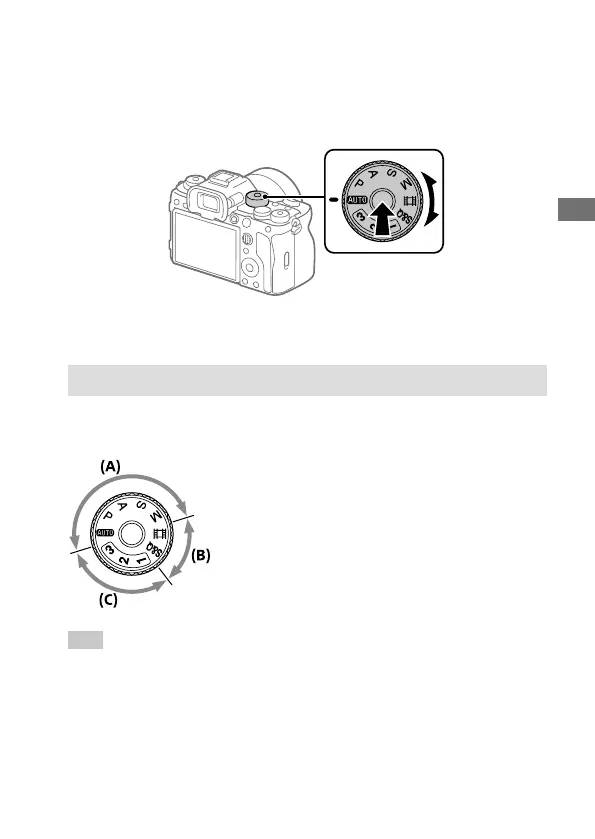
Use the mode dial to select a shooting mode according to the subject and
purpose of shooting.
• Turn the mode dial while pressing the mode dial lock release button in
the center of the mode dial.
Shooting mode details
The modes on the mode dial are divided into still image shooting modes,
movie recording modes, and registration recall modes.
(A) Still image shooting modes
(B) Movie recording modes
(C) Registration recall modes
Hint
• The menu items displayed vary depending on the mode dial setting
(pages22, 43).



 To Next Page