ILCE-1
5-025-480-11(1)
GB
53
Finding functions from MENU
C:\Users\gotanda\Desktop\5025480111_分分分\5025480111ILCE1UC21\01GB-ILCE1UC2\080MEN.indd
DTP data saved: 2020/11/20 14:50
PDF file created: 2020/11/20 14:53
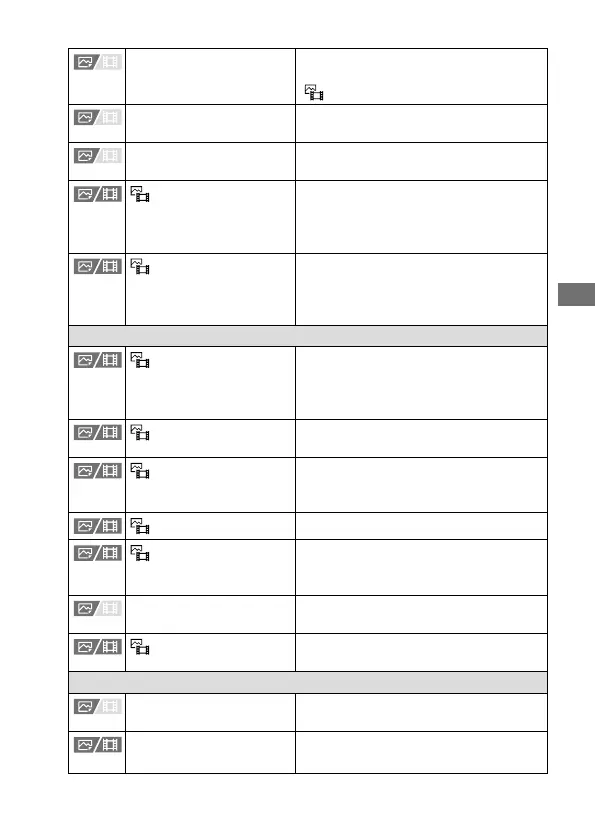
Area Disp. dur Tracking Sets whether or not to always display
the focusing frame when shooting with
[
Focus Area] set to [Tracking].
AF-C Area Display Sets whether or not to display the focus
area in [Continuous AF] mode.
Phase Detect. Area Sets the area display for phase
detection AF.
Circ. of Focus Point
Sets whether to allow the focusing
frame to jump from one end to the
other when you move the focusing
frame.
AF Frame Move Amt
Sets the distance by which the focusing
frame is moved. This function is
available when the focus area is set to
[Spot] or [Expand Spot].
Face/Eye AF
Face/Eye Prior. in AF
Sets whether or not the camera detects
faces or eyes inside the focus area while
performing autofocus, and then focuses
on the eyes automatically (Eye AF).
Face/Eye Subject
Selects the target of face or eye
detection.
Subject Sel. Setting
Narrows down and sets the target of
face or eye detection to select using a
custom key.
Right/Left Eye Select
Specifies the eye to be detected.
Face/Eye Frame Disp.
Sets whether or not to display the face/
eye detection frame when a face or
eyes are detected.
Face Memory Registers or changes the person to be
given priority when focusing.
Regist. Faces Priority
Detects the registered face with higher
priority using [Face Memory].
Focus Assistant
Auto Magnifier in MF Displays an enlarged image when
focusing manually.
Focus Magnifier Enlarges the image before shooting so
that you can check the focus.



 To Next Page