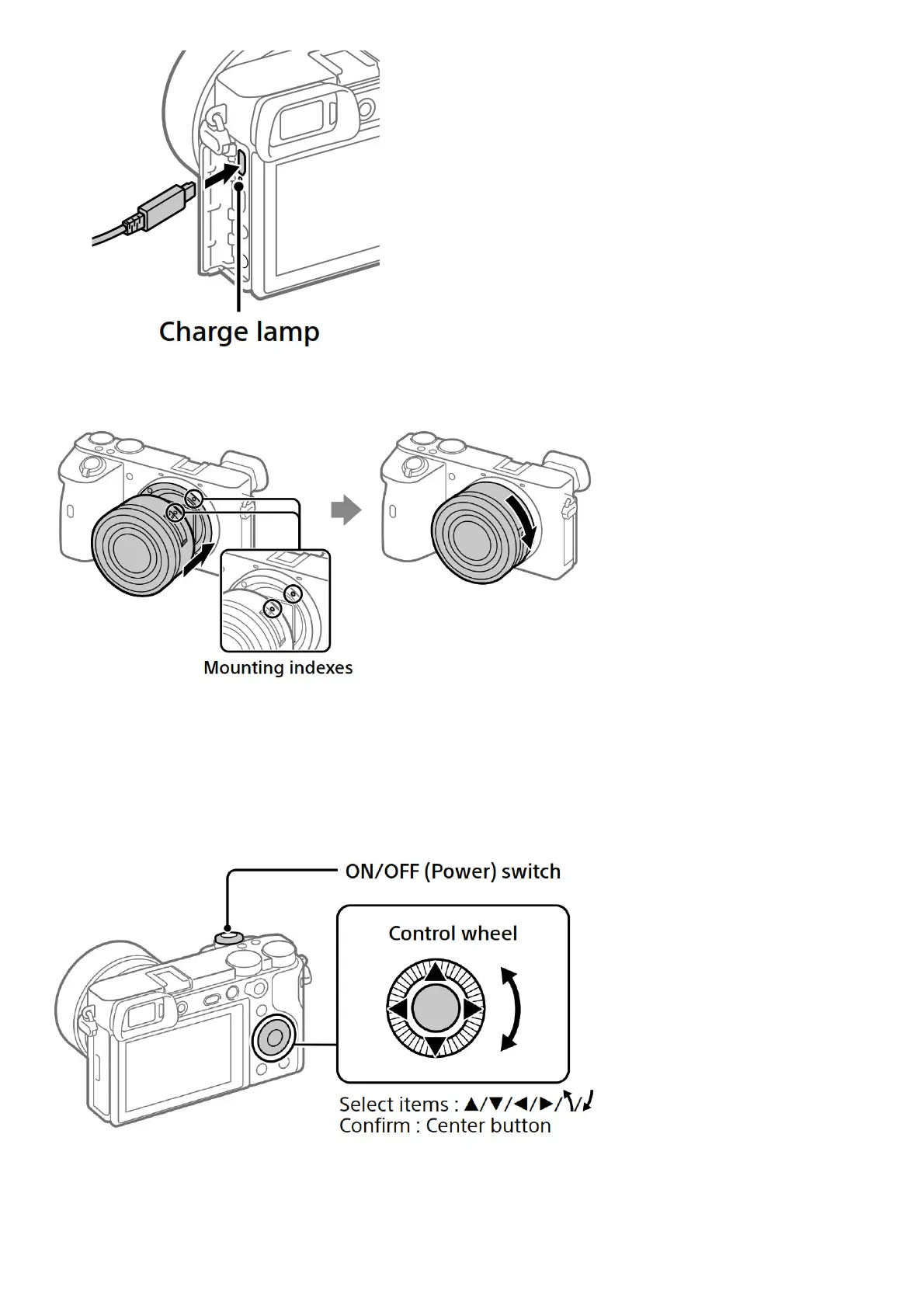
Attaching a lens
1. Remove the body cap from the camera and the rear lens cap from the rear of the lens.
2. Mount the lens by aligning the two white index marks (mounting indexes) on the lens and camera.
3. While pushing the lens lightly toward the camera, turn the lens slowly in the direction of the arrow until it clicks
into the locked position.
Setting the language and the clock
1. Set the ON/OFF (Power) switch to “ON” to turn on the camera.
2. Select the desired language and then press the center of the control wheel.
3. Make sure that [Enter] is selected on the screen and then press the center button.
4. Select the desired geographic location and then press the center button.


 To Next Page