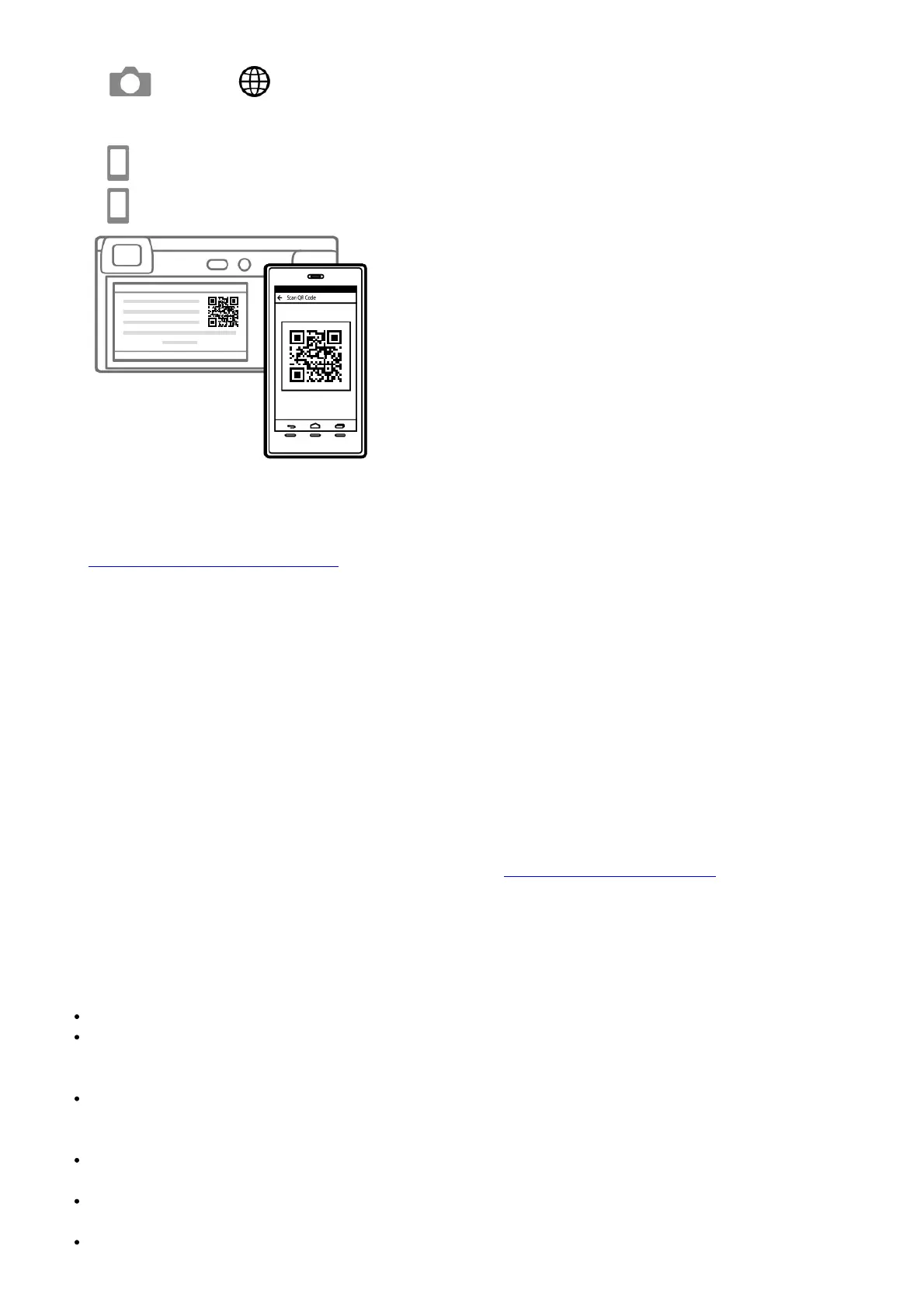
2. Connect the camera and your smartphone using the QR Code.
1. : MENU → (Network) [Send to Smartphone Func.] → [Send to Smartphone] → [Select on
This Device] images to transfer.
If you want to select images on the smartphone, select [Select on Smartphone].
2. : Launch Imaging Edge Mobile on your smartphone, and select [Scan QR Code of the Camera].
3. : Scan the QR Code displayed on the camera using your smartphone.
3. The selected images will be transferred.
If you are using Android, you can transfer images after the first time simply by launching Imaging Edge Mobile
with Step 2- above. If image transfer does not start, select the camera to connect on the screen of your
smartphone. For details on how to connect to a smartphone, refer to the following support sites:
https://www.sony.net/dics/iem02/
• For details on other connection methods or how to use the smartphone as a remote commander to operate
the camera, refer to the “Help Guide.”
• The Wi-Fi functions introduced in this manual are not guaranteed to operate on all smartphones or tablets.
• The Wi-Fi functions of this camera are not available when connected to a public wireless LAN. GB
Managing and editing images on a computer
PlayMemories Home
PlayMemories Home allows you to import still images and movies to your computer and view or use them. You need
to install PlayMemories Home to import XAVC S movies or AVCHD movies to your computer.
Imaging Edge
Imaging Edge is a software suite that includes functions such as remote shooting from a computer, and adjusting or
developing RAW images recorded with the camera.
For details on the computer software, refer to the following URL. https://www.sony.net/disoft/
Notes on use
Refer to “Precautions” in the “Help Guide” as well.
Notes on handling the product
This camera is designed to be dust-and moisture-resistant but is not waterproof or dust-proof.
Do not leave the lens or the viewfinder exposed to a strong light source such as sunlight. Because of the lens’s
condensing function, doing so may cause smoke, fire, or a malfunction inside the camera body or the lens. If
you have to leave the camera exposed to a light source such as sunlight, attach the lens cap to the lens.
When you shoot with backlighting, keep the sun sufficiently far away from the angle of view. Otherwise, the
sunlight may enter the focus inside the camera and cause smoke or fire. Even if the sun is slightly away from
the angle of view, it may still cause smoke or fire.
Do not directly expose the lens to beams such as laser beams. That may damage the image sensor and cause
the camera to malfunction.
Do not look at sunlight or a strong light source through the lens when it is detached. This may result in
unrecoverable damage to the eyes or cause a malfunction.
Do not leave the camera, the supplied accessories, or memory cards within the reach of infants. They may be


 To Next Page