Viewing
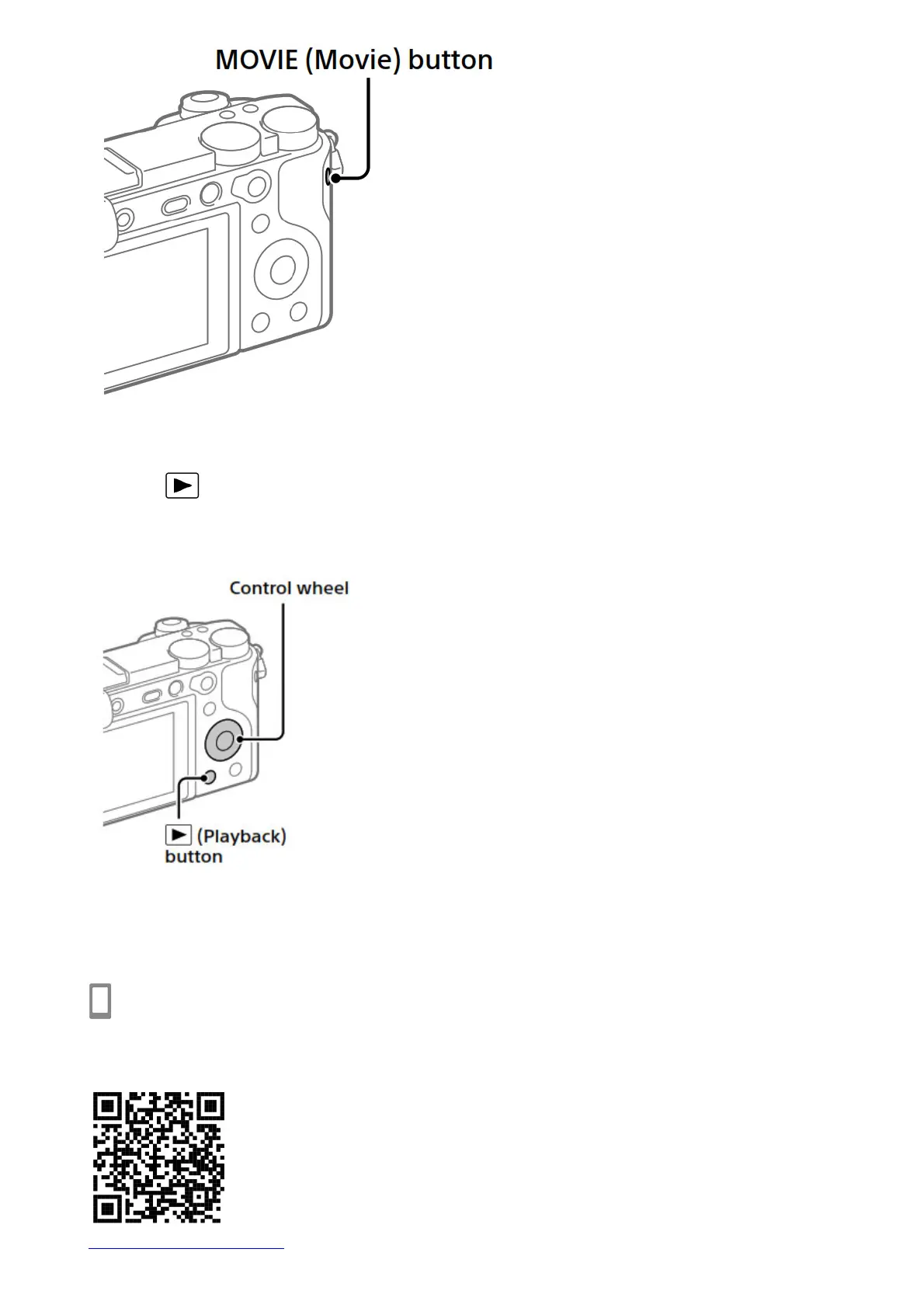
1. Press the (Playback) button to switch to the playback mode.
2. Select an image with the control wheel.
You can move to the previous image/ next image by pressing the left/right side of the control wheel. To start
playing back a movie, press the center button on the control wheel.
Transferring images to a smartphone
You can transfer images to a smartphone by connecting the camera and a smartphone via Wi-Fi.
1. : Install Imaging Edge Mobile on your smartphone.
To connect the camera and your smartphone, Imaging Edge Mobile is required.
Install Imaging Edge Mobile to your smartphone in advance. If Imaging Edge Mobile is already installed on your
smartphone, be sure to update it to the latest version.
https://www.sony.net/iem/


 To Next Page