5. Set [Daylight Savings], [Date/Time], and [Date Format], and then select [Enter] and press the center button.
If you want to reconfigure the date/time or the area setting at a later point, select MENU → (Setup)
[Date/Time Setup] or [Area Setting].
Shooting
Shooting still images
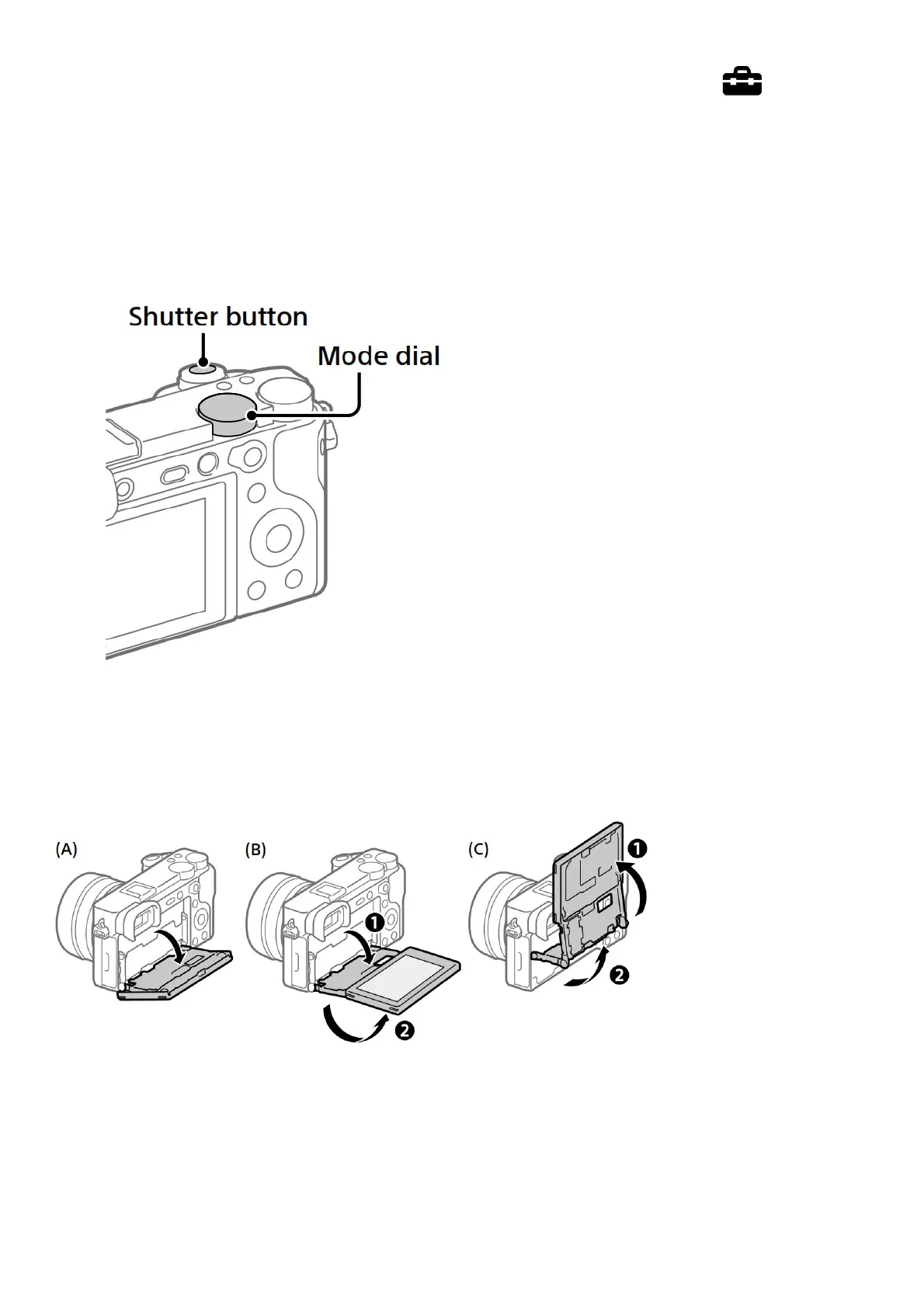
1. Select the desired shooting mode by turning the mode dial.
2. Press the shutter button halfway down to focus.
3. Press the shutter button all the way down.
Changing the monitor angle
You can change the monitor angle to shoot from any position you like.
(A) High position (holding the camera high)
(B) Low position (holding the camera low)
(C) Selfie position (facing the monitor toward you to take a selfie)
Shooting movies
1. Press the MOVIE (Movie) button to start recording.
Movie recording can be started from any shooting mode in the default setting.
2. Press the MOVIE button again to stop recording.


 To Next Page