108
GB
Table of
contents
Sample photo Menu Index
Red Eye Reduction
When using the flash, it is fired 2 or more times before shooting to reduce the red-eye
phenomenon.
1 MENU t [Setup] t [Red Eye Reduction] t desired setting.
• You cannot use [Red Eye Reduction] in the following situations:
– [Hand-held Twilight] or [Anti Motion Blur] in [Scene Selection]
– [Rear Sync.] in [Flash Mode]
– [Smile Shutter]
– [Sweep Panorama]
• [Red Eye Reduction] may not produce the desired effects. It depends on individual differences and
conditions, such as distance to the subject, or if the subject does not look at the pre-strobe.
On The flash is always fired to reduce the red-eye phenomenon.
Off Does not use [Red Eye Reduction].
Notes
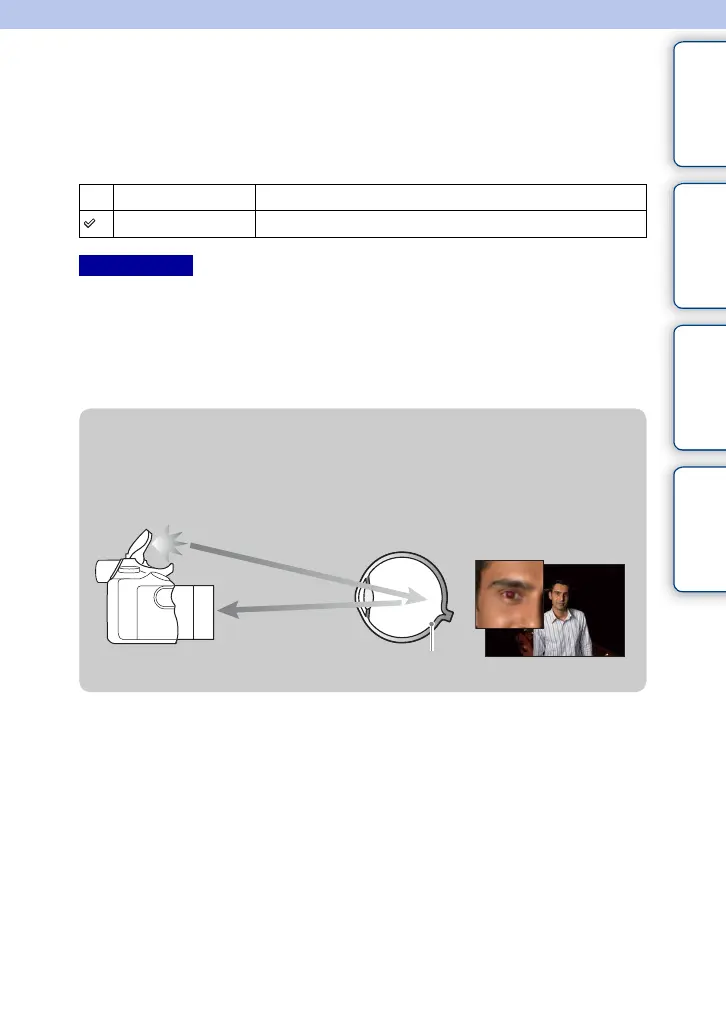
z What causes the red-eye phenomenon?
Pupils become dilated in dark environments. Flash light is reflected off the blood vessels at
the back of the eye (retina), causing the “red-eye” phenomenon.
Camera
Eye
Retina











 To Next Page