70
GB
Table of
contents
Sample photo Menu Index
Zoom
With the [Zoom] feature of the camera, the camera allows you to use a higher
magnification zoom than the optical zoom factor of the zoom lens to magnify the image.
The maximum zoom scale that can be set with the [Zoom] feature of the camera depends
on the setting of [Image Size] (page 80), [Clear Image Zoom] (page 114), or [Digital
Zoom] (page 115).
1 When using a zoom lens, magnify the image with the zoom ring.
2 MENU t [Camera] t [Zoom] t desired value.
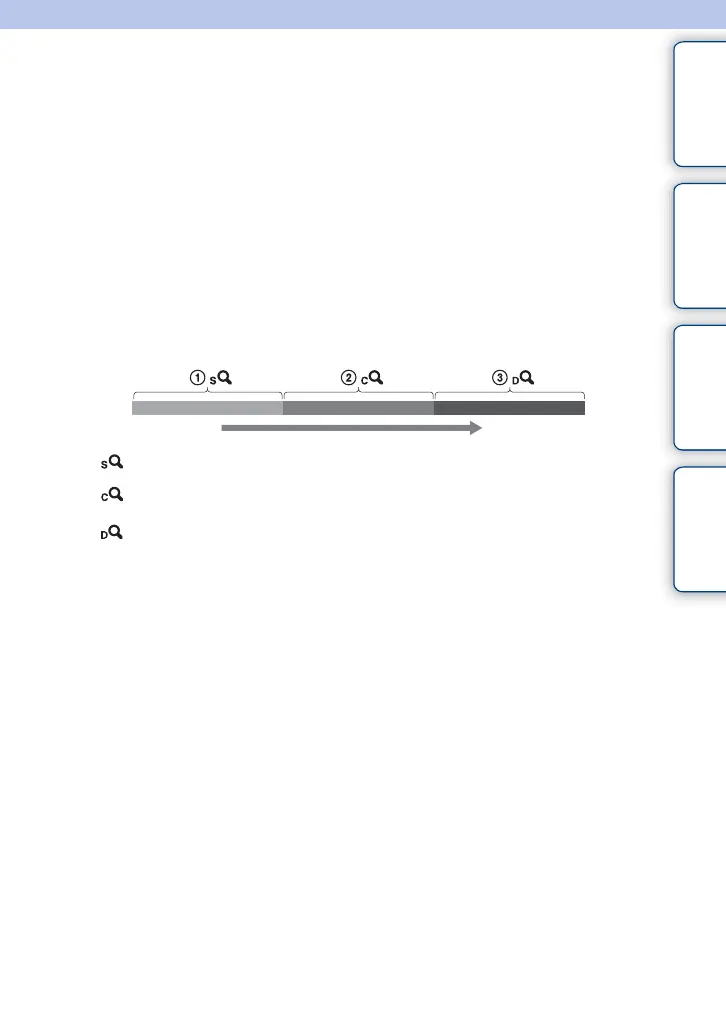
The zoom features available with this camera
The zoom feature of the camera provides a higher magnification zoom by combining
various zoom features. The icon displayed on the LCD screen changes as follows,
according to the selected zoom feature.
1 Smart Zoom: You can magnify images by trimming them partially. (Available only
when [Image Size] is set to [M] or [S] (page 80).)
2 Clear Image Zoom: You can magnify images using a high-quality image process
(page 114).
3 Digital Zoom: You can magnify images using an image process. (The default setting is
[Off] (page 115).)
Zoom scale (low) Zoom scale (high)
Continued r











 To Next Page