"
If
no
picture appears, press RETURN to
return to the previous screen, and change
the resolution setting.
®Select
"Finish," and press ENTER.
The display asks for confirmation.
®Select
"OK" or "Cancel," and press
ENTER.
When
you
select
"Video"
in
step
6
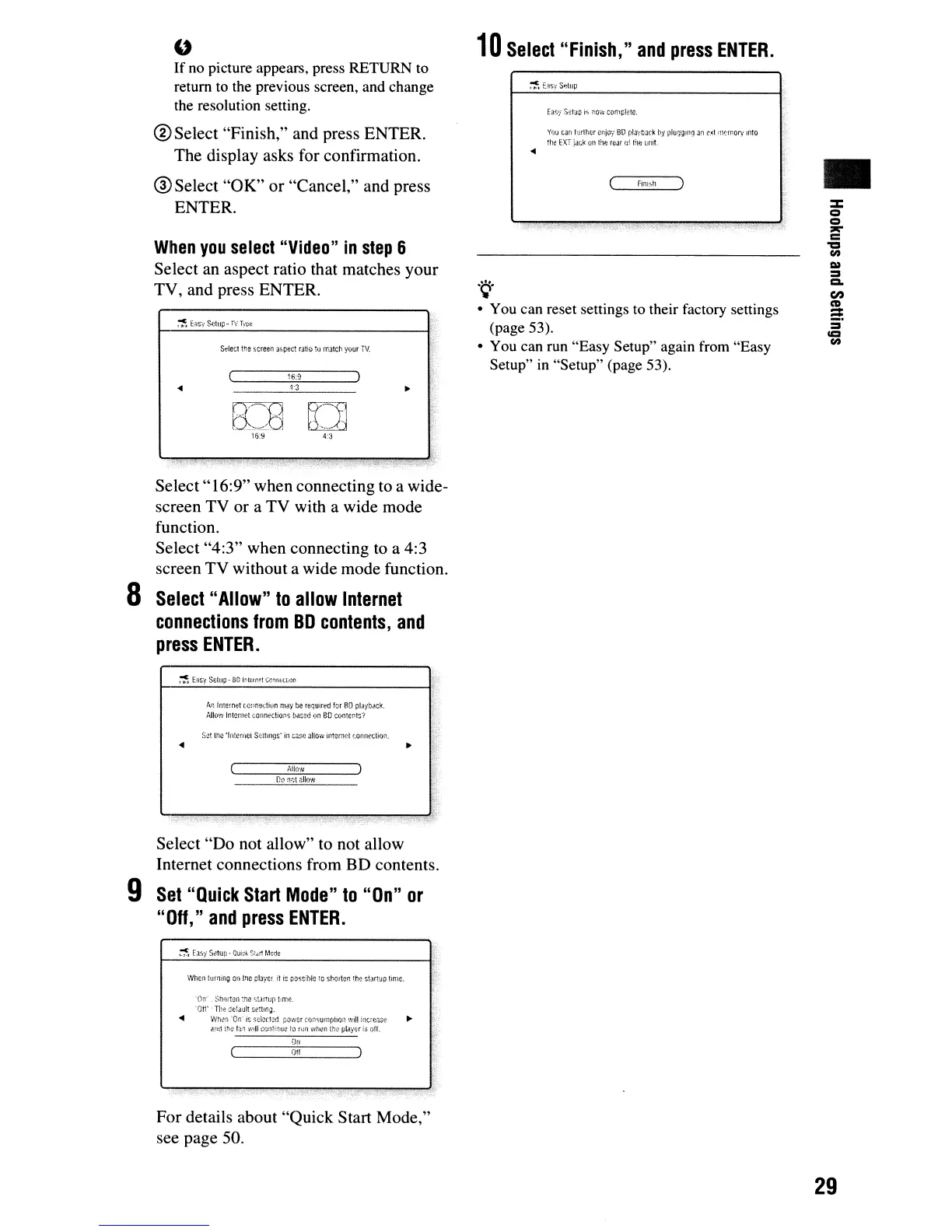
Select an aspect ratio that matches your
TV, and press ENTER.
SdeCl
the
-screen
)!)pect ratio
to
maier.
your
TV.
:j'!!i,:
~6:9
10
Select
"Finish,"
and
press
ENTER.
Y(JU
can
Hrlher
cnjiYl"
l:3D
playOack
by
plU(Jglllg
3~1
c;d
f11':'11101\'
ullO
the
EXT
jdCl<
011
HH:
rear
oj
Ihe
unit.
finish
.~.
• You can reset settings to their factory settings
(page 53).
• You can run "Easy Setup" again from "Easy
Setup" in "Setup" (page 53).
•
g~]
4:3
Select"
16:9" when connecting to a wide-
screen TV or a TV with a wide mode
function.
Select "4:3" when connecting
to
a 4:3
screen TV without a wide mode function.
a
Select
"Allow"
to
allow
Internet
connections
from
BD
contents,
and
press
ENTER.
An.
internet
(,Q!=r;ectiun
mllY
be
required
for
80
pl3yDtlCk.
Allow
Internet
(,onneClio~s
ba$~d
on
BD
contents',
S;J!
trw
'In!emci
S~~lt1ll9s'
in
case
Jliow
internet
(;OfHIN;t!on.
Ailow
0:)
notflllow
"
.""
."
..
Select "Do not allow" to not allow
Internet connections from
BD contents.
9
Set
"Quick
Start
Mode"
to
"On"
or
"Off,"
and
press
ENTER.
When
turning
Oli
Inc
olaycr.
it
is
ooss!l:tlc
tc
s~crter.
lh': Stll1UO
lime.
~ji~>
'0,1"
StllJit~n
me
<;!.U1UP
t:r11C
'OW
-
Ti:~
Ge~.:ltilt
setllng.
<III
wnt!!l Tr;'
is
seien·~(j,
pow£:r
cor,surnf/!ion
'.",il!
iilC:{:<.ise
...
<l,!(1
;h;:
!:lr,
Will
(:ont!:1H~
t:)
rim
when
U~~
playl;(
h;
of!.
On
Off
..
For details about "Quick Start Mode,"
see page 50.
29



 To Next Page