%JBH.FOV5SBOTDPEFS 5FTU )%%NPEFMPOMZ
Outline:
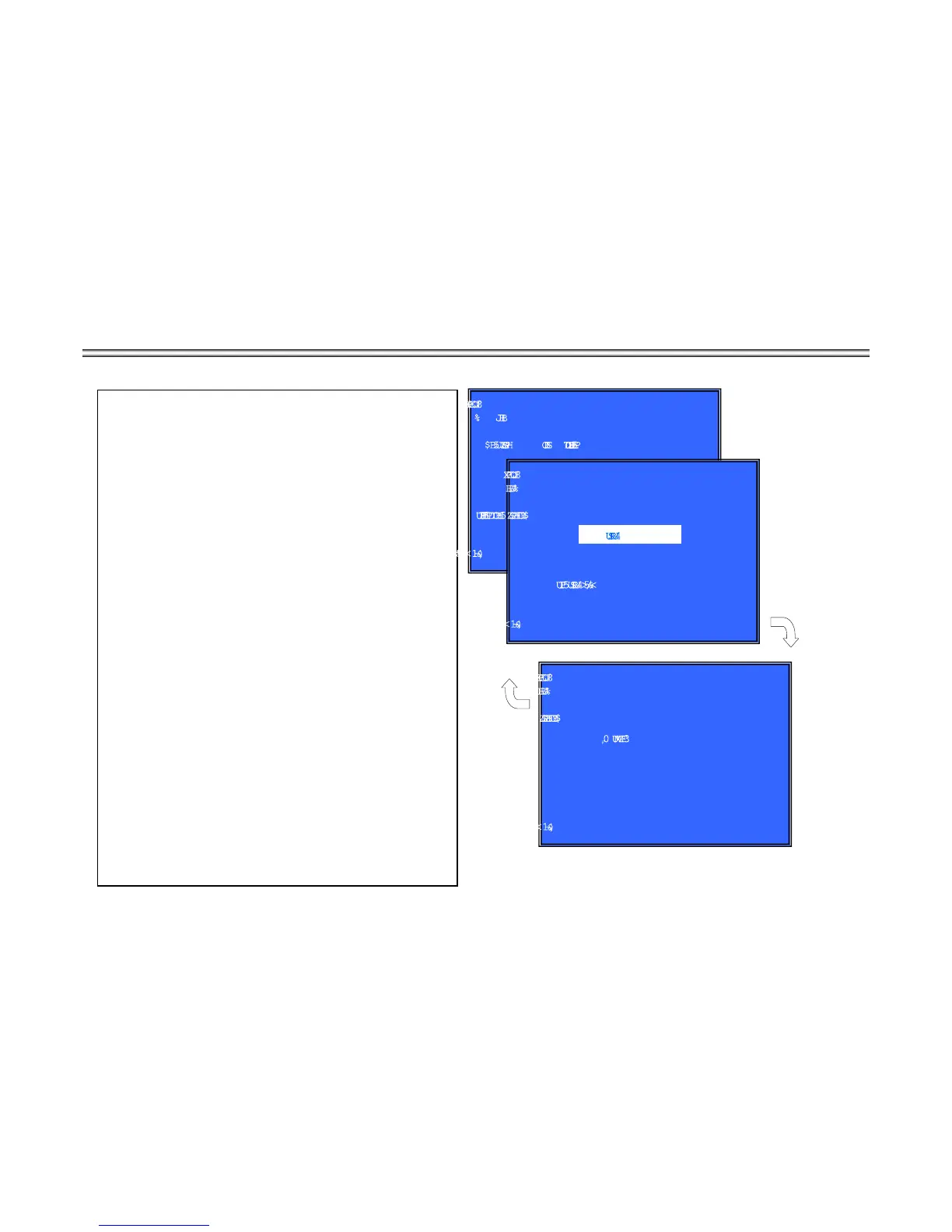
Activate Transcoder Test
(Window1 ) Select Transcoder Test Category
Operation
[LEFT] [RIGHT] Select Category
[DOWN][ENT] Activate the selected Category.
[RET] Return to Service Top Menu.
(Window 2) Select Input Device
After “Transcoder Test” selects in window 1, the device to test is chosen.
Operation:
[ENT] Activate and Start Test/Stop
[RET] Return to test category selection.
>Transcoder Test:
passed through the input stream and outputs it.
1. Input test stream
2. Output it
3. compare OK or NG
Front Panel Display:
Transcoder Test Select: D-TRC
8JOEPX
%
J BH
$ B U F HPSZ5 SBO T D PEFS 5FTU
)&-1<-&’5><3*()5><61><%08/><&/5><3&5>
8JOEPX
%
JBH
$BUFHPSZ5SBOTDPEFS 5FTU
)&-1<&/5><3&5>
4UBSU
<&/5>4UBSU5FTU
8JOEPX
%
JBH
$BUFHPSZ5SBOTDPEFS 5FTU
)&-1<3&5>
3FTVMU0,


 To Next Page