7FSTJPO6Q ¢VTJOH6QEBUF%*4$£
8JOEPX
7
FSTJPO 6Q EB UF
< >4 U BS U6 Q E BUFGP S # % 1
< >4 U BS U6 Q E BUFGP S # % 7
<3&5>3FUVSOUP5PQ.FOV
)&-1 <&/5><3&5></6.>
Outline:
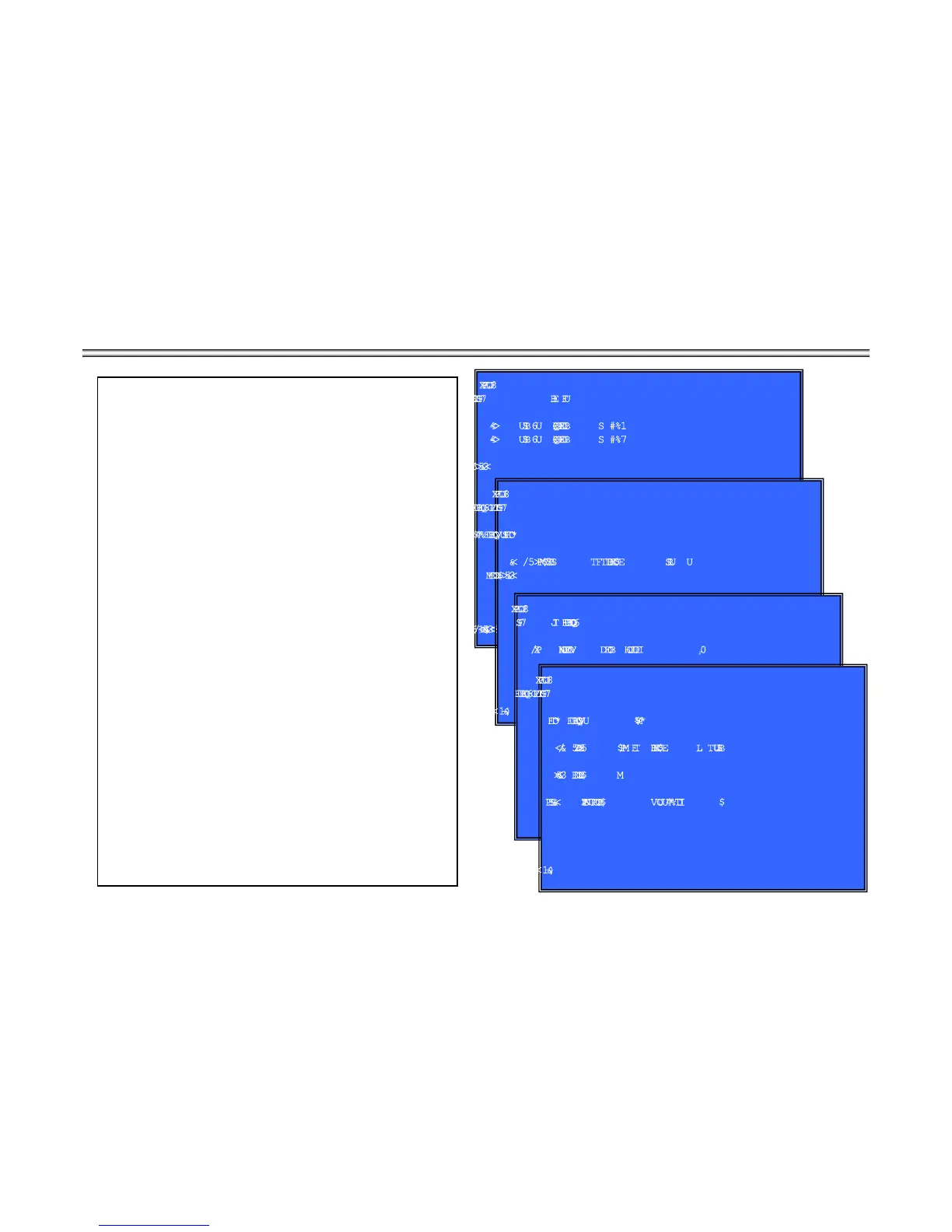
update software using DISC
(Window 1)Version Up Menu
Operation:
[1] Start Update for BDP
(Tray Open and go to window 2)
[2] Start Update for BDV
(not used)
[UP] Move Up cursor
[DOWN] Move Down cursor
[ENT] Activate the selected cursor.
[RET] Return to Service Top Menu.
(Window 2)Place the Update Disc
Operation
[ENT] Tray Close and check DISC.
[RET] Cancel Update (Tray Close and return to window 1)
(Window 3) Disc Check and OK (Right DISC)
Operation
: start update sequence automatically and reboot.
After reboot, please open tray and eject Update Disc manually.
(Window 4) Disc Check and NG (not update DISC)
Operation:
[Error]
KKK¢
error message
£
and wait.
open tray automatically.
Front Panel Display
DISC Insert V-INSCD
Can’t Mount V-NODSC
DISC Check NG V-CHKNG
DISC Check OK V-CHKOK
8JOEPX
7
FSTJPO6QEBUF
*OTFSUVQEBUF%*4$
<
& / 5 > 5 SBZ$MP T F B O E$IFDLT UBS U
<3&5>$BODFM
)&-1<&/5><3&5>
8JOEPX
7
FS TJ P O 6QEBUF
/ PX N P VOUJOH BOED IFDLJOH 0,
8JOEPX
7
FSTJPO6QEBUF
*OTF S UVQEBUF % *4$
<
&/ 5 > 5SBZ $ MP TF B O E$IFD L T U BSU
< 3&5> $BODF M
<&SSP S> $BOOPUNP V O UU IJT%*4 $
)
&-1<&/5><3&5>


 To Next Page