19
GB
BDV-E3200
4-446-734-81(1)
D:\NORM'S JOB\SONY HA\SO130046\BDV-
N9200_7200_5200_E3200\4446734811_GB (E3200)\040GET.fm
masterpage:
Right
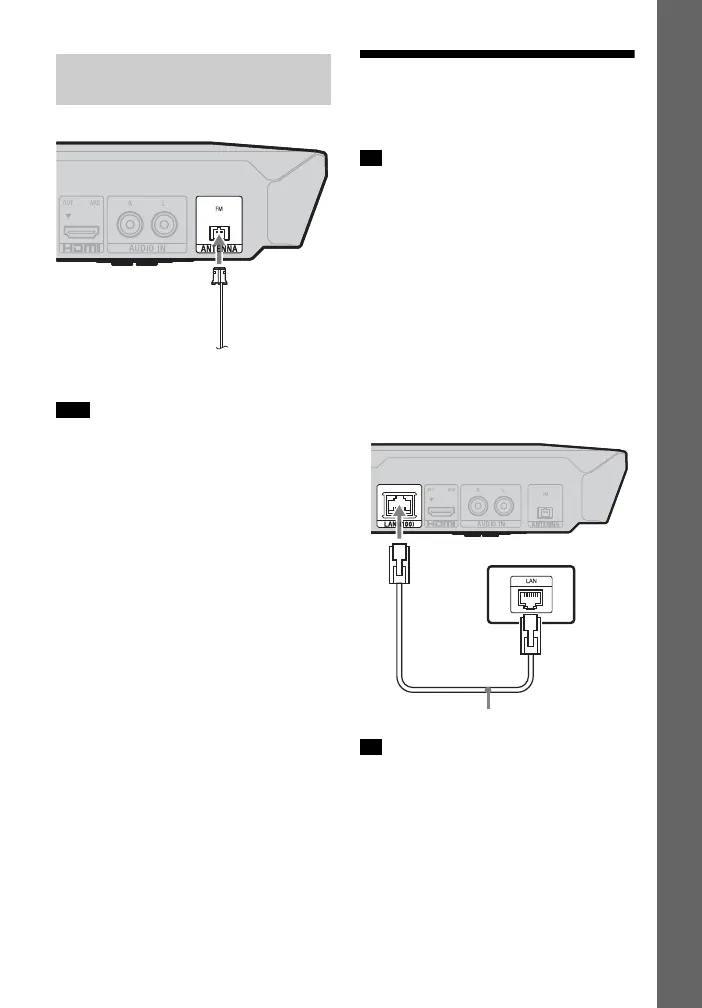
• Be sure to fully extend the FM wire
antenna (aerial).
• After connecting the FM wire antenna
(aerial), keep it as horizontal as possible.
Step 3: Preparing for
Network Connection
To connect the system to your network,
perform [Easy Network Settings]. For
details, see “Step 4: Performing the Easy
Setup” (page 20).
Select the method based on your LAN
(Local Area Network) environment.
• If you use a wireless LAN
The system has built-in Wi-Fi, and you
can connect the system to the network
by making the network settings.
• If you use a wired LAN
Use a LAN cable to connect to the LAN
(100) terminal on the unit.
We recommend that you use a shielded
and straight interface cable (LAN cable).
Connecting the antenna
(aerial)
Note
FM wire antenna (aerial)
(supplied)
Tip
Tip
Broadband router
LAN cable (not supplied)












 To Next Page