23
GB
BDV-E3200
4-446-734-81(1)
D:\NORM'S JOB\SONY HA\SO130046\BDV-
N9200_7200_5200_E3200\4446734811_GB (E3200)\050PLA.fm
masterpage:
Right
To select the pre-programmed
music equalizer
Press MUSIC EQ repeatedly during
playback.
You can select the sound to suit your
preference.
Each time you press the button, the
setting changes cyclically as follows.
[Standard] t [Rock] t [Hiphop] t
[Electronica]
You can also select the music equalizer
from the option menu. Follow steps 1
and 2 above. Select [Music] in step 2.
Then, press V/v and to select the
setting.
To enjoy 2-channel source such as a CD in
multi-channel output, we recommend you
to select [Auto].
Press FOOTBALL while watching a
football match broadcast.
[Football] appears on the TV screen.
You can experience a feeling of
presence in the stadium when watching
a football match broadcasting.
To turn off the football mode, press
FOOTBALL again to select [Football Off].
The sound mode is changed to the last
selected sound mode.
• Depending on the source, the football
mode may not work well.
• The football mode will be turned off when
you turn off the system.
You can also select the football mode from
the option menu.
Playing a Disc
For playable discs, see “Playable Discs”
(page 56).
1 Switch the input selector on your
TV so that the signal from the
system appears on your TV
screen.
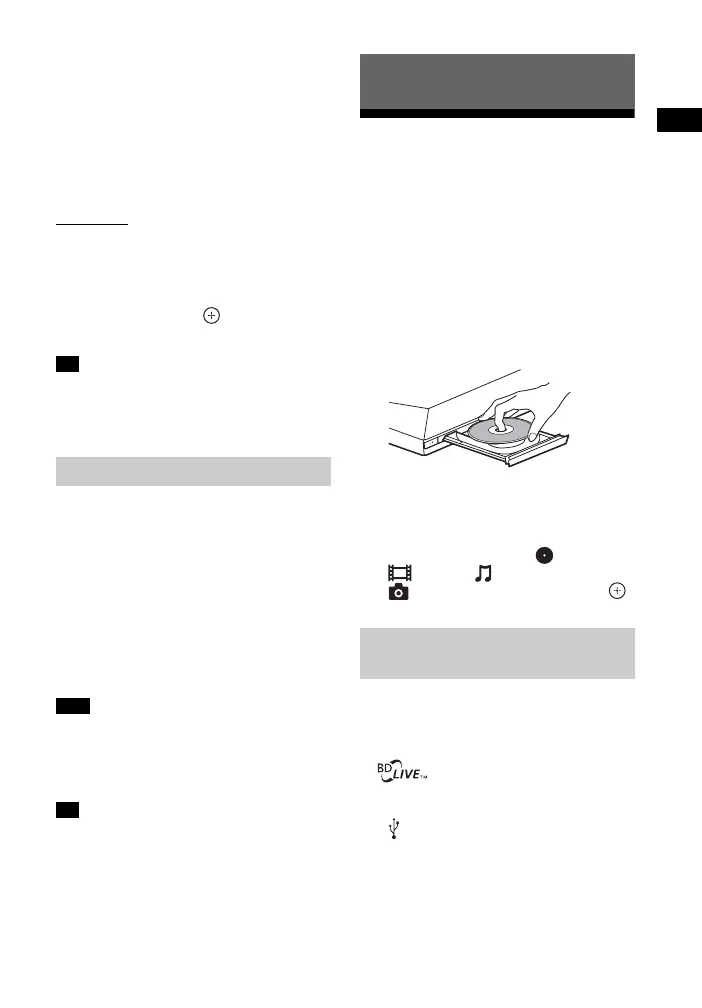
2 Press Z, and place a disc on the
disc tray.
3 Press Z to close the disc tray.
Playback starts.
If playback does not start
automatically, select in the
[Video], [Music], or
[Photo] category, and press .
Some BD-ROMs with “BD-LIVE Logo*”
have bonus content and other data that
can be downloaded for enjoyment.
*
1 Connect the USB device to the
(USB) port (page 25).
For local storage, use a 1 GB or
larger USB memory.
Tip
Selecting the football mode
Note
Tip
Playback
Enjoying BONUSVIEW/
BD-LIVE












 To Next Page