masterpage:Right
specdef v20070110
filename[E:\BDV2011\Models\E2WF-
E8WF_UC\4261379111\4261379111BDV780WUC\gb03par.fm]
model name [BDV-E780W/BDV-E980W]
[4-261-379-11(1)]
13
US
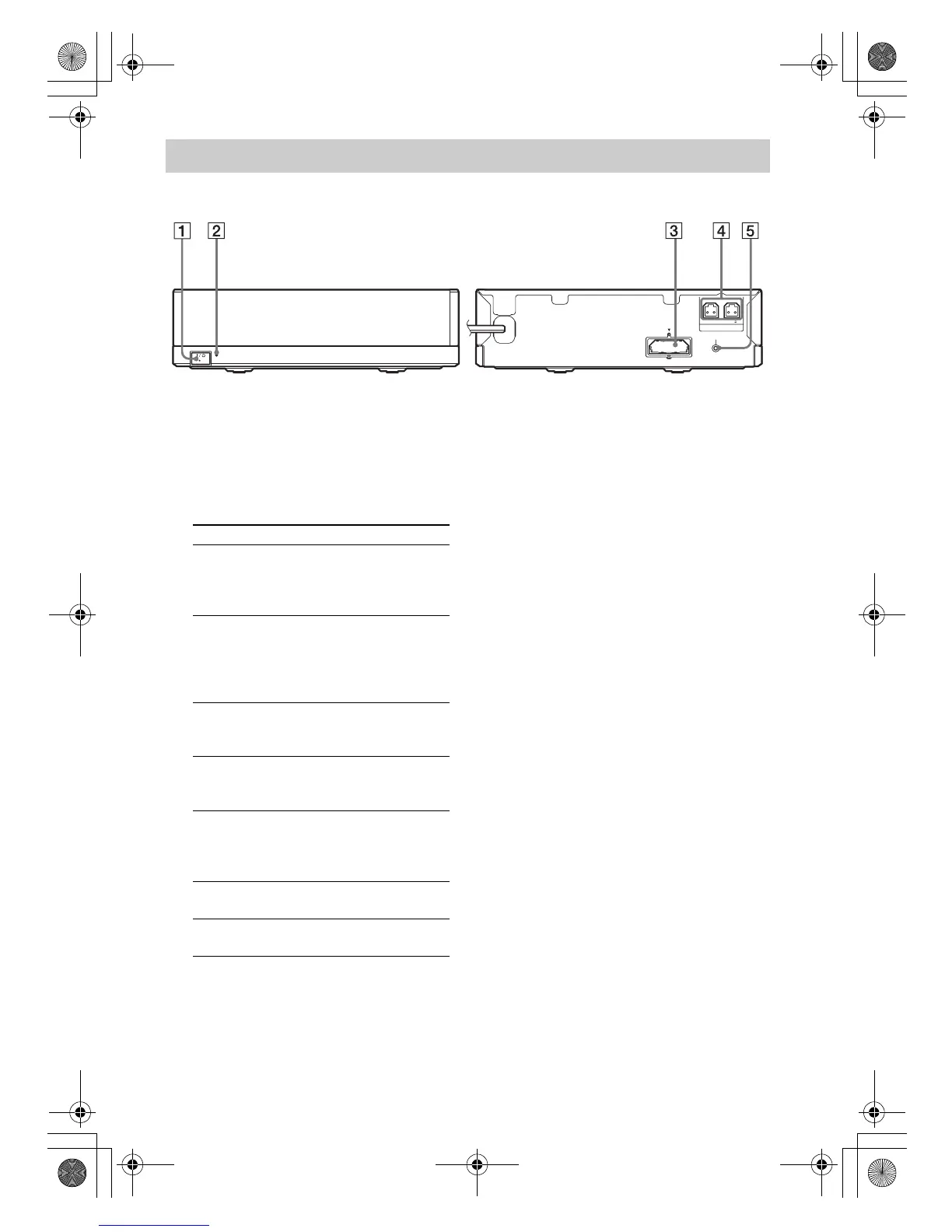
A "/1 (Power)
Turns the surround amplifier on/off.
B LINK/STANDBY indicator
You can check the status of wireless
transmission between the main unit and
surround amplifier.
C Wireless transceiver (EZW-RT50) slot
D SPEAKERS jacks
E SECURE LINK button (page 54)
Starts the Secure Link function.
Surround amplifier
LINK/STANDBY
L
R
3-16
IMPEDANCE USE
SPEAKERS
SECURE LINK
EZW-RT50
Front panel
Rear panel
Indicator Status
Turns green. The system is turned on,
wireless transmission is
activated and surround signals
are being received.
Turns orange. The system is turned on,
wireless transmission is
activated with the Secure Link
function, and surround signals
are being received.
Flashes green
quickly.
The wireless transceiver is not
inserted correctly into the
wireless transceiver slot.
Flashes green
or orange
slowly.
Wireless transmission is
deactivated.
Turns red. The surround amplifier is in
standby mode while the system
is in standby mode or wireless
transmission is deactivated.
Turns off. The surround amplifier is
turned off.
Flashes red. The surround amplifier’s
protection is active.
gb_book.book Page 13 Thursday, November 25, 2010 6:04 PM



 To Next Page