masterpage:Right
specdef v20080116
filename[E:\BDV2011\Models\E2WF-
E8WF_UC\4261379111\4261379111BDV780WUC\gb04gst.fm]
model name [BDV-E780W/BDV-E980W]
[4-261-379-11(1)]
31
US
Getting Started
Step 7: Enjoying Surround Sound
After performing the previous Steps and starting playback, you can easily enjoy surround sound. You
can also select pre-programmed surround settings that are tailored to different kinds of sound sources.
They bring the exciting and powerful sound of movie theaters into your home.
The setting method differs depending on the function.
When playing via the “BD/DVD”* or “FM” function
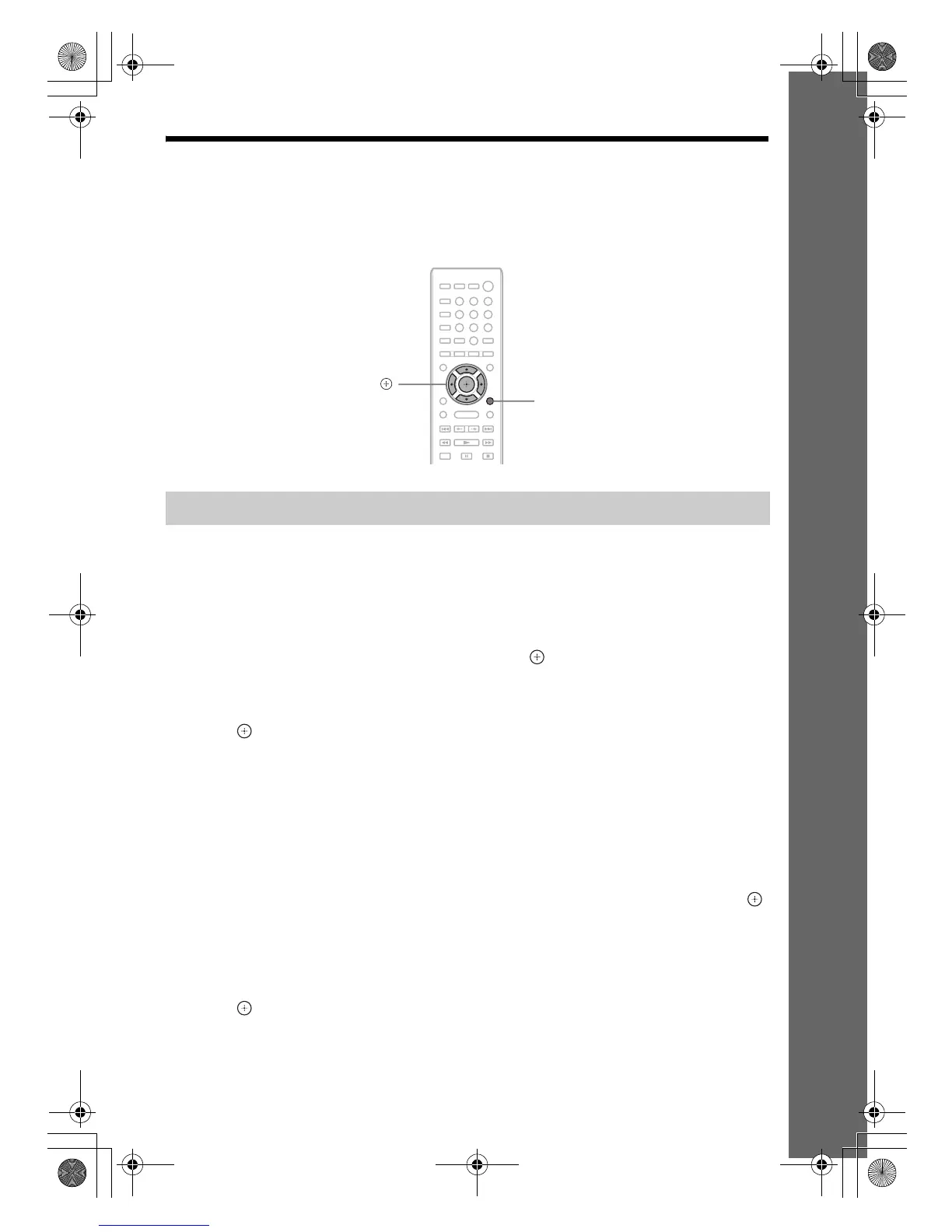
1 Press OPTIONS.
The option menu appears on the TV screen.
2 Press X/x to select [Surround Setting], then press .
3 Press X/x repeatedly until the surround setting you want appears on the TV screen.
See the table below for surround sound setting descriptions.
4 Press .
The setting is made.
* Surround sound settings do not apply to Internet content.
When playing via the “HDMI1,” “HDMI2,” “TV,” “SAT/CABLE,” or
“AUDIO” function
1 Press OPTIONS.
The option menu appears in the front panel display.
2 Press X/x repeatedly until “SUR. SET” appears in the front panel display, then press
or c.
3 Press X/x repeatedly until the surround setting you want appears in the front panel
display.
See the table below for surround sound setting descriptions.
4 Press .
The setting is made.
Selecting surround settings based on your listening preference
8
0
97
564
231
X/x/c,
OPTIONS
gb_book.book Page 31 Thursday, November 25, 2010 6:04 PM



 To Next Page