25
GB
Getting Started
The main unit transmits sound to the subwoofer that is connected to the front speakers. To activate
wireless transmission, perform the following Steps.
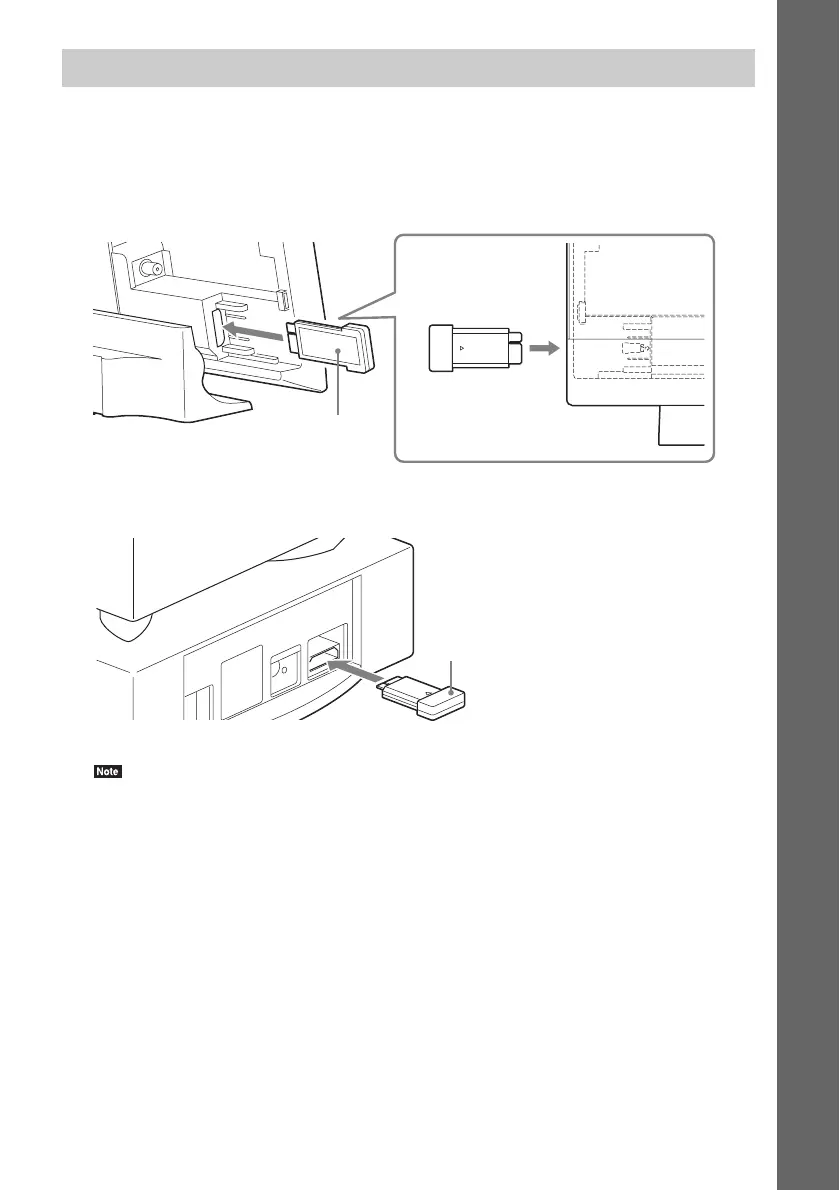
1 Insert a wireless transceiver into the main unit by matching the markings on the rear
panel.
2 Insert a wireless transceiver into the subwoofer.
• Wireless transmission will activate after turning the main unit and subwoofer on (page 31).
Inserting the wireless transceivers
Rear panel of the main unit
Wireless transceiver
Rear panel of the subwoofer
Wireless transceiver



 To Next Page