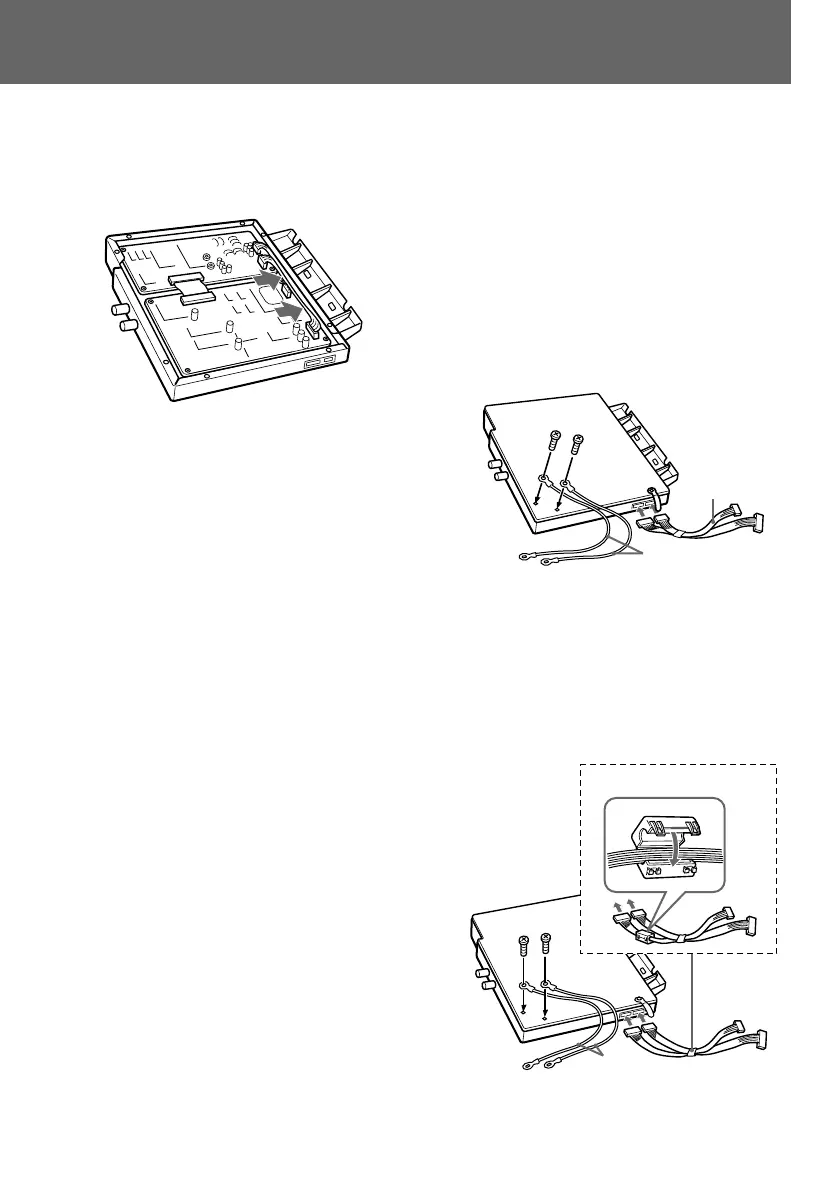
5
5 Position the connecting cables to the
side of the board.
6 Attach the cover of the SDI module
using the 8 screws removed in step 1.
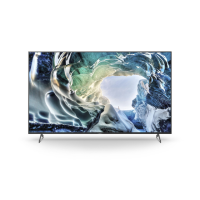
6 Connect the supplied connecting cables
and the ground wires (for the SDI module)
to the SDI module.
1 Remove the screws from the SDI
module, and connect the ground wires
to the SDI module using these screws.
2 Insert the connectors of the connecting
cables to the terminals on the SDI
module.
3 (for monitors PVM-20S1WE/20S1WU/
20S1WA only)
Attach the supplied ferrite core (small)
to the connecting cables.
Keep the ferrite core away from the SDI
module by fastening the connecting
cables with the cable clamp attached to
the SDI module.
Connecting
cables
Ground wires
1
2
Ferrite core (small)
Continue


 To Next Page