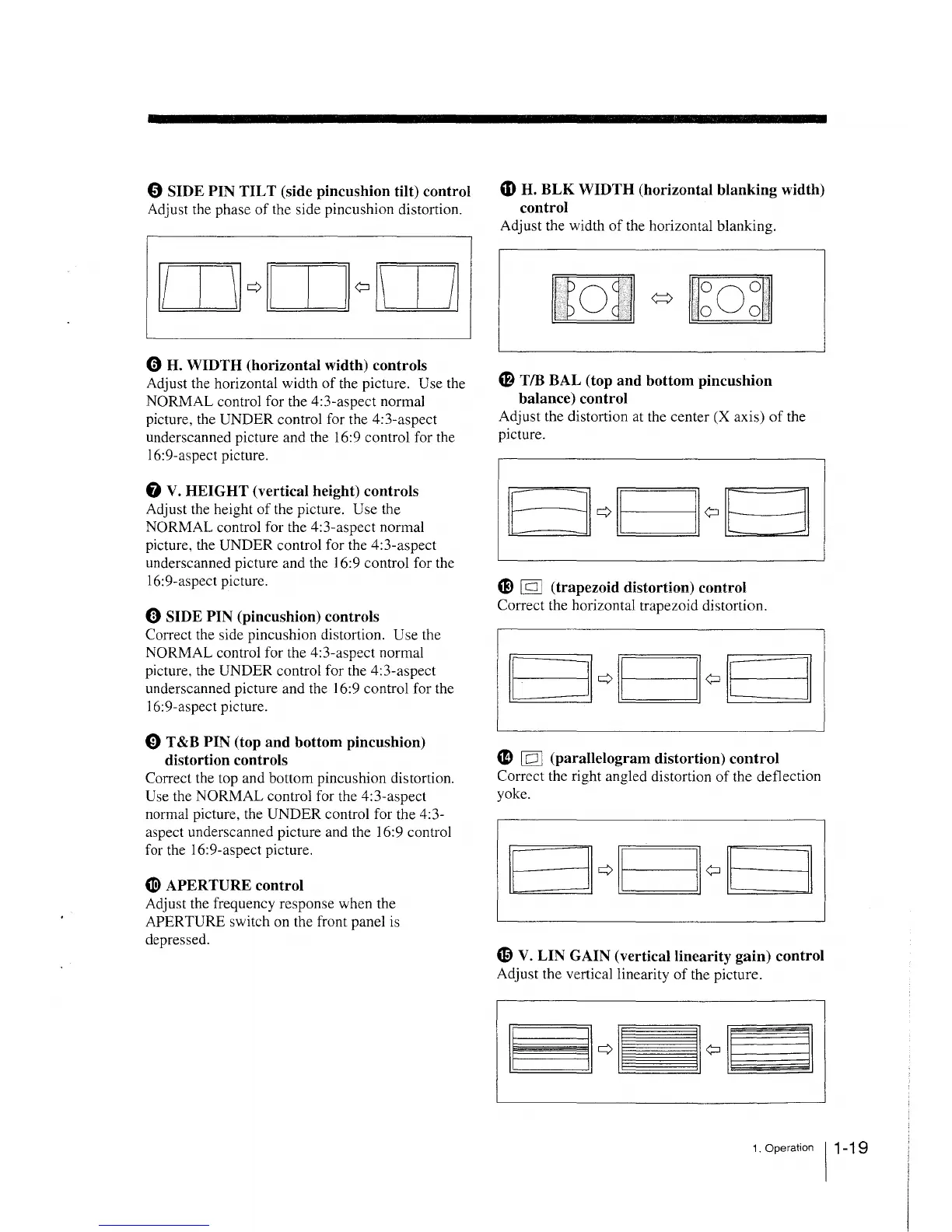
0 SIDE PIN TILT (side pincushion tilt) control
Adjust the phase of the side pincushion distortion.
0 H. WIDTH (horizontal width) controls
Adjust the horizontal width of the picture. Use the
NORMAL control for the 4:3-aspect normal
picture, the UNDER control for the 4:3-aspect
underscanned picture and the 16:9 control for the
16:9-aspect picture.
f) V. HEIGHT (vertical height) controls
Adjust the height of the picture. Use the
NORMAL control for the 4:3-aspect normal
picture, the UNDER control for the 4:3-aspect
underscanned picture and the 16:9 control for the
16:9-aspect picture.
«i) SIDE PIN (pincushion) controls
Correct the side pincushion distortion. Use the
NORMAL control for the 4:3-aspect normal
picture, the UNDER control for the 4:3-aspect
underscanned picture and the 16:9 control for the
16:9-aspect picture.
0 T &B PIN (top and bottom pincushion)
distortion controls
Correct the top and bottom pincushion distortion.
Use the NORMAL control for the 4:3-aspect
normal picture, the UNDER control for the 4:3-
aspect underscanned picture and the 16:9 control
for the 16:9-aspect picture.
~
APERTURE control
Adjust the frequency response when the
APERTURE switch on the front panel is
depressed.
~
H. BLK WIDTH (horizontal blanking width)
control
Adjust the width of the horizontal blanking.
~
T/B BAL (top and bottom pincushion
balance) control
Adjust the distortion at the center (X axis) of the
picture.
m [gJ (trapezoid distortion) control
Correct the horizontal trapezoid distortion.
4D [QJ (parallelogram distortion) control
Correct the right angled distortion of the deflection
yoke.
'9 V. LIN GAIN (vertical linearity gain) control
Adjust the vertical linearity of the picture.
1 . Operation 11-1 9








 To Next Page