2323
PVM Series
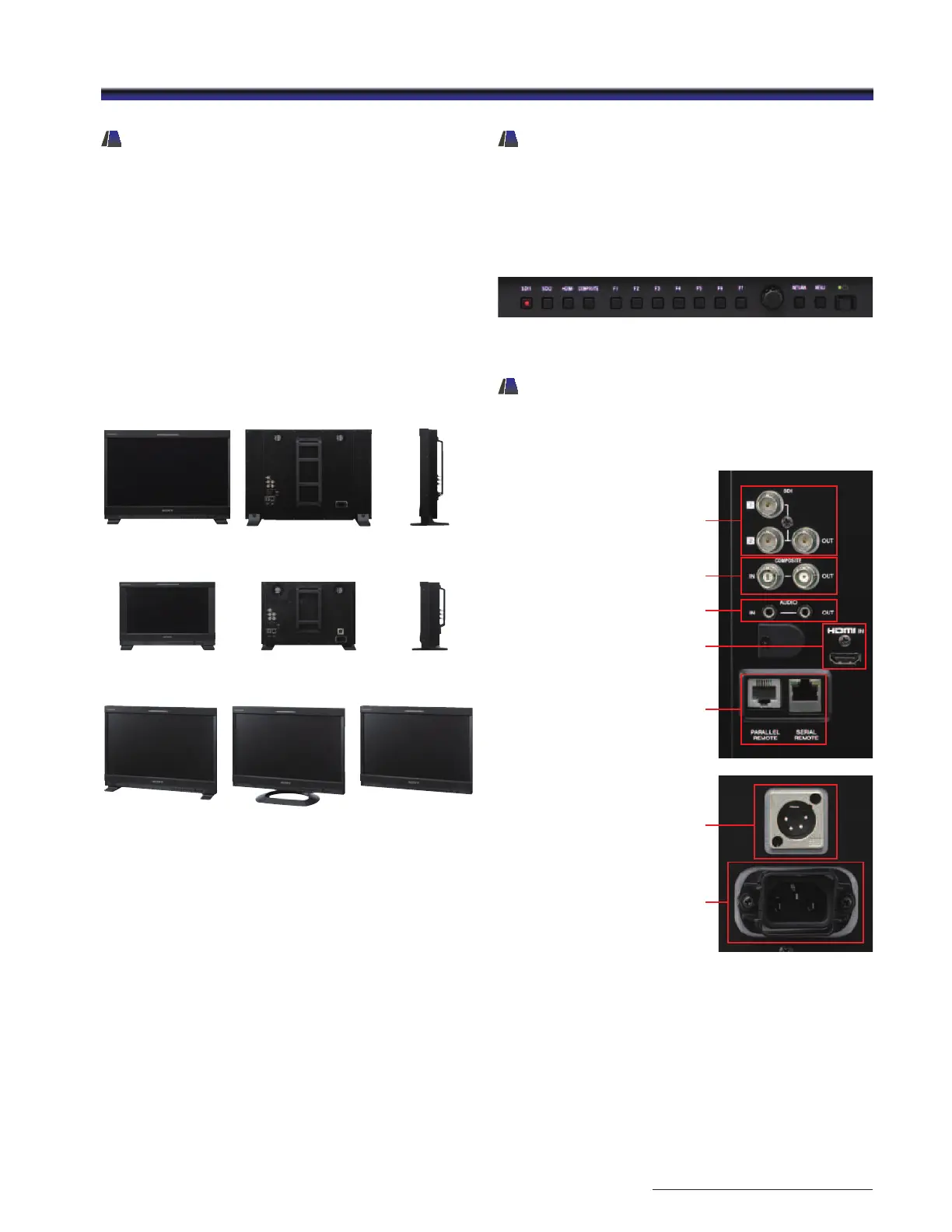
Lightweight Compact Design
– Flexible Mounting For Picture
Monitoring
The PVM-2541 and PVM-1741 incorporate a lightweight,
compact metal body. Their design offers flexibility, and can
be adapted according to the application: a desktop unit with
standard table feet, or used with an optional SU-561 stand, or
without the stand for wall applications.
These monitors support VESA mounting with a 100 mm pitch,
and EIA 19-inch standard racks.* This allows the monitors to
be used for all types of application – desktop editing, office
viewing, on a studio monitor wall, or installed in OB vans.
* The PVM-1741 only is available with standard rack-mount brackets.
Easy-to-use Control Panel
A rotary-type switch and seven function-assignable buttons
allow users quick and intuitive operation. Operation buttons
with LED indicators enable error-free operation, even in dark
environments.*
* LED lights can be switched on/off.
A menu setting is available to dim the lights.
Input Versatility
The PVM-2541 and PVM-1741 monitors are equipped with
built-in standard input interfaces: 3G/HD/SD-SDI (x2), HDMI
(HDCP) input (x1) and composite (x1).
Control panel with LED lights-on
PVM-2541 front
PVM-2541
standard
PVM-2541
with optional SU-561
PVM-2541
without stand
PVM-1741 front
PVM-2541 rear
PVM-1741 rear
PVM-2541 side
PVM-1741 side
SDI (3G/HD/SD)
input (x2)
output (x1)
Composite input /output
Audio input / output
HDMI IN
Parallel remote / Serial remote
AC IN
DC IN


 To Next Page
 Loading...
