2424
PVM Series
The waveform monitor,
2-channel audio level meter,
and time code display
The 8-channel audio level
meter
Simulated images
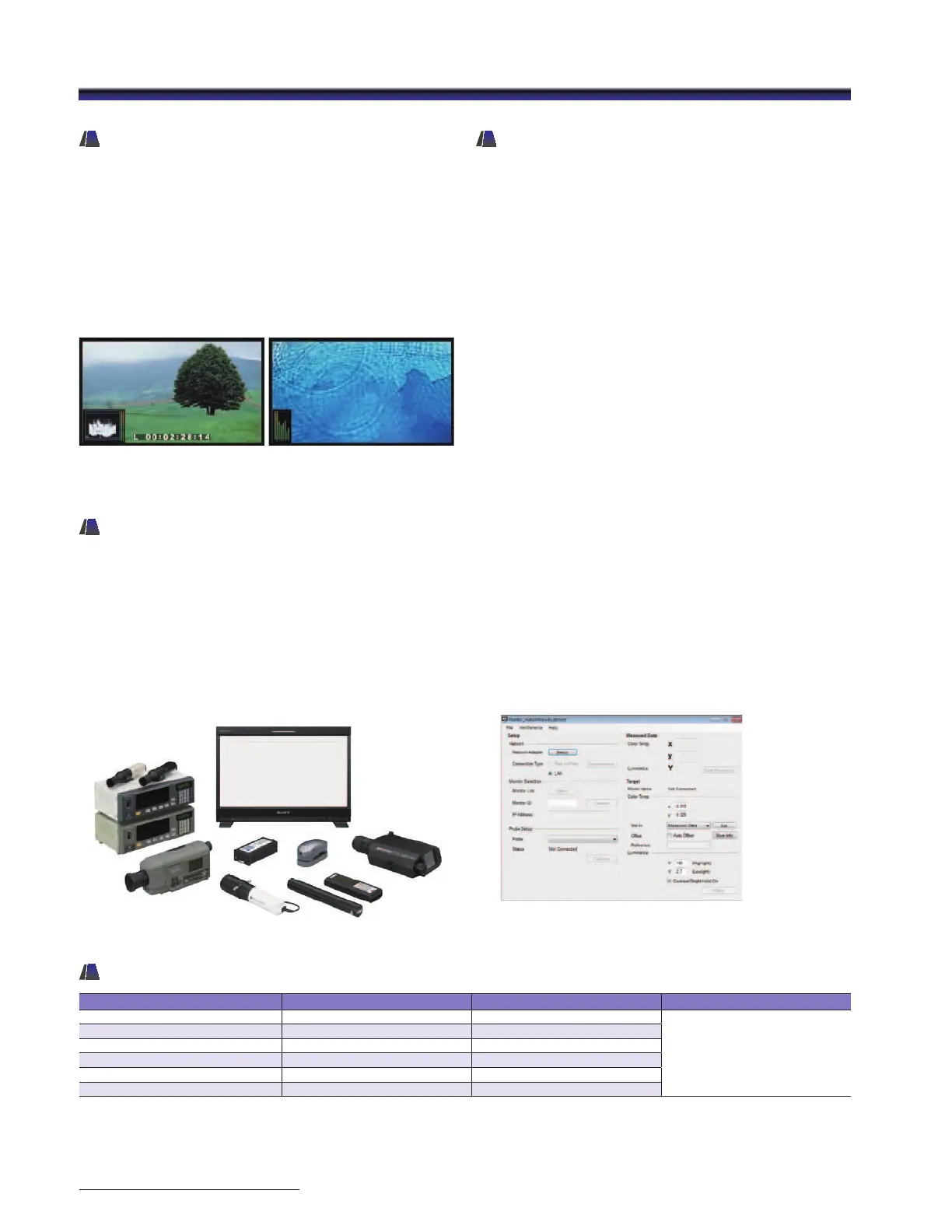
Auto White Adjustment
The PVM-2541 and PVM-1741 as well as PVM-740
monitors employ a software-based color temperature
(white balance) calibration function, which is called
“Monitor_AutoWhiteAdjustment”. Combined with a Windows
®
PC and commercially available calibration tools*, this function
enables simple adjustment of the monitor’s white balance.
* The Konica Minolta CA-210/CA-310/CS-200, DK-Technologies PM639/06,
X-Rite i1 (Eye-one) Pro, Photo Research PR-670, Klein K-10, and ETI specbos 1211.
Waveform Monitor, Audio Level
Meter, and Time Code Display
Input signal waveform with a 2-channel audio level meter
can be displayed on screen. When a HDSDI or SDI interface
is connected, the embedded audio level can be displayed
on screen with an 8-channel audio level meter. Time code
embedded on SDI signals can be displayed on screen. Users
can select either LTC or VITC.
* The Audio Level Meter function works only when receiving SDI-embedded
audio signals.
External Remote Control Function
The PVM-2541 and PVM-1741 have an external remote control
capability for input/output signal selection and adjustment
of various items via an Ethernet (10BASE-T/100BASE-TX)
connection. Up to 32 monitors and up to four control units
can be connected via Ethernet connection and controlled
remotely on the network. Also these monitors support some
functions of the BKM-16R an optional remote control unit
for BVM-E/BVM-F/BVM-L/PVM-L Series monitors such as the
power on/off switch and the Input Select function.*
* The PVM-241 and PVM-1741 do not support all BKM-16R functions.
“Monitor_AutoWhiteAdjuestment” GUI image
PVM-2541 / PVM-1741 DVI Input Signals
Resolution Dot clock (MHz) fH (kHz) fV (Hz)
640 x 480 25.175 31.5
60
1280 x 768 68.250 47.4
1280 x 1024 108.000 64.0
1360 x 768 85.500 47.7
1440 x 900 88.750 55.5
1680 x 1050 119.000 64.7
• When a DVI signal is input to the HDMI IN connector using a DVI conversion cable.
• Sides of the displayed picture may be hidden depending on the input signal.


 To Next Page
 Loading...
