EasyManua.ls Logo

Sony BVS-3100P - Page 30

Sony BVS-3100P
34 pages
Print Icon
To Next Page IconTo Next Page
To Previous Page IconTo Previous Page
Loading...
HODEECEEEA
EGE
PCUNIILAL
HYrUniiA
Lay
3.
3-2.
If
SELF-—DIAGNOSTICS/STATUS
any
of
the
following
signal
numbers
appear
in
the
Auto
Transition
display
this
repr
esents
the
corresponding
message
given.
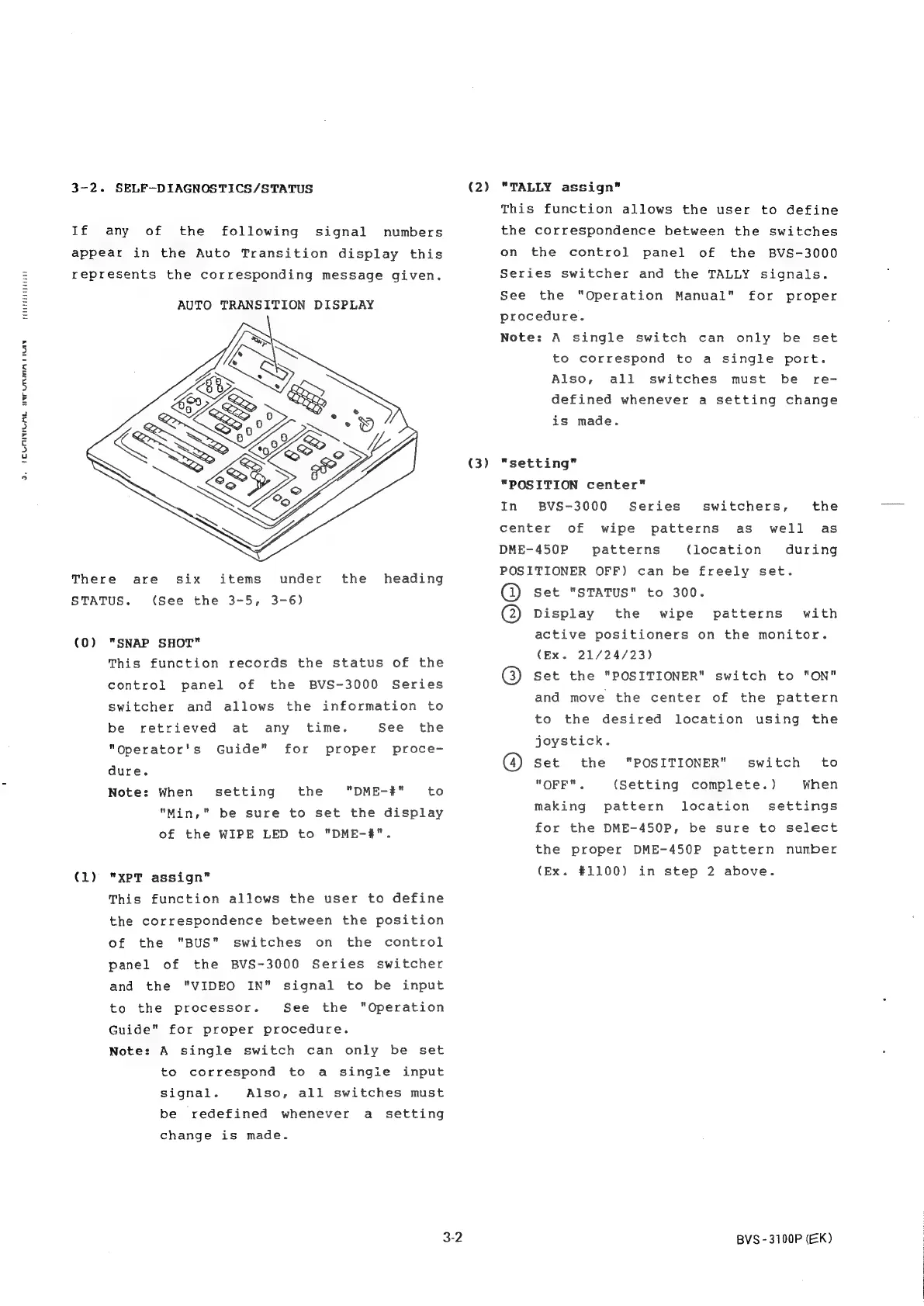
AUTO
TRANSITION
DISPLAY
There
STATUS.
(0)
(1)
under
the
3-6)
are
six
items
heading
(See
the
3-5,
"SNAP
SHOT"
This
function
records
the
status
of
the
control
panel
of
the
BVS-3000
Series
switcher
and
allows
the
information
to
See
the
proce-
be
retrieved
at
any
time.
"Operator's
Guide"
for
proper
dure.
Note:
When
the
"DME-#"
to
"Min,"
be
sure
to
set
the
display
of
the
WIPE
LED
to
"DME-#".
setting
"XPT
assign"
This
function
allows
the
user
to
define
the
correspondence
between
the
position
of
the
"BUS"
panel
of
the
BVS-3000
Series
switcher
and
the
"VIDEO
IN"
to
the
processor.
switches
on
the
control
signal
to
be
input
See
the
Guide"
for
proper
procedure.
"Operation
Note:
A
single
switch
can
only
be
set
to
correspond
to
a
single
input
Also,
be
redefined
whenever
signal.
all
switches
must
a
setting
change
is
made.
3-2
(2)
(3)
"TALLY
assign”
This
function
allows
the
user
to
define
the
correspondence
between
the
switches
on
the
control
panel
of
the
BVS-3000
Series
switcher
and
the
TALLY
signals.
See
the
procedure.
"Operation
Manual"
for
proper
Note:
A
single
switch
can
only
be
set
to
correspond
to
a
single
port.
Also,
all
defined
whenever
a
setting
change
switches
must
be
re-
is
made.
"setting"
"POSITION
center”
In
BVS-3000
Series
switchers,
the
center
of
wipe
patterns
as
well
as
DME-450P
patterns
(location
during
POSITIONER
OFF)
can
be
freely
set.
@
set
"STATUS"
to
300.
@)
Display
the
wipe
patterns
with
active
positioners
on
the
monitor.
(Ex.
21/24/23)
@)
set
the
"POSITIONER"
switch
to
"ON"
and
move
the
center
of
the
pattern
to
the
desired
location
using
the
joystick.
@)
Set
the
"OFF".
making
for
the
DME-450P,
the
proper
DME-450P
pattern
number
(Ex.
#1100)
switch
to
When
settings
"POSITIONER"
(Setting
complete.)
pattern location
be
sure
to
select
in
step
2
above.
BVS-3100P
(EK)