Troubleshooting Guide (mech)
1273-2281 Rev2
Sony Mobile Communications AB –
8(48)
Problem Areas
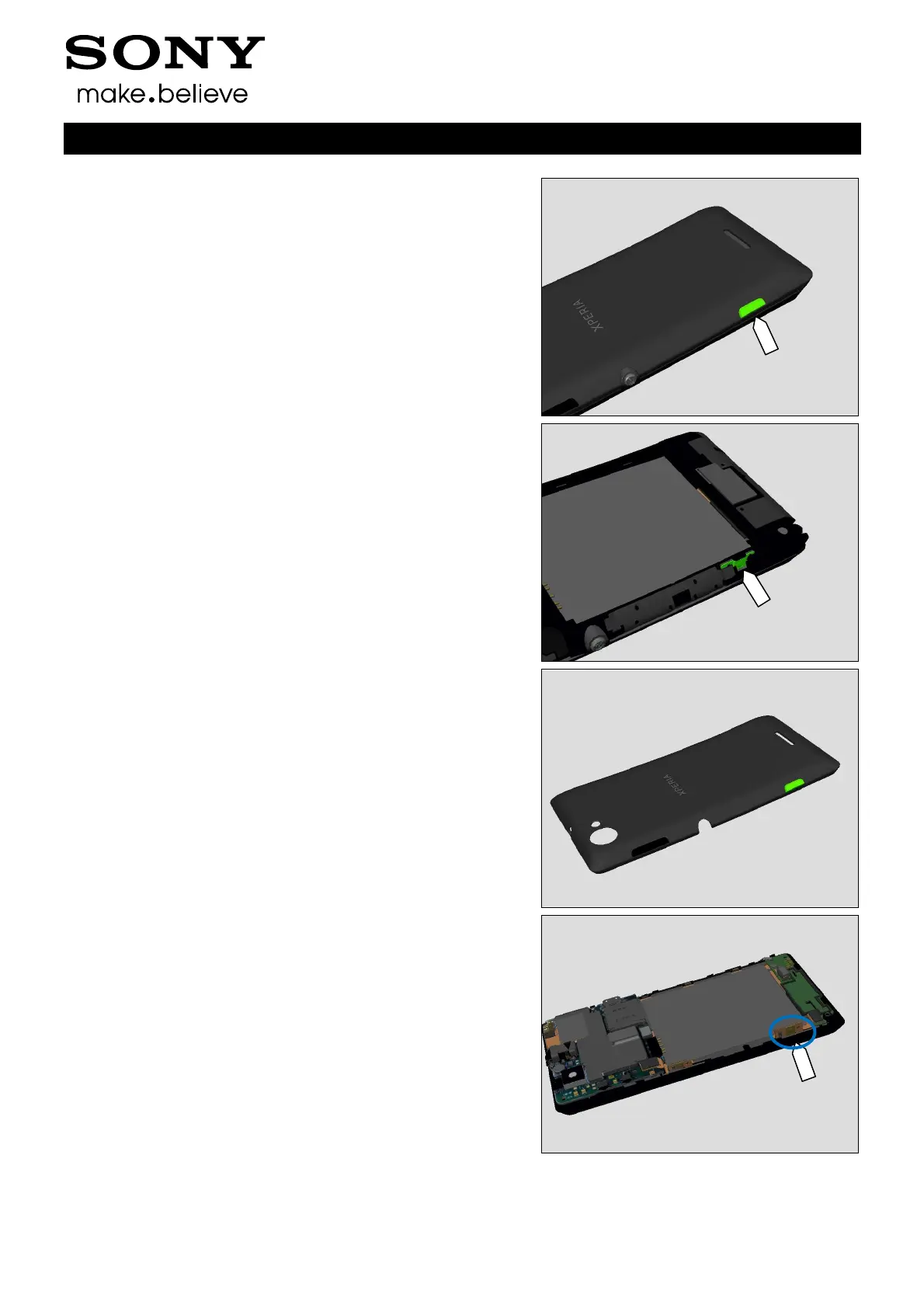
1.2.4 Camera Key
Check:
Inspect the external area of the Camera key.
Action:
If dirty – clean it.
Check:
Inspect the Camera key Dome.
Action:
1. If dirty or oxidized – clean it.
2. If the Camera key is damaged – replace the Battery
Cover.
Check:
Inspect the Camera key dome on Side FPC.
Action:
1. If dirty or oxidized – clean it.



 To Next Page