23
Removing the unit
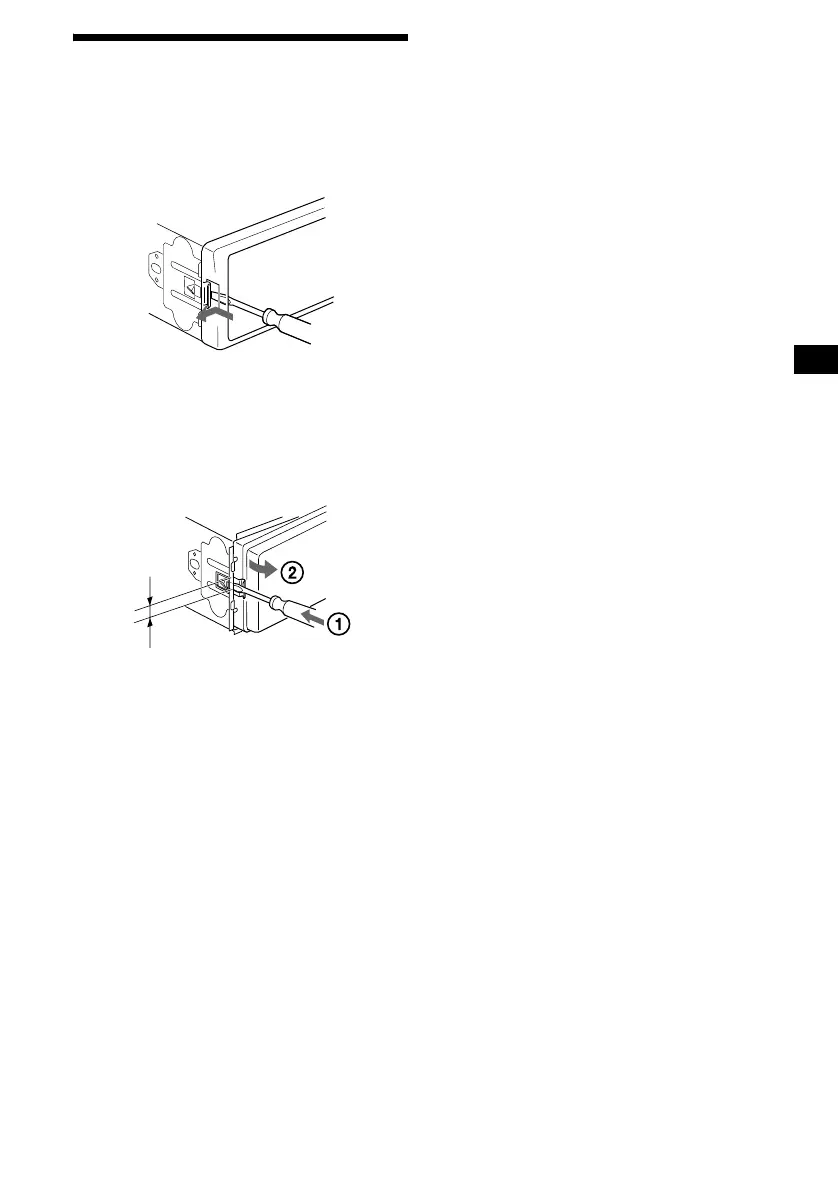
1 Remove the front cover
1 Detach the front panel (page 6).
2 Press the clip inside the front cover
with a thin screwdriver.
3 Repeat step 2 for the other side.
2 Remove the unit
1 Use a thin screwdriver to push in
the clip on the left side of the unit,
then pull out the left side of the unit
until the catch clears the mounting.
2 Repeat step 1 for the right side.
3 Slide the unit out of its mounting.
4mm



 To Next Page