9
Playing a tape in various
functions
You can play the tape in various functions:
• REP (Repeat Play) repeats the current track.
• BL SKIP (Blank Skip) skips blanks longer than
8 seconds.
• ATA (Automatic Tuner Activation) turns on the
tuner automatically when fast-winding the tape.
• MTL (Metal) lets you play a metal or CrO2
tape.
During tape playback, press the
desired function button repeatedly
until “ON” in the display appears.
Function buttons
(3): REP
(5): BL SKIP
(6): ATA
(PTY): MTL
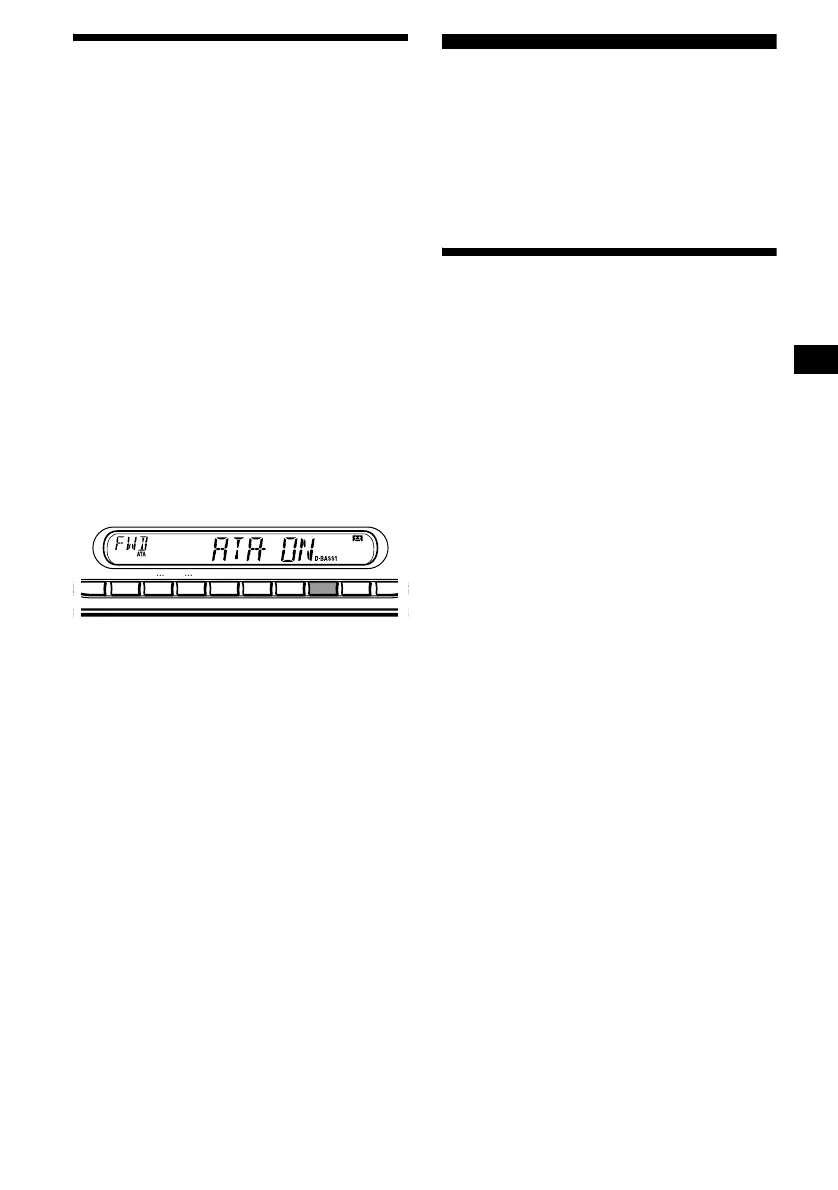
Example: ATA function
ATA function starts.
To return to normal playback function, select
“OFF.”
Radio
The unit can store up to 6 stations per band
(FM1, FM2, FM3, MW, and LW).
Caution
When tuning in stations while driving, use Best
Tuning Memory to prevent accidents.
Storing stations
automatically
— Best Tuning Memory (BTM)
The unit selects the stations with the strongest
signals within the selected band, and stores them
in the order of their frequency.
1 Press (SOURCE) repeatedly to select
the radio.
2 Press (MODE) repeatedly to select the
band.
3 Press ( SEN S) (BTM) for 2 seconds.
A beep sounds when the setting is stored.
Notes
• If only a few stations can be received due to weak
signals, some number buttons will retain their former
settings.
• When a number is indicated in the display, the unit
starts storing stations from the one currently
displayed.
AF SENS
BTM
DISC
REP MTL
–
+
123456
TAPTY
SHUF BL
SKIP/ ALBM
-
+
/ATA



 To Next Page