f
MUTING(_ _SLEEP
"I_/NIDEO
®®®
®®®
®®®
VOL CH
I_jjl_ _ vL_._,_l_:_r_..,.]_ -
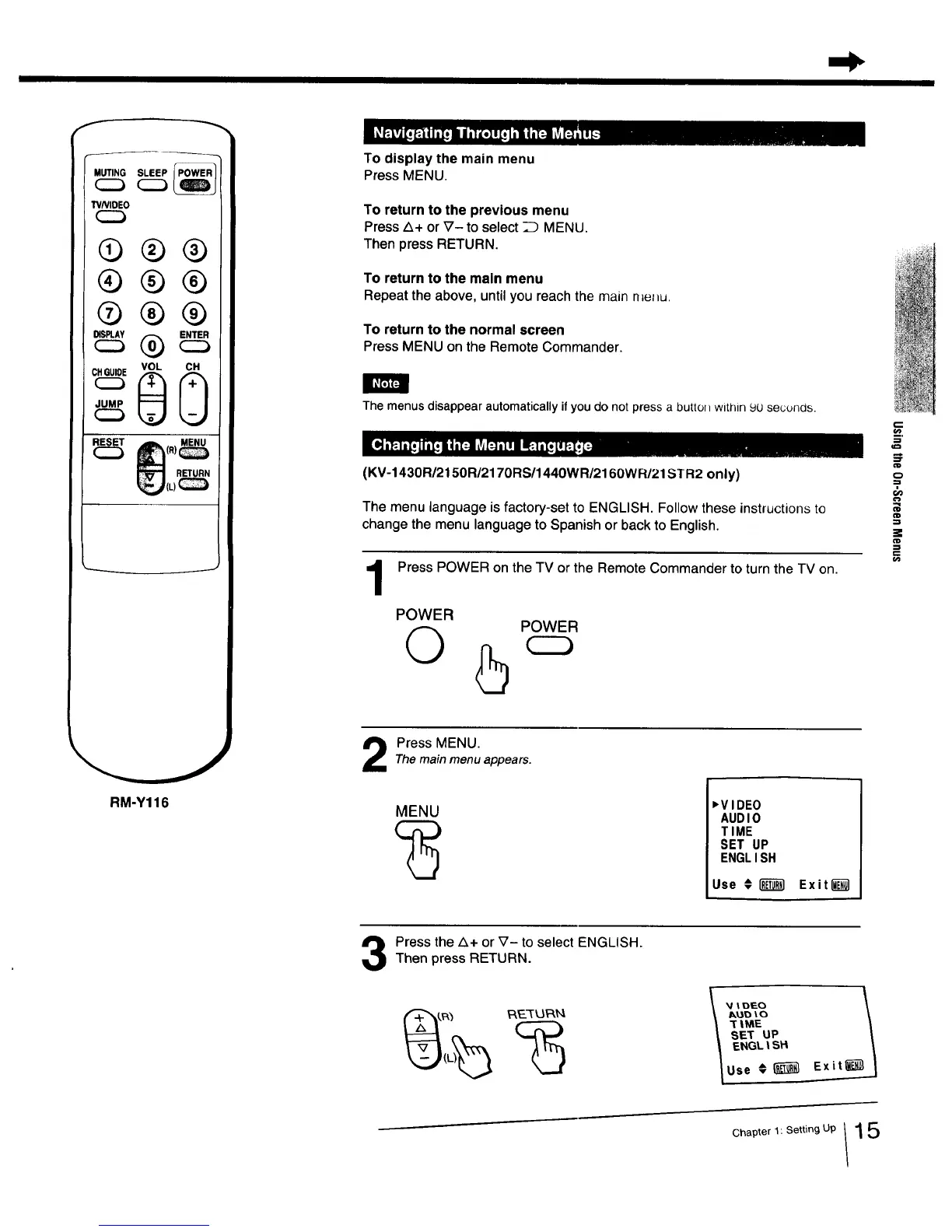
To display the main menu
Press MENU.
To return to the previous menu
Press Z_+or _7- to select _ MENU.
Then press RETURN.
To return to the main menu
Repeat the above, until you reach the main n=e_u.
To return to the normal screen
Press MENU on the Remote Commander.
The menus disappear automatically if you do not press a button within 9U secunas.
(KV-1430R/2150R/2170RS/1440WR/2160WR/21STR2 only)
The menu language isfactory-set to ENGLISH. Follow these instructions to
=0
03
change the menu language to Spanish or back to English.
Press POWER on the TV or the Remote Commander to turn the TV on. "
POWER
O
POWER
RM-Y116
Press MENU.The main menu appears.
MENU
,VIDEO
AUDIO
TIME
SET UP
ENGLISH
Use € _ Exit[_l
Press the Z_+ or _7- to select ENGLISH.Then press RETURN.
_DtO
_|ME
SET UP
ENGL|SH
Use _[_ Exit
Chapter 1: Setting Up 1 5



 To Next Page