LocatingtheControls
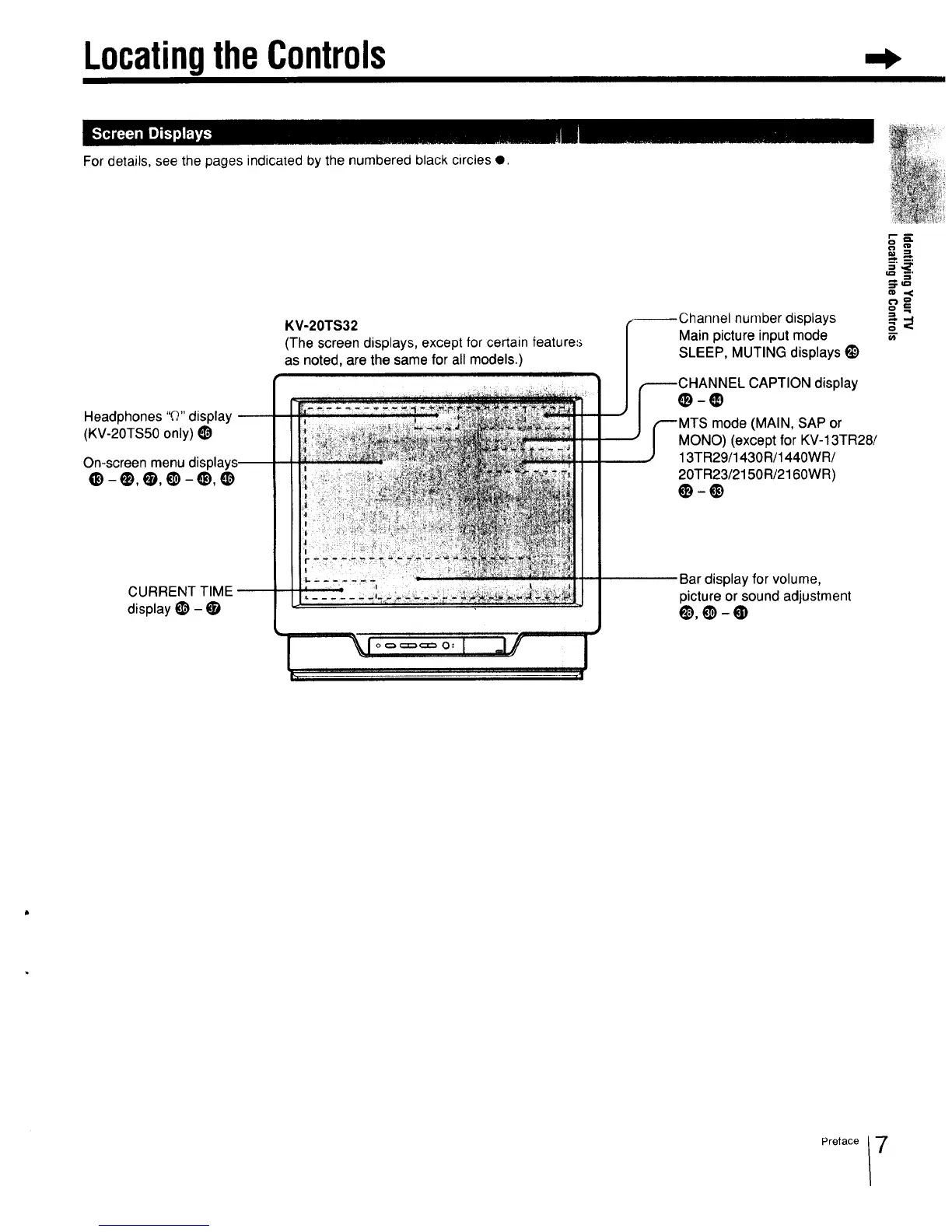
For details, see the pages indicated by the numbered black circles e.
Headphones "Q" display --
(KV-20TS50 only) _)
On-screen menu
e-o,e,e-_,o
KV-20TS32
(The screen displays, except for certain feature=_
as noted, are the same for all models.)
number displays
Main picture input mode
SLEEP, MUTING displays l_
;HANNEL CAPTION display
mode (MAIN, SAP or
MONO) (except for KV-13TR28/
13TR29/1430R/1440WR/
20TR23/2150R/2160WR)
CURRENT TIME --
display t_) - •
....
Bar display for volume,
picture or sound adjustment
Q),O-@
Preface 7



 To Next Page