Presetting TV Channels
I IIIm' fli ii i I
f
MUTING(_ (_)SLEEP[PO(_l:t__
WNIDE0
®®®
G®®
®®®
RM-Y116
To return to the normal screen
Press MENU.
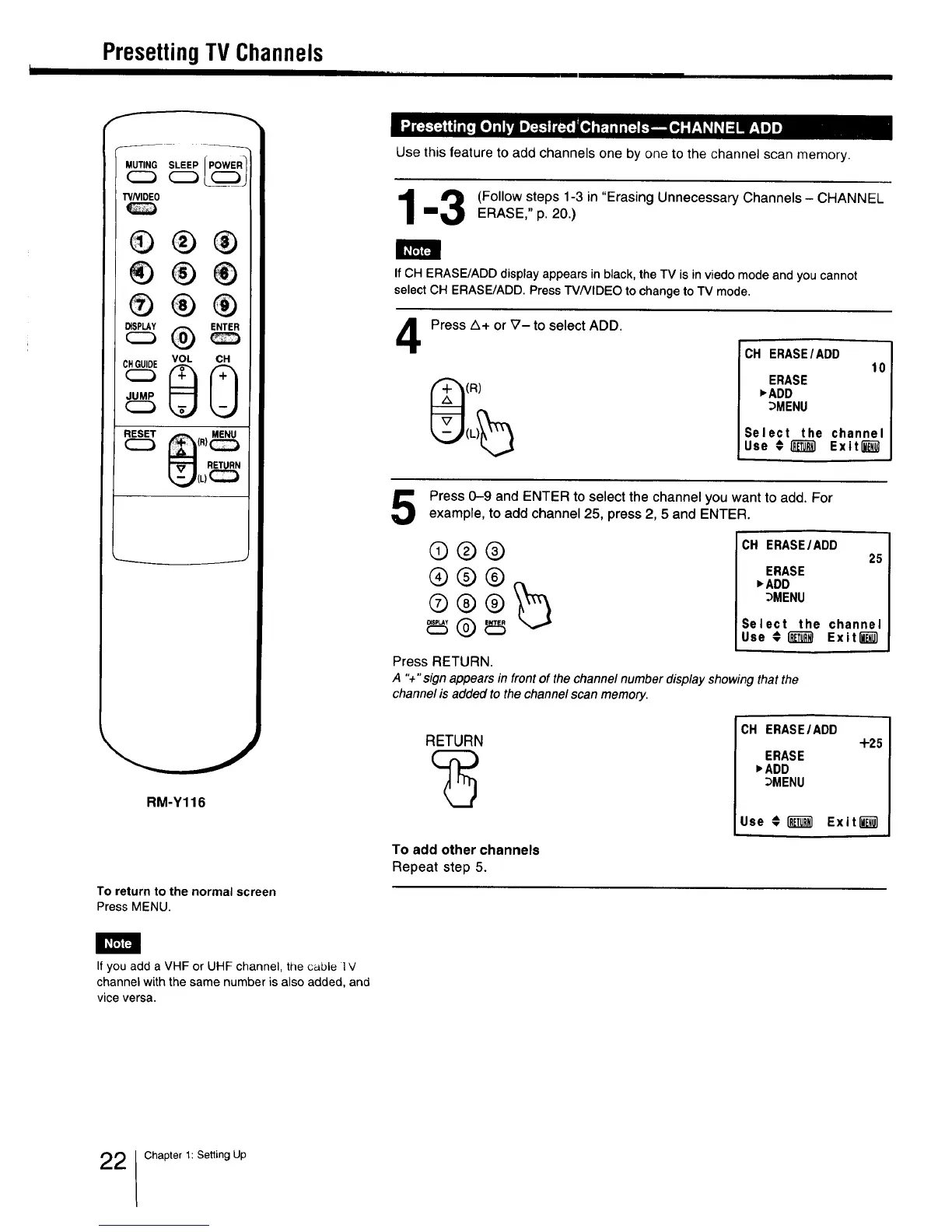
Use this feature to add channels one by one to the channel scan memory.
_ (Follow steps 1-3 in "Erasing Unnecessary Channels - CHANNEL
==_ ERASE," p. 20.)
If CH ERASE/ADD display appears in black, the TV is in viedo mode and you cannot
select CH ERASE/ADD. Press TV/VIDEO to change to TV mode.
4
Press A+ or _7- to select ADD.
(R)
CH ERASE/ADD
10
ERASE
_ADD
_MENU
Select the channel
Use €_ Exiting1
Press 0-9 and ENTER to select the channel you want to add. For
example, to add channel 25, press 2, 5 and ENTER.
®®®
®@®
CH ERASE/ADD
25
ERASE
_ADD
_MENU
Select the channel
Use €(_ Exiting1
Press RETURN.
A "+" sign appears in front of the channel number display showing that the
channel is added to the channel scan memory.
RETURN
To add other channels
Repeat step 5.
CH ERASEIADD
+2_
ERASE
)ADD
_MENU
Use € i_ Exit""""""""""_
I_F'JF4
If you add a VHF or UHF channel, the cable l V
channel with the same number is also added, and
vice versa.
2 Chapter 1: Setting Up



 To Next Page