PresettingTV Channels
f
®®®
®®®
®®®
c_ VOL CH
RM-Y116
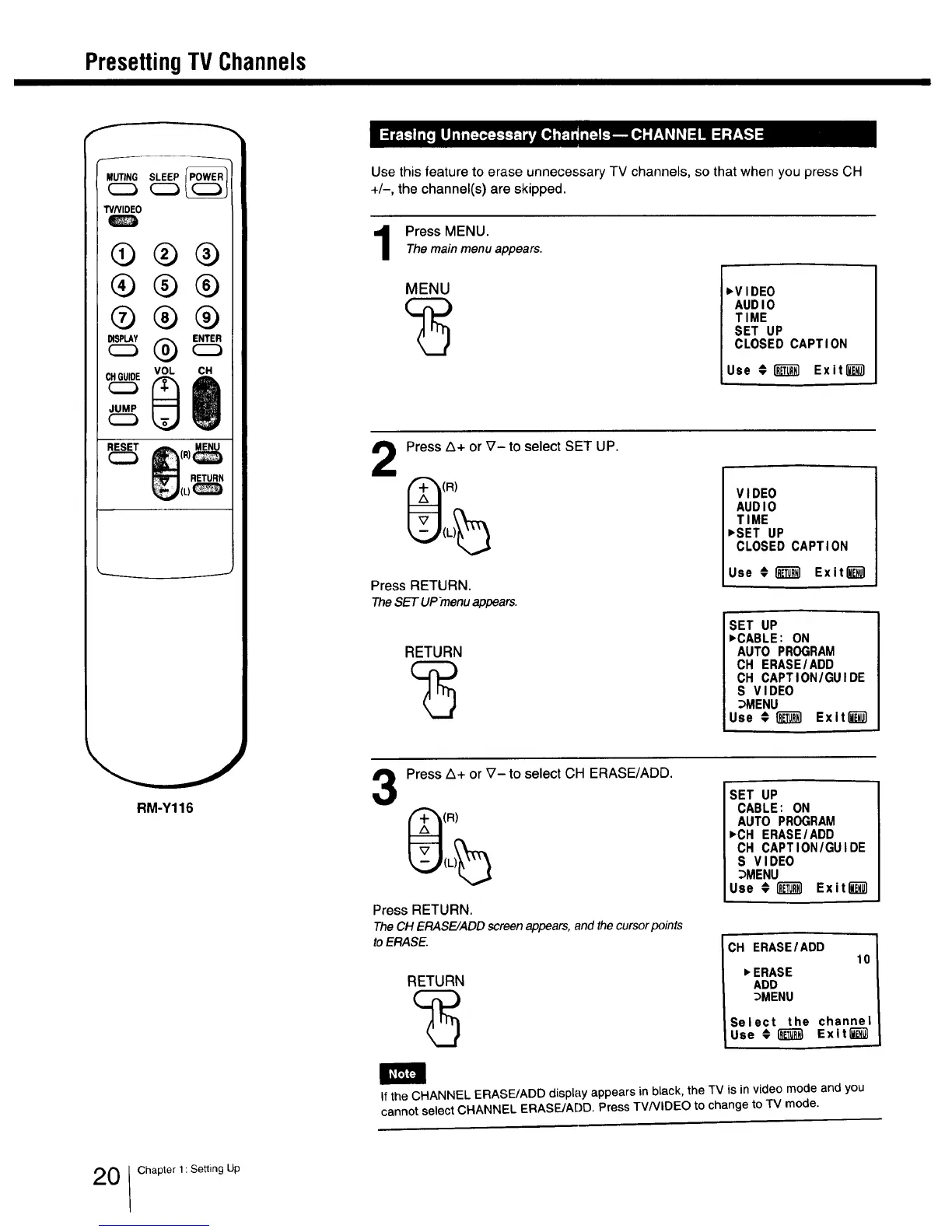
Use this feature to erase unnecessary TV channels, so that when you press CH
+/-, the channel(s) are skipped.
Press MENU.
The main menu appears.
MENU
,VIDEO
AUDIO
TIME
SET UP
CLOSED CAPTION
Use # _ Exit_
Press Z_+ or V- to select SET UP.
(R)
Press RETURN.
TheSET UPmenuappears.
RETURN
VIDEO
AUDIO
TIME
_SET UP
CLOSED CAPTION
Use #1_1 Exit_
SET UP
_CABLE: ON
AUTO PROGRAM
CH ERASE/ADD
CH CAPTION/GUIDE
S VIDEO
_MENU
Use #I_T_ Exltl_
3
Press A+ or V- to select CH ERASE/ADD.
(R)
Press RETURN.
The CH ERASE/ADD screen appears, and the cursor points
to ERASE.
RETURN
SET UP
CABLE: ON
AUTO PROGRAM
_CH ERASE/ADD
CH CAPTION/GUIDE
S VIDEO
_MENU
Use #i_ Exitl_
CH ERASE/ADD
10
_ERASE
ADD
_MENU
Select the channel
Use € _ Exit[_
llF'_]
If the CHANNEL ERASE/ADD display appears in black, the TV is in video mode and you
cannot select CHANNEL ERASE/ADD. Press TVNIDEO to change to TV mode.
0 Chapter 1: Setting Up



 To Next Page